

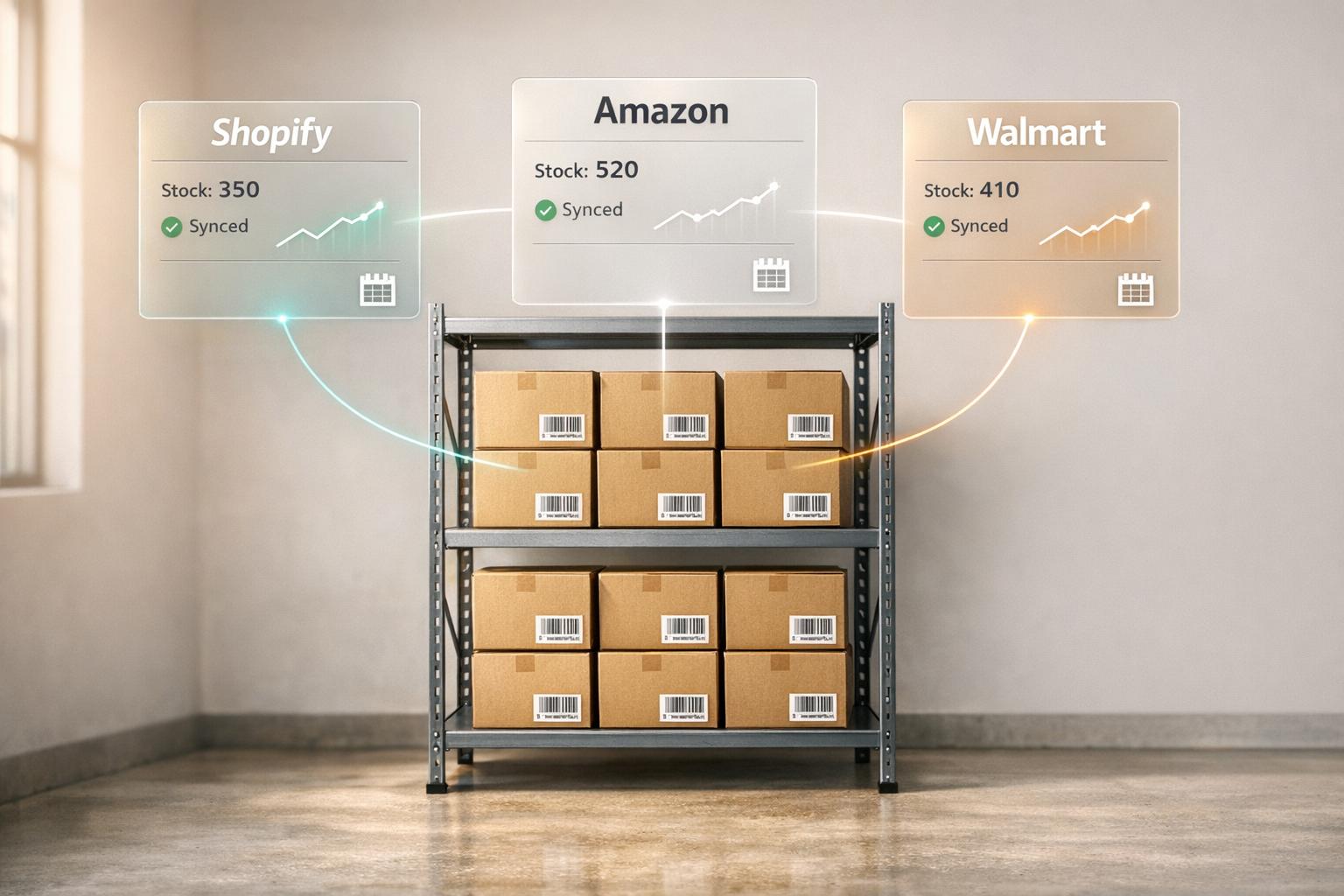
Managing inventory across Shopify, Amazon, and Walmart is challenging, but getting it right can save you from costly mistakes like stockouts, overstocks, and compliance penalties. Here's what you need to know:
- Inventory Errors Are Common: On average, inventory is tracked incorrectly 30% of the time, leading to financial losses.
- Stockouts and Overstock Costs: In 2022, retailers lost $350 billion due to stock issues, while Amazon and Walmart penalties can hurt your profits and rankings.
- Platform-Specific Rules: Shopify updates inventory in real time, but Amazon and Walmart often experience delays, increasing the risk of overselling.
- Key Metrics to Track: Use tools like reorder point formulas, safety stock calculations, and ABC-XYZ analysis to optimize stock levels.
To succeed, focus on demand forecasting, balancing stock, and syncing inventory across platforms in real time. Automation tools and proper cash flow strategies, like revenue-based financing, can help scale your operations while avoiding common pitfalls.

Multi-Channel Inventory Management Discussion and Tutorial
sbb-itb-d7b5115
Core Inventory Planning Principles
Effectively managing inventory across platforms like Shopify, Amazon, and Walmart boils down to mastering a few key principles. These principles are the foundation of successful inventory management, directly influencing your cash flow and profitability.
The main challenge? Predicting what customers will buy, when they'll buy it, and how much stock you need to meet demand. Misjudging this can lead to costly stockouts or excess storage fees.
Demand Forecasting and Stock Optimization
Demand forecasting relies on historical sales data, seasonality, and market trends to predict future sales. The goal is to maintain the right stock levels without tying up too much cash in surplus inventory [9][11]. For brands selling on multiple platforms, this gets tricky - demand patterns can vary significantly between channels.
A good starting point is the reorder point formula: (Average Daily Sales × Lead Time) + Safety Stock [9][3]. For example, if you sell 50 units daily, your supplier takes 14 days to deliver, and you want 200 units as a buffer, reorder once your inventory hits 900 units. Calculating lead time demand (Average Daily Sales × Average Lead Time) ensures you have enough stock to cover orders until the next shipment arrives [9]. If demand spikes on Amazon, your forecasts for Shopify and Walmart must adjust in real-time to avoid overselling [3].
To assess forecast accuracy, use MAPE (Mean Absolute Percentage Error): (Actual Sales – Forecasted Sales) / Actual Sales × 100. A lower percentage means better reliability [3]. For instance, Rider Shack, a surf and skate retailer, resolved out-of-stock issues for its 13,000 products by integrating Webgility with QuickBooks POS. This provided real-time inventory visibility across all channels, eliminating manual errors and improving demand forecasting [3].
Safety stock acts as a safeguard against unexpected demand or supplier delays. The formula: (Max Daily Sales × Max Lead Time) – Lead Time Demand [9]. For large catalogs, ABC-XYZ Analysis is a helpful tool. ABC ranks products by revenue (A = top 20% driving 80% of revenue, B = mid-tier, C = low-value items), while XYZ evaluates demand stability (X = stable, Z = erratic) [3][10]. Focus your most precise forecasting efforts on A-X items - they’re your revenue drivers.
AI-based tools can simplify forecasting, reducing inventory levels by up to 30% [2]. Advanced algorithms like Prophet or ARIMA handle complex patterns better than basic methods [10][6]. Align forecasts with your marketing calendar - adjust them ahead of events like Shopify flash sales or Amazon Lightning Deals [9][11].
Leandrew Robinson, General Manager of Mesh Logistics at Auctane, highlights the stakes:
"If supply chain forecasting isn't accurate down to a couple of weeks, it can cause costly ripple effects that will zap the profitability of an entire quarter or half-year" [6].
Accurate forecasting across platforms ensures consistent product availability and prevents expensive mistakes.
Balancing Stockouts and Overstock
Striking the right inventory balance is crucial. Stockouts lead to lost sales, unhappy customers, and damaged marketplace rankings. Overstocking, on the other hand, ties up cash, racks up storage fees, and often forces you to sell at steep discounts.
Globally, stockouts result in $1 trillion in lost sales annually [12]. On Amazon, running out of stock can tank your search rankings and knock you out of the Buy Box. On Walmart, it affects your Order Defect Rate. About 70% of consumers will switch brands or retailers after encountering a stockout, while only 13% will wait for a restock [16].
Adii Pienaar, Founder of Cogsy, explains the ripple effects:
"Many brands go out of stock during their biggest sales of the year, so they're spending money on ads to create demand to then find themselves unable to convert that demand. This drives CAC way up and negatively affects brand affinity" [6].
On the flip side, overstocking costs retailers nearly $472 billion annually [12]. For example, Amazon charges $6.90 per cubic foot for items stored in fulfillment centers for over 365 days [17]. Nicholas Daniel-Richards, Cofounder of ShipHero, warns:
"Stale inventory sits in a warehouse gathering dust and accumulating fees. The only way to salvage such situations is by selling at cost or at steep discounts" [6].
To avoid these pitfalls, use PAR (Periodic Automatic Replacement) levels to automate reordering before stockouts occur [13][14]. The Economic Order Quantity (EOQ) formula helps determine the most cost-effective order size by balancing ordering and carrying costs [12][14]. For high-priority items, work with multiple suppliers to reduce lead-time risks - this lowers the need for excessive safety stock [12][16]. With supply chain disruptions affecting 90% of companies in 2024, a diversified supplier base is more critical than ever [2].
Inventory Management Techniques
Several methods can help streamline inventory management across platforms.
ABC Analysis is a classic approach. Divide your inventory into three categories based on revenue contribution [18][8]:
| Inventory Segment | Revenue Contribution | Stock Volume | Management Strategy |
|---|---|---|---|
| Segment A | ~80% | ~20% | Tight control, high safety stock, frequent reorders |
| Segment B | ~15% | ~30% | Moderate control, standard safety stock |
| Segment C | ~5% | ~50% | Lean stocking, bulk ordering |
Focus on Segment A products - your best sellers - by maintaining higher safety stock and tighter controls. For Segment C items, keep stock lean and order in bulk less frequently.
Just-in-Time (JIT) inventory minimizes storage costs by ordering items only when needed [8]. This approach works best for predictable demand and reliable suppliers but can be risky if delays occur. FIFO (First-In, First-Out) ensures older stock is sold first, which is especially important for perishable goods or items with expiration dates [8].
Regular cycle counting is another useful practice. Instead of annual full audits, count small portions of inventory regularly to catch discrepancies early and keep your data accurate [13][8]. This is particularly important for Amazon sellers, who should also monitor their Inventory Performance Index (IPI) score. A higher IPI score means better inventory management, which can lead to lower storage costs and fewer restrictions [8][17].
Top-performing companies achieve 10–15 inventory turns annually, far exceeding the industry average of 3–4 turns [17]. To hit these benchmarks, use a centralized system to synchronize inventory data across platforms like Shopify, Amazon, and Walmart [12][15]. Real-time updates are essential, especially when one channel experiences a sales surge [3].
Shopify Inventory Planning

Shopify provides a solid starting point for inventory management, particularly for businesses that are just launching or primarily operating on a single platform. The key is knowing when Shopify's built-in tools are enough - and when it's time to explore additional solutions.
Using Shopify's Built-In Inventory Tools
Shopify's Admin Inventory Page offers a straightforward way to track stock across up to 1,000 locations. It highlights key inventory states like Available (ready to sell), Committed (sold but not shipped), Unavailable (set aside for issues like damage), and On Hand (total physical units) [19].
For demand forecasting, Shopify includes the Stocky app (free with POS Pro), which analyzes your sales history to recommend reorder quantities based on factors like lead times and seasonality. It also simplifies vendor management and lets you create purchase orders directly in Shopify. If you're managing stock across multiple locations, the inventory transfer feature helps you move products between warehouses or stores to balance inventory efficiently [19].
Automation is another area where Shopify shines. Shopify Flow sends low-stock alerts to your team when fast-selling items fall below a set threshold [20]. Meanwhile, the Shopify Mobile App includes a barcode scanner, making it easy to adjust quantities and perform stocktakes on the go [5].
Shopify also provides detailed inventory reports to guide decision-making. For example:
- The ABC analysis report ranks products by revenue contribution: A-grade items generate about 80% of revenue, B-grade items contribute 15%, and C-grade items make up the remaining 5%.
- The Days of Inventory Remaining report estimates how long your stock will last based on recent sales trends.
- The sell-through rate report shows what percentage of inventory is actively moving [23].
Ann McFerran, CEO of Glametic, highlights the importance of going beyond basic sales data:
"Demand planning goes further by considering other factors that could impact demand, such as seasonality and consumer taste trends. This information is essential for meeting your customer demand while minimizing excess inventory" [2].
For businesses with growing complexity, integrating Shopify's tools with third-party systems can provide real-time inventory visibility across all locations. This helps improve forecasting accuracy and reduces the risk of stockouts.
When to Use Third-Party Inventory Tools
Shopify's built-in tools are ideal for simpler setups, like single-location businesses or those with a single sales channel. However, as your operations grow, you may need more advanced systems to handle the added complexity.
Managing multiple locations is one of the first challenges. Expanding to regional warehouses, 3PLs (third-party logistics providers), or retail stores often requires software that can handle multi-location forecasting and regional inventory adjustments [21].
Selling on multiple channels is another factor. If you're active on platforms like Amazon, Walmart, TikTok Shop, or Instagram in addition to Shopify, you'll need a centralized system to keep stock levels updated in real time and avoid overselling [1].
Businesses dealing with complex supplier requirements - such as minimum order quantities, case packs, or varying lead times - can benefit from advanced tools. These systems prioritize replenishment based on factors like "days to stockout" and "expected revenue impact", rather than relying solely on simple reorder points [21].
Companies with a high SKU count (50 to 5,000+ SKUs) often require barcode or RFID integration to maintain inventory accuracy above 95% [5].
Laura B, Marketing Analyst at Tightly, explains the challenges of scaling:
"The second you add another node - a regional DC, a flagship store that ships locally, or a 3PL - your world changes... your planning tool has to work the same way - or you'll over-promise in one city, oversell in another" [21].
Before committing to a third-party solution, it’s wise to map out the role of each location in your network (e.g., primary shipping hub, returns center, or local pickup point). Running a 90-day test on your top 100 revenue-driving SKUs can also help validate your forecast model [21].
For example, in 2025, Skullcandy streamlined its operations with a unified commerce system, cutting the time to launch new products on its website from 1.5 days to just 30 minutes [1]. Similarly, Bared Footwear adopted a "ship-to-customer" workflow, allowing retail staff to close in-person sales and ship items from any location with available stock. COO Alexandra McNab emphasized how this approach helped maintain customer satisfaction [22].
The takeaway: Shopify's built-in tools are a great starting point, but as your business scales, you'll likely need third-party systems to manage the added complexity of multiple locations, channels, and suppliers. The right time to upgrade depends on your business model, sales volume, and operational needs.
Amazon Inventory Planning
Navigating Amazon’s fulfillment ecosystem is a balancing act. Unlike Shopify, Amazon’s fee structures, storage limits, and performance metrics require a strategic approach. Send too much inventory, and you’ll face hefty storage fees; send too little, and your search ranking could plummet overnight.
Amazon uses the Inventory Performance Index (IPI) to assess your inventory health, scoring it from 0 to 1,000. This score impacts whether you face storage limits or surcharges. Four factors influence your IPI: sell-through rate, excess inventory percentage, stranded inventory, and in-stock rate for popular items [24][30]. Keeping your score above 450 is key - fall below 400, and you risk storage volume caps and increased fees [30].
In May 2025, Amazon tightened capacity limits from six months of forecasted sales to just five months [30]. This shift demands sharper planning and leaves less room for error. Levi Adler, Founder of Levi's Toolbox, highlights the stakes:
"One stockout can drop your product from page one to page three overnight. I've seen it happen. And once your listing starts to suffer, it usually takes a lot of advertising dollars and a burst of sales to recover your rank" [30].
Amazon also introduced a Low-Inventory Level Fee in April 2024, charging between $0.32 and $1.11 per unit if you consistently hold less than 28 days of stock. On the flip side, holding more than 90 days of supply marks your inventory as "excess", negatively impacting your IPI score [8][24][30]. The sweet spot? Maintain 30 to 60 days of inventory for your best-selling SKUs [25][30]. These rules and fees shape the way sellers approach both FBA and FBM inventory strategies.
Managing FBA Inventory
With Fulfillment by Amazon (FBA), Amazon handles storage, packing, shipping, and customer service. This service automatically qualifies your products for Prime, giving you a significant edge in winning the Buy Box - which accounts for 80% to 90% of Amazon sales [27]. Around 70% of shoppers specifically filter for Prime-eligible items [27].
However, FBA comes at a cost. Monthly storage fees vary by season. From January to September, standard-sized items cost $0.78 per cubic foot, and oversized items are $0.56 per cubic foot. During the holiday season (October through December), these rates jump to $2.40 and $1.40 per cubic foot, respectively [27][28][30].
Long-term storage fees add another layer of expense. Items stored for 181 to 365 days incur an extra $6.90 per cubic foot [26][27]. This fee can be up to nine times higher than regular monthly storage costs [25]. To avoid these penalties, sellers often liquidate slow-moving products (recovering 5% to 10% of the average selling price) or remove them before they hit the 181-day mark [30].
Fulfillment fees are based on size and weight, ranging from $3.06 for small standard items under 2 ounces to $194.95 or more for extra-large items over 150 pounds [28]. Add referral fees, which are typically 15% for most categories but can range from 8% (electronics) to 20% (jewelry), and the costs can quickly add up [27].
To avoid stockouts, use this formula to calculate your reorder point:
(Daily Unit Sales × Lead Time Days) + Safety Stock (20% to 30%) [26]. For example, if you sell 10 units daily and your lead time is 45 days, you’d reorder when you have 450 to 585 units left. This accounts for manufacturing, transit, customs clearance, and Amazon check-in times, which have lengthened in recent years due to supply chain disruptions [25][29].
If a stockout seems imminent, slow down sales by raising prices or pausing PPC campaigns. This strategy helps preserve your keyword rankings instead of letting inventory hit zero [25][30].
Stranded inventory - sellable units without active listings - can drain your profits by incurring storage fees without generating sales. Check the "Fix Stranded Inventory" dashboard weekly to resolve these issues [24][27][30].
One success story: Ravi, a mid-sized Amazon seller from India, cut his FBA storage fees by 40% and increased profitability by 25% in just three months. He achieved this by reviewing the Inventory Health Report weekly, creating timely removal orders, and using a 3PL (ShipGlobal) to replenish inventory gradually rather than sending bulk shipments [31].
For sellers hitting capacity limits, Amazon Warehousing and Distribution (AWD) provides a cost-effective bulk storage solution. AWD automatically replenishes FBA stock, helping you avoid seasonal surcharges and stay within your five-month capacity window [24][28].
| Fee Type | Trigger | 2025/2026 Rates |
|---|---|---|
| Monthly Storage (Off-Peak) | Jan–Sep storage | $0.78/cu ft (Standard), $0.56/cu ft (Oversize) [30][28] |
| Monthly Storage (Peak) | Oct–Dec storage | $2.40/cu ft (Standard), $1.40/cu ft (Oversize) [30][28] |
| Aged Inventory Surcharge | Stock aged 181+ days | $0.50–$6.90+ per cu ft (increases with age) [30] |
| Low-Inventory Level Fee | <28 days of supply | $0.32–$1.11 per unit (based on size/weight) [30] |
FBM Inventory Considerations
Fulfilled by Merchant (FBM) puts you in charge of storage, packing, and shipping. This approach works well for heavy, oversized, or slow-moving items that would incur high FBA fees [27]. However, unlike FBA, FBM doesn’t automatically grant Prime eligibility or Buy Box advantages unless you meet the strict Seller Fulfilled Prime (SFP) standards [27].
Without the Prime badge, competing with FBA sellers becomes more challenging, especially since most shoppers filter for Prime-eligible products. That said, FBM shines as part of a hybrid strategy. Many sellers use FBA for high-velocity SKUs and FBM for seasonal items, oversized products, or as a backup during FBA stockouts [26][27]. This ensures your listings stay active even when FBA inventory runs low or check-in delays occur [30].
Dan Ashburn, Co-Founder of Titan Network, underscores the importance of inventory management:
"Your Amazon inventory management strategy is the difference between scaling to $20M and plateauing at $5M" [26].
| Factor | FBA (Fulfillment by Amazon) | FBM (Fulfilled by Merchant) |
|---|---|---|
| Storage | Amazon Fulfillment Centers | Seller's warehouse, home, or 3PL |
| Prime Badge | Automatic | Requires Seller Fulfilled Prime (SFP) |
| Buy Box | Strong advantage | Disadvantage (unless SFP qualified) |
| Fees | Fulfillment & storage fees | Shipping, packaging, & labor costs |
| Returns | Handled by Amazon | Handled by Seller |
| Best For | Small, light, high-volume items | Large, heavy, or slow-moving items |
Walmart Marketplace Inventory Planning
Managing inventory effectively on Walmart Marketplace is crucial for avoiding costly mistakes and boosting sales. Walmart focuses on competitive pricing and fast shipping, with no set limits on inventory at its fulfillment centers [40]. To maximize sales potential, sellers aim to earn badges like "Fulfilled by Walmart" and "2-day shipping", which can increase GMV by as much as 50% [40].
Walmart Fulfillment Services (WFS) Inventory Management
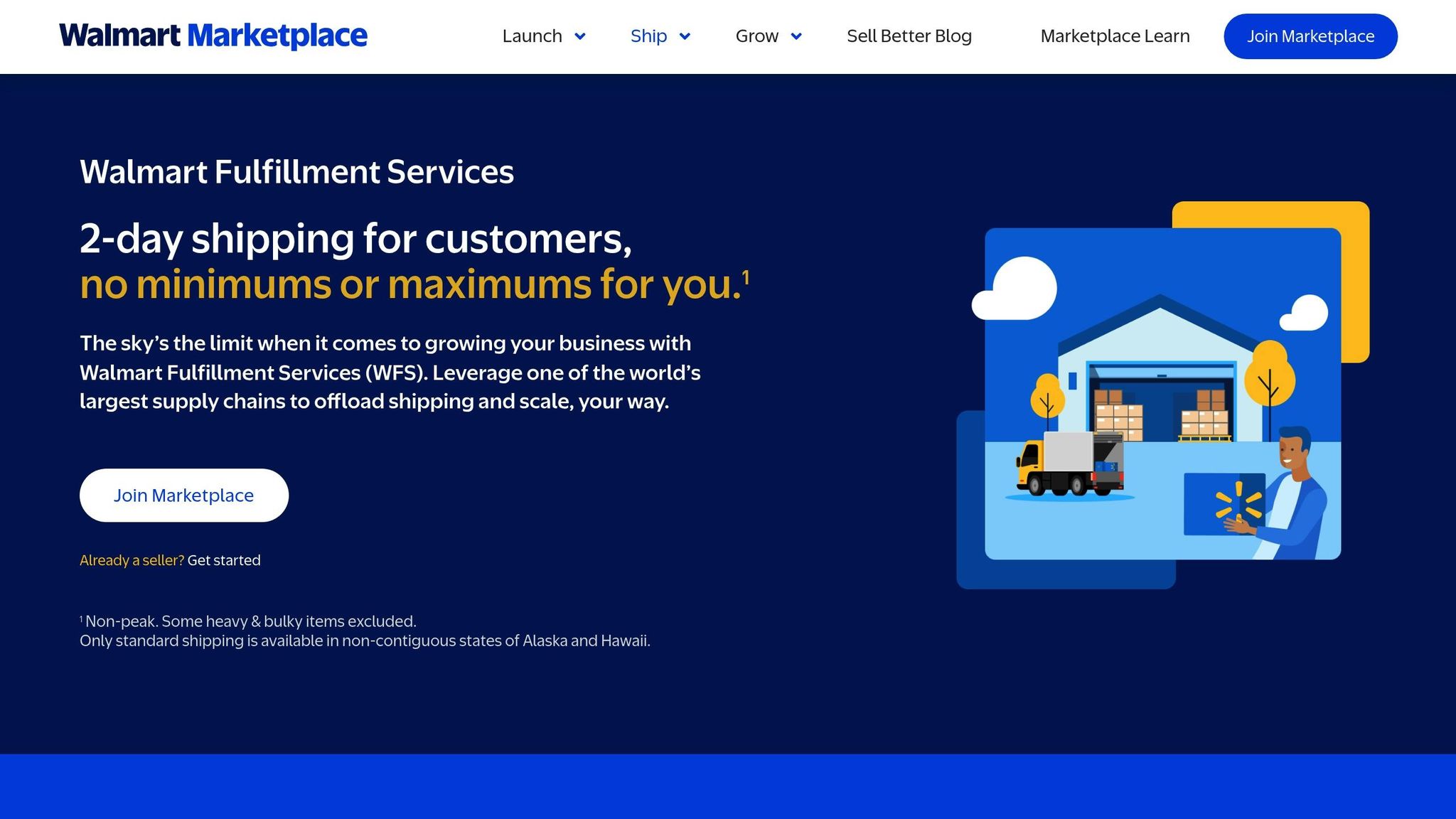
Walmart Fulfillment Services (WFS) handles key logistics like storage, packing, shipping, and returns. Fees are calculated based on item size, weight, and storage duration, with higher rates during the peak season from October 1 through December 31 [40]. Additional charges apply for specific categories like apparel, oversized items, or hazardous materials. Long-term storage fees kick in only for items stored beyond 365 days [40].
Walmart provides an automated "Suggested Units" tool to help sellers determine restock levels. This tool considers factors like past sales, seasonal trends, listing quality, and pricing [32][34]. Sellers can access it under the "Growth" section in Seller Center by selecting "Restock WFS Items." The system also tracks sell-through rates, calculated by dividing units shipped in the last 90 days by the average units stored. Here's how Walmart rates sell-through performance:
To meet two-day delivery standards, inventory must be distributed across multiple fulfillment centers. Sellers can either handle this themselves or use Walmart's Inventory Transfer Service (ITS), which moves stock to transfer stations for nationwide distribution [37]. When self-distributing, ensure all shipments in a plan are sent within 30 days of the first shipment to maintain account health. Proper labeling with unique box IDs and receiving labels for each master case and pallet is essential to avoid delays [37][36].
Standard WFS receiving takes about two business days, but items needing extra preparation or arriving during peak periods may take up to 10 days [40]. Walmart may also initiate Merchandise Transfer Requests (MTR) to move inventory between fulfillment centers for better two-day delivery coverage. These transfers take about 14 business days, during which affected inventory is marked as "Unavailable to sell" [35].
WFS also oversees customer support and returns. Customers can return items via mail or at any of Walmart's 4,500+ physical stores [40]. Return shipping fees are calculated based on weight, with extra charges for apparel and hazardous materials [39]. To avoid "Big and Bulky" fees, items should weigh 150 pounds or less, have a maximum side length of 108 inches, and a combined length plus girth of no more than 165 inches [39].
Sellers should regularly check the "Unavailable to sell" column in Seller Center to monitor units pending compliance review or in transit via MTR [32][35]. Inventory reviews, including compliance checks and cycle counts, typically take 24 to 48 hours [32]. Walmart provides an Inventory Reconciliation Report daily at 7:00 AM PST, which tracks movements like lost, found, or damaged units [38].
While WFS offers robust support, some items may not be suitable for this model. In such cases, merchant-fulfilled strategies provide flexibility.
Merchant-Fulfilled Inventory Strategies
For sellers managing their own fulfillment, maintaining competitive delivery times is critical. Inventory may show as out-of-stock if "on hand" inventory matches "reserved" quantities. To prevent this, keep a buffer of at least 20 units above the reserved amount [33]. For example, if 30 units are reserved, adjust your "on hand" inventory to at least 50 units. Keep in mind that inventory updates for merchant-fulfilled items can take up to four hours to appear on Walmart.com [33].
Merchant fulfillment is particularly useful for oversized, heavy, or slow-moving items. It also serves as a backup during WFS stockouts or delays in receiving inventory. However, without the "Fulfilled by Walmart" badge, sellers must rely on competitive pricing and reliable delivery to attract customers.
Many sellers adopt a hybrid approach, using WFS for fast-moving products and merchant fulfillment for seasonal or unpredictable items. This combination allows for greater flexibility while leveraging Walmart's platform-specific tools for effective inventory management.
Managing Inventory Across Multiple Platforms
Keeping track of inventory across multiple sales channels is no easy task. Without proper synchronization, multi-channel brands can face oversell rates ranging from 3% to 8%, which could cost $45 to $80 per incident in fees and customer service issues. Worse, platforms like Amazon may suspend your Seller Central account if your order cancellations exceed 2.5% [42]. To avoid these headaches, you need a centralized system that ensures your inventory data is accurate and up to date.
The key is to establish a single "source of truth" - a master database, such as an ERP, WMS, or a specialized platform. This central hub should handle all inventory updates automatically, distributing accurate stock levels to each sales channel. Manual updates on individual platforms? Forget it. That’s a recipe for errors. Instead, the system calculates your actual "Available to Sell" inventory by factoring in wholesale reserves, pending orders, and safety buffers, all based on your physical stock [4][42].
Real-Time Inventory Synchronization
Real-time synchronization is non-negotiable, especially during high-traffic events. Imagine two platforms selling your last unit of a product at the same time - this "race condition" can lead to overselling and unhappy customers. While native tools on platforms like Shopify or Amazon typically sync every 5 to 15 minutes, advanced systems can update stock within 60 seconds using event-based webhooks and frequent API polling [42][44]. This speed is crucial during events like Black Friday, where every second counts.
Before diving into automation, make sure your SKU identifiers align perfectly across all platforms. If your product codes don’t match - for example, "Product-A" on Shopify versus a different ASIN on Amazon - you’re setting yourself up for chaos [42]. To protect your seller ratings, consider implementing a safety buffer of 5 to 10 units on platforms like Amazon and Walmart, while displaying full inventory on higher-margin channels [42].
Automation Tools for Multi-Channel Sellers
Automation is a game-changer for multi-channel inventory management. It can reduce the time spent on manual reconciliation from hours to just minutes. Advanced systems go beyond basic syncing; they track component-level inventory for product bundles, route orders to the nearest fulfillment center, and send instant low-stock alerts when inventory drops to critical levels [43][44][1].
Here’s an example: An Austin-based home goods brand generating $22 million annually adopted real-time sync technology through Chronexa in 2025. This move slashed their oversell rate from 4% to under 0.1% and cut manual reconciliation time from 40 hours a week to just 15 minutes a day. The result? A 14% boost in revenue [42]. Another success story comes from Graeter’s Ice Cream, which integrated SkuNexus with Shopify to automate orders across 50+ retail locations. This setup provided real-time updates across multiple warehouses and drastically reduced fulfillment errors [41].
"You cannot scale a $50M brand on spreadsheets and hope." - Ankit Dhiman, Head of Strategy, Chronexa [42]
Automation tools can also handle platform-specific quirks. For instance, if your FBA inventory runs out, the system can automatically switch your Amazon listing to FBM using stock from your 3PL. This keeps your listing active and avoids costly downtime. Plus, intelligent order routing can lower shipping costs and ensure products remain available across all channels without constant manual input [42].
Smart automation isn’t just convenient - it’s essential for scaling your business efficiently.
Funding and Cash Flow for Inventory Investment
Managing inventory means making sure you have the cash flow to support it when you need it. For multi-channel sellers, this can be tricky. You’re investing in inventory upfront, but each platform has its own payment timeline. This mismatch can create cash flow challenges, especially if you’re scaling across platforms like Shopify, Amazon, and Walmart at the same time.
Managing Cash Flow Across Platforms
Each platform pays on its own schedule, which can put pressure on your working capital. For instance:
- Shopify: Payouts are processed daily or weekly, depending on your payment method, with transaction fees of 2.9% + $0.30 per sale [1].
- Amazon: Funds are released every 14 days, and referral fees range between 6-45%, depending on the product category [46].
- Walmart: Payments are typically processed weekly, but funds may be held for compliance checks. Marketplace fees usually fall between 6-8% [7].
The issue is that while you pay for inventory upfront, it can take weeks to see revenue from these platforms. This gap is even more pronounced during peak seasons like Q4, when you need to invest heavily in inventory but won’t see the returns until weeks later. Plus, platform-specific storage fees add another layer of complexity. For example, Amazon FBA charges $0.87 per cubic foot monthly for standard items [46], while Walmart WFS fees are about 10-20% lower [45].
To manage this, tracking your cash conversion cycle across platforms becomes critical. For example, if you invest $10,000 in Shopify inventory and it converts to cash in 10 days, you’re turning over your capital much faster compared to a 30-day cycle on Amazon FBA. Sellers often prioritize platforms with quicker cash flow during tight periods and reserve slower platforms like Amazon for products with proven demand.
These cash flow challenges make flexible financing an essential tool for inventory scaling.
Using Flexible Financing to Scale Inventory
Traditional bank loans often don’t meet the needs of multi-channel sellers. They require collateral, take weeks for approval, and come with fixed monthly payments - regardless of how your sales perform. This rigidity can drain cash reserves during slower months, making them less practical for businesses with fluctuating demand.
Revenue-based financing offers a better alternative. Instead of fixed payments, you repay a percentage of your monthly revenue - typically between 2-8% - until you reach a pre-agreed cap [7]. This means your payments adjust based on sales: lower payments in slower months and higher payments when sales are strong.
Onramp Funds provides this type of financing specifically for eCommerce sellers on platforms like Shopify, Amazon, and Walmart. They offer 24-hour approvals with no collateral required for businesses generating at least $10,000 in monthly sales. This flexibility is especially valuable when you need $50,000 in August to stock up for Q4, but won’t see the revenue until September or October. Revenue-based financing bridges that critical 4-8 week gap, ensuring you’re not stuck with fixed payments when sales are slower. The repayment model aligns with your business reality - when cash flow is strong, you pay more, and when it’s tight, you pay less.
Conclusion
Managing inventory across Shopify, Amazon, and Walmart goes far beyond simply keeping track of stock levels. Each platform has its own set of rules and requirements, making it crucial to integrate systems that deliver consistent, real-time data. Leading brands don’t rely on manual updates or spreadsheets - they establish a centralized system as their single source of truth. This approach not only helps avoid overselling but also ensures compliance with platform standards.
Take this example: one brand streamlined its inventory management across these platforms, cutting 40 hours of manual work per week and slashing its oversell rate from 4% to under 0.1%. As a result, they unlocked $3 million in annual revenue by optimizing safety buffers [42]. By adopting tools specifically designed for Shopify, Amazon, and Walmart, brands can turn inventory management into a competitive edge.
Cash flow management is equally critical. Even the most accurate forecasting is ineffective without sufficient cash reserves. Revenue-based financing offers a solution by adjusting repayments - usually between 2% and 8% of monthly revenue - based on sales performance. This flexible model ensures cash is available during slower months while helping you prepare for peak seasons.
To build a strong foundation, start with consistent SKUs across all platforms, apply ABC-XYZ analysis to focus on your most valuable products, and use clear metrics like reorder points: (Average Daily Sales × Lead Time) + Safety Stock [3][9]. Adding automation tools can save the 8–12 hours a week that many growing sellers currently spend on manual reconciliation [47]. By combining precise inventory systems with adaptable cash flow strategies, your brand can set itself up for long-term success.
FAQs
What’s the best “source of truth” for multi-channel inventory?
The most reliable way to manage multi-channel inventory is through unified, real-time data. By integrating information from all sales channels, businesses can maintain a clear and accurate view of their stock. Inventory management systems that bring together data from various platforms help minimize mistakes, avoid overselling, and provide precise stock visibility across the board.
How do I set safety stock for Amazon and Walmart delays?
To manage safety stock effectively for delays from Amazon and Walmart, you’ll need to calculate buffer inventory by factoring in lead times, demand variability, and potential supply chain hiccups. A common formula to use is:
(Daily Sales × Lead Time) + Safety Stock
This calculation ensures you account for regular sales while buffering against unexpected delays. Working closely with suppliers can also help streamline the process. For example, adopting just-in-time replenishment strategies can reduce the risk of overstocking while still keeping your inventory at the right levels to handle any disruptions.
When should I upgrade beyond Shopify’s built-in tools?
When managing inventory manually starts to feel like a hassle or leads to mistakes, it might be time to explore options beyond Shopify's built-in tools. As your store grows - handling more orders and selling across various channels - you’ll likely benefit from tools that offer automation, real-time syncing, and advanced tracking. These features can help simplify your operations and minimize errors, keeping your business running smoothly.
Related Blog Posts
Onramp Funds
Funding built around your sales
Connect your store and see what you qualify for. Repay as a percentage of sales, with no personal credit check.
Funding in as little as 24 hours.
