


Amazon sellers face a tough challenge: order too much inventory, and you risk high storage fees; order too little, and stockouts can crush your rankings. Here's what you need to know:
- Stockouts can drop your product from page one to page three in just 24 hours, taking 60-90 days to recover.
- Amazon penalizes both overstocking (fees up to $6.90 per cubic foot for aged inventory) and understocking (fees ranging from $0.32 to $1.11 per unit).
- Maintaining 30-60 days of supply is ideal to avoid penalties and keep your rankings stable.
- Tools like Amazon’s Inventory Performance Dashboard and third-party platforms help forecast demand and manage inventory.
- Strategies like Direct Fulfillment, FIFO, and automated reordering can help prevent stockouts and reduce excess inventory.
- Revenue-based financing options, like Onramp Funds, offer flexible solutions to fund inventory without draining cash flow.
Staying in stock is critical for sales velocity and rank stability. Daily tracking, forecasting, and efficient inventory management are essential to stay competitive in Amazon's marketplace.
Struggling to Manage Your Amazon Inventory and Reordering? Watch This.
sbb-itb-d7b5115
How Inventory Levels Affect Amazon Rank Velocity

Amazon IPI Score Metrics: Weights and Target Benchmarks for Sellers
Amazon's algorithm sees consistent inventory availability as a sign of reliability. When your product stays in stock, the algorithm rewards it with better organic placement. But if you run out of stock, it signals unreliability and tanks your rankings [13].
Stockouts are costly. Once your inventory hits zero, your sales velocity takes a nosedive, and getting back on track isn't easy. You'll likely have to spend heavily on PPC ads, cut prices, or run aggressive promotions just to regain lost ground [7].
On the flip side, overstocking creates its own set of problems. Excess inventory ties up cash that could be used for marketing or launching new products. It also drags down your sell-through rate, which directly impacts your Inventory Performance Index (IPI) score. A low IPI score - below 400 - can lead to storage restrictions, meaning you might not be able to send in new inventory, even for your bestsellers, during key periods like Q4 [12][9]. This is why finding the right inventory balance is critical for maintaining your rank.
"Inventory stockouts not only lose the incremental sales, but also impact your organic rankings and diminish your advertising efforts." - Robyn Johnson, Founder and CEO, Marketplace Blueprint [5]
IPI Score and Sell-Through Rate Explained
Your IPI score reflects how well you're managing inventory and updates weekly, typically on Tuesday mornings. It looks at performance over the last 90 days, and staying above the threshold of 400 is essential to avoid storage limits and overage fees [10][12][9].
The score is shaped by four key factors, with excess inventory percentage and sell-through rate carrying the most weight (40-45% and 30-35%, respectively) [10]. Excess inventory refers to anything over a 90-day supply based on Amazon's sales predictions [9]. Your sell-through rate measures how quickly inventory moves - aim for at least 2.0+, though top performers hit between 3.0 and 7.0+ [11][10].
The other two factors are stranded inventory percentage and FBA in-stock rate. Stranded inventory includes items in Amazon's warehouse that can't be sold due to listing errors. To avoid this, check the "Fix Stranded Inventory" page weekly and aim for a 0% stranded inventory rate [10]. For top-selling products, your FBA in-stock rate should be between 90% and 97%+ [10].
| IPI Metric | Estimated Weight | Target Benchmark |
|---|---|---|
| Excess Inventory Percentage | 40-45% | Below 10% |
| Sell-Through Rate | 30-35% | 3.0 to 7.0+ |
| Stranded Inventory Percentage | 15-20% | 0% |
| FBA In-Stock Rate | 10-15% | 90% to 97%+ |
Amazon recommends maintaining 30 to 60 days of inventory coverage [11][9]. Falling below 28 days triggers Low Inventory Level Fees, while exceeding 90 days increases your excess inventory percentage, which can hurt your IPI score. Striking a balance - roughly 60 days of stock for core SKUs - helps you avoid penalties while keeping a healthy sell-through rate [1].
For seasonal or limited-edition items, mark them as "non-replenishable" in Seller Central once they sell out. This prevents them from negatively affecting your IPI score [12][9].
Managing Stock During Seasonal Demand Changes
Q4 is a critical time for inventory management, accounting for 30% to 40% of annual Amazon sales [4]. However, Amazon's FBA capacity limits were reduced in May 2025 from six months of forecasted sales to five, adding to the challenge [1]. Storage fees also triple during October through December, jumping from $0.78 to $2.40 per cubic foot, leaving little room for error [1].
Start preparing for Q4 in September by running an inventory age report and liquidating items older than 180 days [4]. Keep in mind that holiday returns can account for 10% to 20% of sales, so plan for net sell-through rather than gross sales to avoid being stuck with excess inventory in January [4].
For events like Prime Day, consider using a 3PL provider to store overflow inventory. This allows you to "drip-feed" stock into FBA as it sells, avoiding restock limits while maintaining a high sell-through rate [2][7]. One health and wellness brand used this strategy to avoid stockouts during major events, boosting Q4 revenue by 42% [2].
If you're close to a stockout and can't replenish FBA inventory in time, slow your sales velocity by temporarily raising prices by 10% to 15% or pausing ad campaigns. Staying in stock, even at a slower pace, is better than going out of stock entirely and losing your rank [1][2].
"Direct Fulfillment is 'massively important' as a backup... it can bridge the gap during those 2-3 weeks it takes to produce or ship more inventory to Amazon." - Justin McMillan, Co-founder, Rebelution [8]
Setting up Direct Fulfillment as a backup option ensures your listing stays active even when FBA stock runs out. By shipping directly from your warehouse or supplier, you can keep the Buy Box and protect your rank [8].
Tools and Methods for Managing Inventory
Forecasting tools are key to predicting demand accurately and planning reorders effectively. Amazon's Seller Central includes several built-in tools like the Inventory Performance Dashboard, Restock Inventory Tool, and Unit Demand Forecast tool. These tools analyze historical data and seasonal trends to project sales up to 40 weeks ahead, using machine learning to recommend how many units to reorder and when to ship them. They also factor in current stock levels and anticipated demand [14][17][22].
For even more precise forecasting, third-party software can be a game-changer. Platforms like Jungle Scout, Fluvi, and Inventory Optimizer offer advanced features, including "What-If" scenario modeling, cross-platform inventory syncing (e.g., Shopify and eBay), and automated purchase order creation [15][16][18]. For those looking to dig deeper, tools like SellerApp allow integration with APIs to connect demand forecasts to keyword trends and ad spend. This lets sellers adjust inventory before demand spikes [14].
"Amazon's inventory management tools use world-class machine learning algorithms to create customized restock strategies, taking into account current inventory levels, restock preferences, supply chain constraints, and anticipated demand." - Kevin G., FBA Inventory Optimization Team [17]
To access Amazon's demand forecasting features, sellers typically need to be enrolled in Brand Registry and have at least 90 days of consistent sales history [14]. For Amazon Vendors (1P), Retail Analytics Forecasting reports offer probabilistic demand levels like P70, P80, and P90. For instance, a P80 forecast means there's an 80% confidence that weekly demand won’t exceed that number, helping sellers decide whether to take a conservative or aggressive approach to ordering [8].
Demand Forecasting with EOQ and Historical Sales Data
Balancing inventory levels is critical for maintaining stock availability and rank stability. A helpful tool for this is the Economic Order Quantity (EOQ) formula, which calculates the ideal order size by weighing the cost of placing orders against storage costs. The formula is EOQ = √[(2 × S × D) / H], where D is annual demand, S is the cost per order, and H is the yearly storage cost per unit [25]. EOQ helps to minimize overstock while ensuring stockouts are avoided.
Another consideration is the supplier-defined Minimum Order Quantity (MOQ), which sets the lowest number of units required per order [24]. Unlike EOQ, MOQ focuses on supplier production needs rather than your cost optimization. If your EOQ is lower than the MOQ, you may need to order more than necessary or negotiate a reduced MOQ.
| Metric | Definition | Formula | Benefits for Rank Stability | Limitations |
|---|---|---|---|---|
| EOQ | Ideal order size to minimize costs | √[(2DS)/H] | Reduces holding costs and avoids stockouts | May not account for sudden demand surges |
| MOQ | Supplier’s minimum required units per order | N/A | Simplifies supplier negotiations | Can lead to overstock in low-demand periods |
When using manual methods or third-party tools for forecasting, make sure to include "missed sales" from past stockout periods. This ensures your forecast reflects actual demand [15].
Using Amazon Seller Central Tools
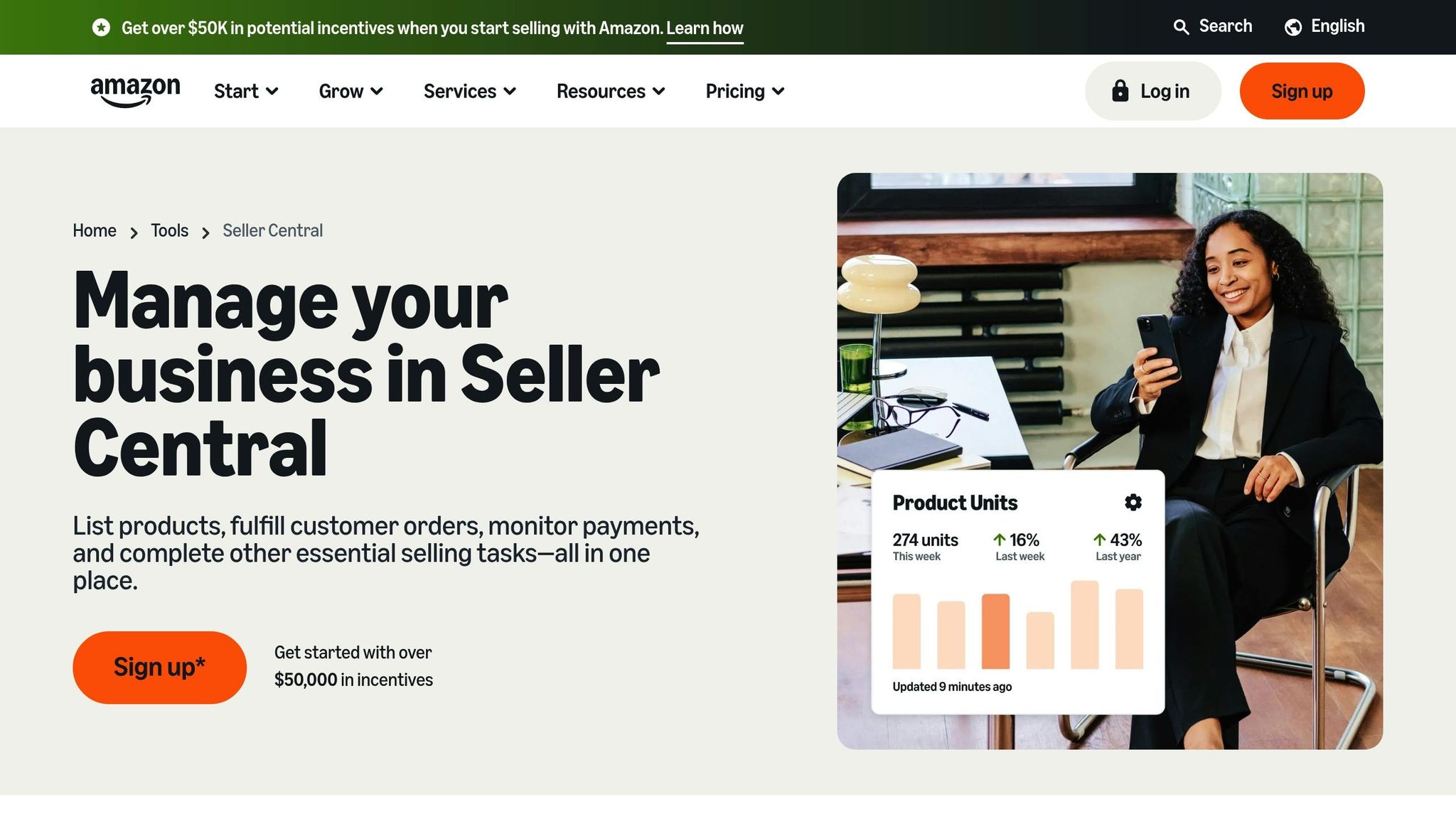
While third-party tools bring extra functionality, Amazon's built-in tools offer essential, data-driven insights. The Inventory Performance Dashboard is particularly important for tracking metrics that influence your IPI score, such as sell-through rates, stranded inventory, and excess stock [19][20]. Updated weekly, it provides a clear picture of your inventory management. Maintaining an IPI score above 400 is crucial to avoid storage restrictions, while scores between 450 and 550 are considered healthy. Scores over 550 may unlock additional storage capacity [1].
The Restock Inventory Tool simplifies replenishment planning by offering recommendations based on historical sales and future demand projections [22]. You can fine-tune these suggestions by inputting supplier lead times and your preferred reorder intervals.
Another key metric to monitor is "Days of Supply", available in the Inventory Health or Restock Inventory reports [23]. Aim to reorder when this metric drops below 30 days. Falling under 28 days can trigger Amazon's Low-Inventory Level Fee, which ranges from $0.32 to $1.11 per unit, depending on the product's size and weight [21][1].
How to Balance Stock Levels Without Hurting Rank
Managing stock levels is a tightrope walk - overstocking can lead to steep Q4 storage fees [1], while understocking can push your listing from page one to page three in just 24 hours [1]. Using strategies like FIFO and automated reordering can help you strike the right balance and keep your inventory in check.
Using FIFO for Perishable Inventory
The First In, First Out (FIFO) method ensures older inventory gets shipped before newer stock. This approach is essential for products with expiration dates, seasonal demand, or limited shelf life. Amazon flags inventory as "excess" if it exceeds 90 days of supply or if a single unit has been sitting for more than 90 days [1]. Let it reach 180 days, and you'll face aged inventory surcharges, which can range from $0.50 to over $6.90 per cubic foot [1]. FIFO helps you sidestep these penalties by ensuring consistent stock rotation.
Setting Up Automatic Reordering
Automating reordering can save time and prevent stockouts. Use the Reorder Point (ROP) formula - (Average Daily Sales × Lead Time) + Safety Stock - to calculate when to trigger new orders [28][17]. However, keep in mind that lead time isn’t just about production; it also includes shipping, customs clearance, and FBA check-in, which can stretch from 3–5 days to over two weeks during busy seasons [27][28].
Brett Haney, President of Microfiber Wholesale, shared how switching to Finale Inventory's automated system solved their inventory challenges:
"For the first time in 20 years of running an inventory-based business I TRUST what my inventory management system tells me I have in stock." - Brett Haney, President, Microfiber Wholesale [27]
Similarly, Stephanie Parks, CEO of DermWarehouse, adopted an automated system that streamlined purchase orders and backorder tracking [27][28].
To stay ahead, set low-stock alerts in Seller Central or third-party tools to notify you when a SKU drops below 30 days of supply [23][26]. If stockouts are unavoidable, use Amazon's "Restock Date" feature to allow backorders for up to 30 days, keeping your listing active [23]. For your top-selling SKUs, aim to maintain around 60 days of inventory - enough to avoid low-stock fees (applied below 28 days) while staying under the 90-day excess inventory threshold [1][17].
Storing Inventory in Multiple Locations
Relying on a single fulfillment channel is risky. A one-week stockout can drop your organic rank by 5–15 positions, and recovering sales momentum can take 3–4 weeks [29]. Diversify your storage by using a mix of FBA, Amazon Warehousing & Distribution (AWD), and third-party logistics (3PL) providers. This approach ensures your products remain available even if one channel experiences delays.
For example, a home goods seller shipping 2,000 units monthly reduced split-shipment fees from $0.40–$0.60 per unit to $0.15 per unit by moving to AWD. This shift cut placement costs by 60% and allowed them to hold 120 days of stock at lower rates [29]. Similarly, a Titan Network member scaled their business from $3M to $4.2M by using on-demand 3PL fulfillment during Q4, maintaining Prime-like availability when FBA faced bottlenecks [3].
Advanced sellers often use dual listings for the same ASIN - one fulfilled by Amazon (FBA) and one by the merchant (FBM). This ensures sales continue during FBA inbound delays or storage limit restrictions [3][26]. Use FBA for your top 20% high-velocity SKUs to maximize Prime conversions, while FBM or a 3PL can handle oversized or long-tail items to protect your margins [3]. Regularly check the Capacity Monitor in Seller Central, as storage limits are now based on five months of forecasted sales instead of six [1].
| Fulfillment Strategy | Best For | Key Benefit |
|---|---|---|
| FBA (Fulfillment by Amazon) | Top 20% high-velocity SKUs | Prime eligibility and highest conversion rates |
| AWD (Amazon Warehousing & Distribution) | Bulk replenishment | Reduced storage fees and automated FBA restocking |
| 3PL (Third-Party Logistics) | Buffer stock / Multi-channel | Avoids FBA storage limits and fees |
| FBM (Fulfilled by Merchant) | Oversized or seasonal items | Better margin control during peak fee periods |
Financing Inventory Purchases with Onramp Funds
Managing inventory growth without draining your cash reserves can be a tough balancing act for Amazon sellers. Traditional loans often come with lengthy approval processes and rigid repayment terms, making them less than ideal for the fast-paced world of eCommerce. Onramp Funds offers a more adaptable solution: revenue-based financing tailored for eCommerce businesses that need quick access to inventory funding without disrupting cash flow.
Revenue-Based Financing for Flexible Scaling
With Onramp Funds, you can access up to 50% of your trailing 3-month revenue, backed by verified Amazon sales data - and you can have the funds in as little as 24–48 hours [29]. Instead of fixed monthly payments, repayments are tied to your daily sales, typically ranging from 5–15%. This means if sales slow down during an off-season, your repayment amount adjusts automatically, helping you maintain cash for other operational needs. The repayment includes the principal plus a cap, often 1.2–1.5x the original loan amount [29].
Here’s a real-world example: A mid-sized seller with $500,000 in annual revenue used Onramp Funds to secure $200,000 after a viral product launch. Within days, they restocked 5,000 units, held onto their #1 Best Sellers Rank, and saw a 40% jump in quarterly sales. Repayments, set at 10% of daily revenue, were completed in 8 months - without causing cash flow issues [29]. Sellers using this model often see 20–30% faster restocking cycles, which can improve sell-through rates and help maintain IPI scores above 500 [17][29].
This approach gives sellers the flexibility to scale inventory without overextending themselves, creating opportunities for even more tailored funding options based on sales trends and demand.
Custom Funding Based on Demand Forecasts
Onramp Funds takes it a step further by offering funding customized to your demand forecasts. By connecting your Seller Central account to their platform, you unlock instant data analysis. From there, you can input inventory needs based on historical sales data and tools like Amazon's Inventory Performance Dashboard [17][31][29]. If your forecast predicts a doubling of demand during Q4, Onramp provides upfront capital aligned with that projection, paired with a repayment schedule that matches your cash flow from increased sales [17][29].
The platform evaluates key metrics like a 90-day sell-through rate above 20%, an IPI score over 450, average daily unit sales, and historical demand patterns [17][31][29]. For instance, a seller averaging 500 units sold daily with a 30% growth projection might qualify for $300,000 in funding, capped at 120% of forecasted revenue to manage risk [17][31][29]. With funds deposited within 24 hours, sellers can place supplier orders ahead of peak seasons without waiting weeks for traditional loan approvals [17][31][29].
Tracking and Adjusting Inventory for Continued Rank Growth
Keeping a close eye on inventory levels and sales trends every day is crucial for maintaining your product's rank. Amazon's algorithm doesn't take stockouts lightly, so staying on top of inventory is non-negotiable [1].
Daily Tracking of Inventory and Sell-Through Rates
Daily tracking builds on earlier inventory strategies to ensure your rank stays intact. Start your day by checking the Restock Inventory and Inventory Health reports in Seller Central. These reports provide real-time insights like "Days of Supply" and "Recommended Restock Quantity" metrics [23]. Pay attention to your daily sell-through rate (units sold divided by units received); an ideal rate of 3.0 or higher supports a strong Inventory Performance Index (IPI) score [17][21].
For a more forward-looking approach, track Weeks of Cover (WoC) - a ratio comparing your current stock to forecasted weekly demand. This helps you anticipate inventory gaps during high-demand periods [6]. Automate alerts for low stock, Buy Box loss, or listing suppressions, and use the Amazon Seller app to keep tabs on orders and FBA status [17][26].
"One stockout can drop your product from page one to page three overnight... once your listing starts to suffer, it usually takes a lot of advertising dollars and a burst of sales to recover your rank."
- Levi Adler, Founder, Levi's Toolbox [1]
To avoid stockouts, calculate your reorder point using this formula:
(Average Daily Sales × Lead Time in Days) + Safety Stock [6][2]
For example, if you sell 50 units daily with a 30-day lead time and want a 20% safety buffer (300 units), your reorder point would be:
(50 × 30) + 300 = 1,800 units.
While preventing stockouts is critical, managing excess inventory is equally important to maintain rank momentum.
Reducing Overstock with Promotions
Excess inventory can hurt your cash flow and rack up storage fees. Amazon defines inventory as "excess" if it exceeds 90 days of supply or if even one unit has been stored for over 90 days [17]. Starting April 1, 2024, a new low-level inventory fee applies if your stock consistently falls below 28 days of supply [21]. Additionally, aged inventory surcharges can range from $0.50 to $6.90+ per cubic foot for items stored over 180 days [1].
To clear overstock without slashing your margins, consider promotional strategies like coupons, Lightning Deals, or product bundles. For example, pairing slow-moving items with popular bestsellers in gift bundles can help you move inventory while keeping sales steady [4]. If an item approaches 365 days in storage, applying an automatic 25% price reduction can help you avoid steep fee increases [3]. These tactics not only cut storage costs but also improve your sell-through rate, boosting your IPI score and helping your product retain its rank.
Conclusion
Balancing stock and maintaining rankings on Amazon requires careful attention to forecasting, ordering, and financing. Stockouts can quickly hurt both your keyword rankings and Best Sellers Rankings, while overstocking leads to hefty storage fees [30]. To avoid these pitfalls, aim to maintain 30–60 days of supply by leveraging data-driven reorder points to strike the right balance [30].
Daily monitoring is key to staying ahead of inventory issues. Keep an eye on metrics like Days of Supply, sell-through rates, and low-stock alerts to ensure smooth operations [23][30]. If inventory levels start to dip, consider adjusting prices or scaling back PPC spending to avoid stockouts. On the flip side, if you're sitting on excess stock, strategies like bundling or clearance sales can help you move products without sacrificing profitability [4][30].
"Inventory management may be the most crucial factor in running an Amazon FBA business that will make the difference between profits and potential losses."
- Onramp Funds [30]
Financial planning is just as critical as operational strategies. Traditional bank loans often come with strict requirements like high credit scores and collateral, but revenue-based financing options from Onramp Funds provide a more flexible alternative. These loans are tied to your sales performance, allowing you to secure funding based on your revenue history. This flexibility ensures you can restock in time to handle longer lead times, without depleting your working capital or risking stockouts during high-demand periods [30][32].
Effective inventory management creates a feedback loop of success: steady stock levels maintain sales velocity, which boosts organic rankings and drives even more sales [30]. By combining data-driven forecasting with adaptable financing solutions, sellers can keep their sales momentum strong - even during critical periods like Q4, which can account for 30–40% of annual revenue [4].
FAQs
Why is it important to keep 30-60 days of inventory in stock on Amazon?
Maintaining 30-60 days of inventory is crucial to keeping your product available for purchase and avoiding stockouts. Stockouts don’t just mean lost sales - they can also damage your product's visibility and ranking on Amazon.
By keeping your inventory steady, you ensure consistent sales velocity, which is a major factor in Amazon's ranking algorithm. This balance is key: too much inventory ties up your cash, while running out of stock can hurt both your business growth and your product's rankings.
What are the best tools to forecast demand and manage inventory as an Amazon seller?
To stay ahead on Amazon, managing inventory effectively is key - and the right tools can make all the difference. Inventory management software like Inventory Planner and SellerApp connects seamlessly with Amazon Seller Central, using sales trends, seasonality, and historical data to forecast demand. These tools help sellers predict future sales, avoid stockouts, and minimize overstocking by relying on advanced algorithms and real-time data.
Platforms like Fluvi and Inventory Optimizer take it a step further, offering features such as visual dashboards for key metrics, calculations for reorder quantities, and tools to set safety stock levels. By combining predictive analytics with actionable insights, these tools empower sellers to maintain just the right amount of inventory, safeguard profits, and drive steady growth.
How does revenue-based financing help Amazon sellers manage inventory purchases?
Revenue-based financing (RBF) offers Amazon sellers a way to secure upfront capital to manage inventory purchases. The repayment is tied to a fixed percentage of future sales, which means payments adjust naturally based on your revenue flow. This flexibility can be a lifesaver during slower sales periods or seasonal dips.
One of the biggest perks of RBF is how quickly sellers can access funds - often within just 24 hours. This allows you to restock inventory, ramp up marketing efforts, or scale operations during high-demand seasons like Prime Day or Black Friday. Because repayments align with your sales performance, you can avoid running into cash flow problems, reduce the chances of stockouts, and keep your inventory at levels that support steady growth.
