

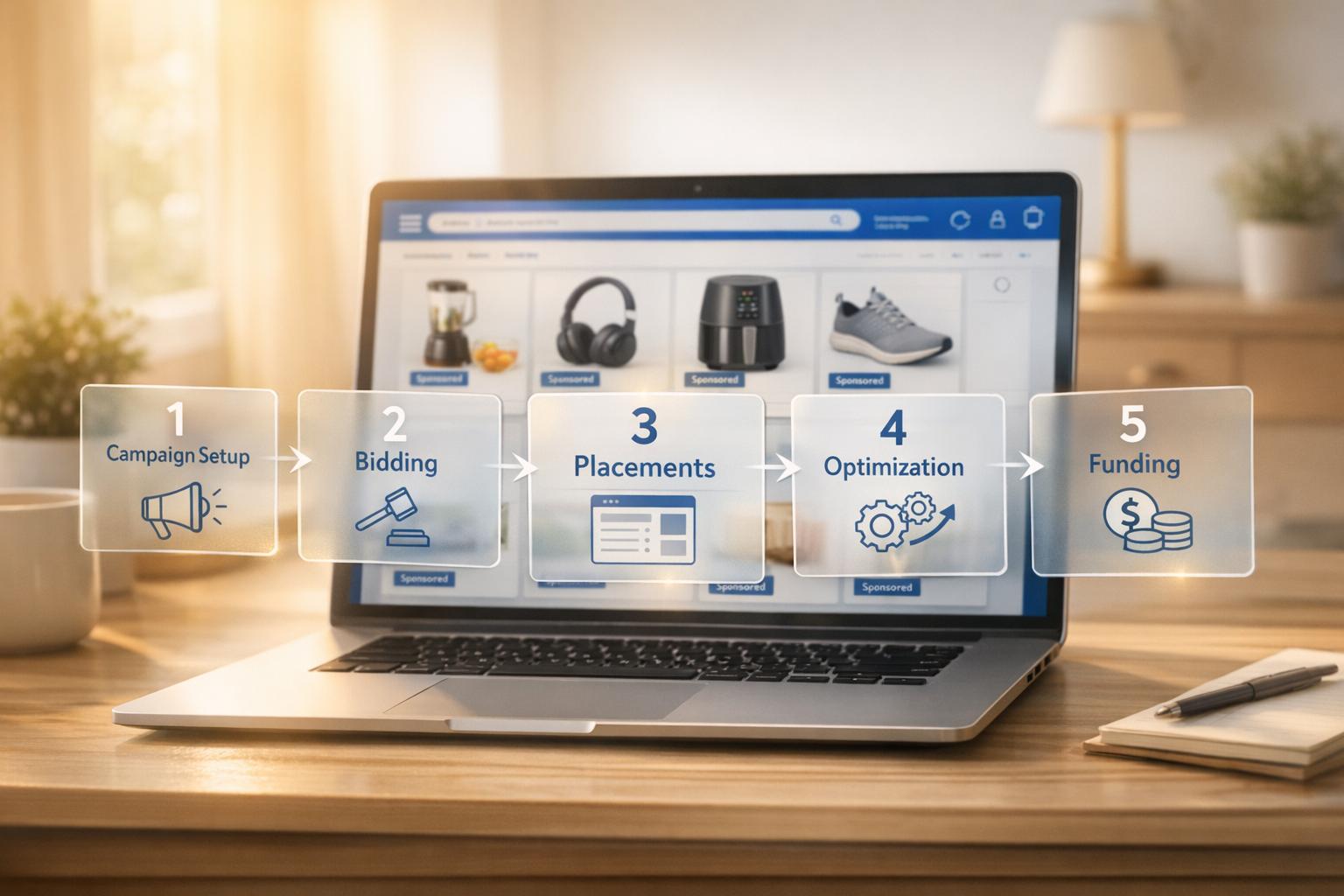
Walmart Sponsored Products are pay-per-click ads that help sellers promote their products on Walmart’s website and app. These ads appear in high-visibility spots like search results, product pages, and carousels. Sellers only pay when shoppers click on their ads, making this a cost-effective way to boost traffic and sales.
Key Points:
- Walmart’s second-price auction model determines ad placement based on your bid and product relevancy.
- Ads are shown in premium spots like Search In-grid, Buy Box, and Carousels.
- Products must meet these requirements:
- Be in stock.
- Win the Buy Box.
- Rank within the top 128 organic search results for targeted keywords.
- Minimum ad spend: $100/day or $1,000/month.
- Campaign types:
- Automatic campaigns: Walmart selects keywords and adjusts bids.
- Manual campaigns: Sellers choose keywords for more control.
- Optimized ads can increase sales by 25%+ and improve visibility by 35%.
To get started, focus on your top-performing products and let campaigns run for at least 30 days before making adjustments. Monitor metrics like CTR, CPC, and ROAS to refine your strategy. If needed, consider revenue-based financing to fund your campaigns and scale inventory.
Pro tip: Ads in the first search result position see a 6x higher add-to-cart rate than lower positions.
Walmart Ads Tutorial | Beginner's Guide to Walmart PPC, Campaign Setup, and Keyword Research in 2025
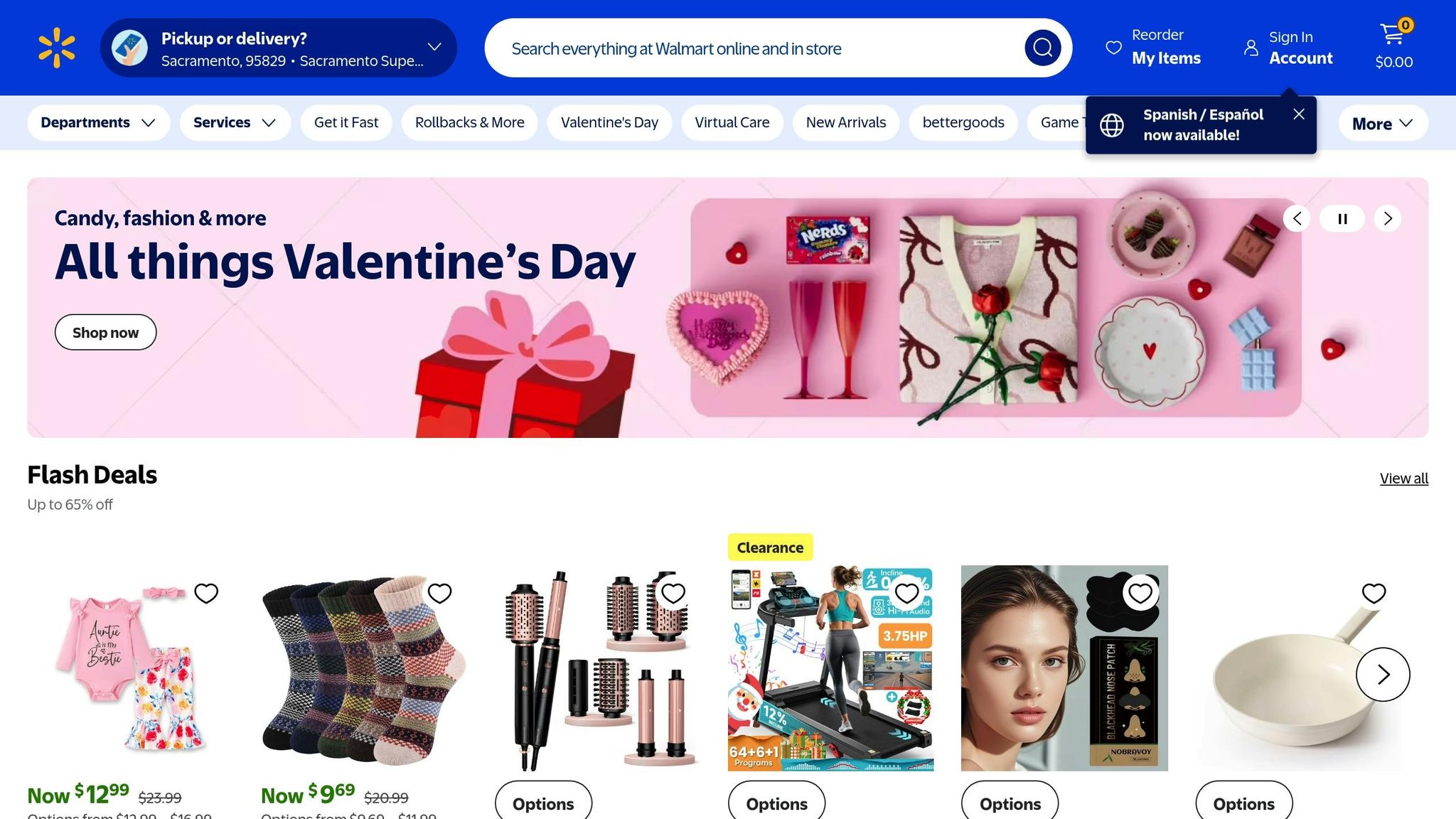
How Walmart Sponsored Products Work
Walmart Sponsored Products are cost-per-click ads that integrate seamlessly with Walmart's regular product listings. These ads show up when customers search or browse Walmart.com or its mobile app, appearing alongside organic results.
The platform operates on a second-price auction model. This means your ad placement is determined by both your bid amount and your product's relevancy. Relevancy depends on factors like the product title, description, category accuracy, and historical click data. Here's how it works: "The winner ends up only paying the amount necessary to win based on competing bids, which may be less than the winner's maximum bid." – Walmart Marketplace
Walmart offers two campaign types:
- Automatic campaigns: Walmart’s algorithm selects keywords for you, making this option easier for beginners.
- Manual campaigns: You choose specific keywords and match types, offering more control over where your ads appear.
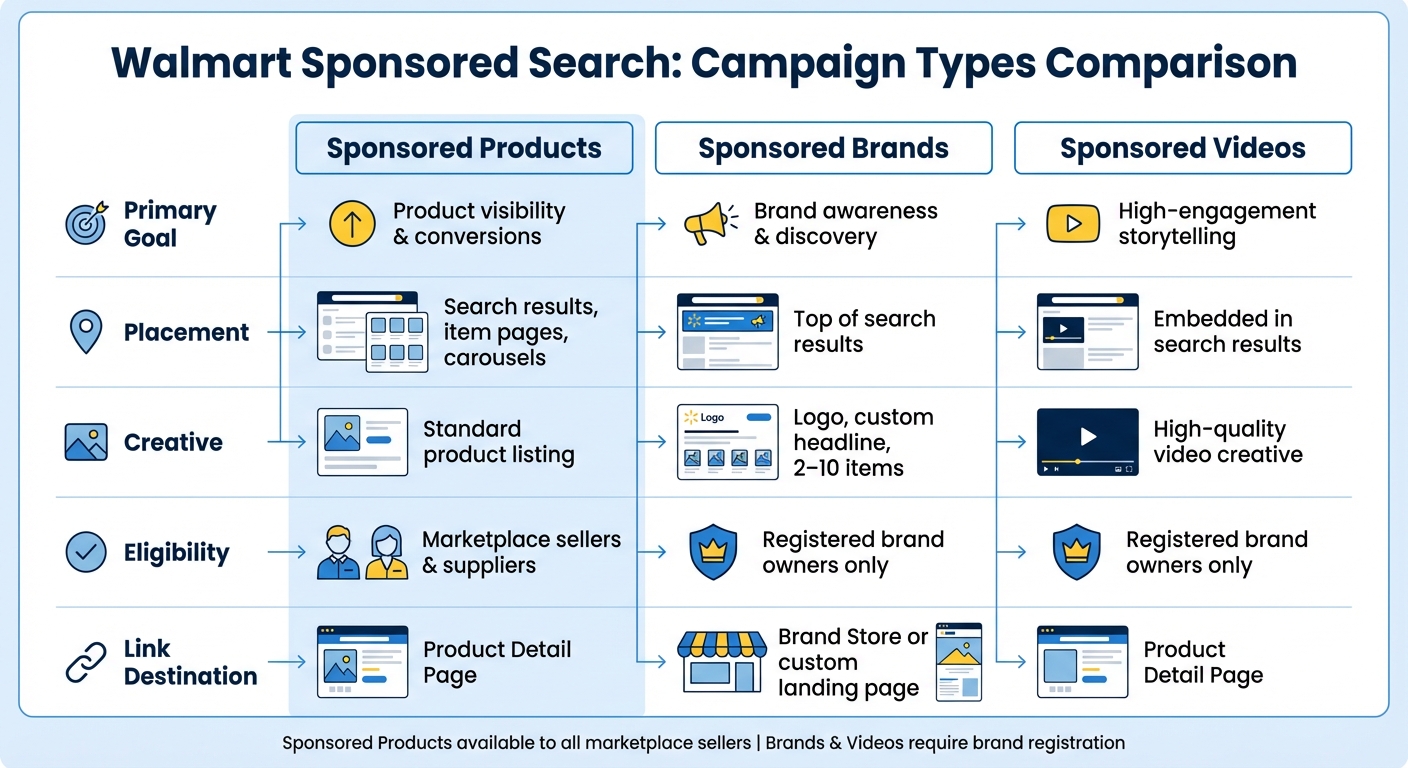
Sponsored Products are part of Walmart's Sponsored Search suite, which also includes Sponsored Brands and Sponsored Videos. While Sponsored Products drive traffic to individual product pages, Sponsored Brands focus on brand awareness with custom logos and headlines. Sponsored Products are open to all marketplace sellers who meet basic requirements, whereas Sponsored Brands and Sponsored Videos are available only to registered brand owners.
| Feature | Sponsored Products | Sponsored Brands | Sponsored Videos |
|---|---|---|---|
| Primary Goal | Product visibility & conversions | Brand awareness & discovery | High-engagement storytelling |
| Placement | Search results, item pages, carousels | Top of search results | Embedded in search results |
| Creative | Standard product listing | Logo, custom headline, 2–10 items | High-quality video creative |
| Eligibility | Marketplace sellers & suppliers | Registered brand owners only | Registered brand owners only |
| Link Destination | Product Detail Page | Brand Store or custom landing page | Product Detail Page |
Where Your Ads Appear
Let’s break down where these ads show up across Walmart’s digital spaces. Sponsored Products are strategically placed in high-visibility spots throughout Walmart's online platform. One of the most prominent placements is the Search In-grid, where ads can occupy premium slots like positions 1 through 6 or position 12. Typically, two ads appear for every 10 organic results on a search page.
Another prime location is the Buy Box, situated directly under the "Add to Cart" button on product detail pages. This placement is particularly valuable for reaching shoppers who are ready to make a purchase. Sponsored Products also show up in Carousels at the bottom of search, browse, and item pages, as well as in the "Stock Up" section, which targets repeat purchases on the "My Items" page or during checkout.
These placements are designed to help your products stand out in competitive categories while reaching shoppers who are already primed to buy.
Requirements to Run Ads
To run Sponsored Products effectively, your items need to meet specific criteria. One critical requirement is winning the Buy Box. If your product loses the Buy Box or goes out of stock, your ads will automatically stop running. This means maintaining competitive pricing, reliable shipping, and positive customer reviews is essential.
For Search In-grid placements, your product must rank within the top 128 organic search results for the target keyword. Additionally, your product must match the category of the search query and align with the product type of at least one non-sponsored item in the top 20 results. This highlights the importance of optimizing product titles, descriptions, and categories before launching a campaign.
Walmart also enforces minimum spending thresholds: a daily budget of at least $100 and a monthly ad spend of $1,000. The minimum bid is $0.20 for automatic campaigns and $0.30 for manual campaigns. It’s worth noting that certain product types, such as pre-owned modems, magazines, auto wipers, and VCRs, are not eligible for Sponsored Search ads.
Setting Up Your First Campaign
To get started, log in to the Walmart Connect Ad Center using your Seller or Supplier Center credentials. If you don’t have access, reach out to Walmart Connect or email WMG_SMB@wal-mart.com for assistance. Once you're in, make sure your products meet Walmart's ad requirements.
Here’s what you’ll need: your products must be in stock, winning the Buy Box, and actively listed on Walmart.com. For Search In-grid placements, they should also rank within the top 128 for the relevant keyword.
When launching your first campaign, focus on 10–15 of your best-performing products. This gives Walmart's algorithm enough data to work effectively while keeping things manageable. Set a daily budget of at least $100 to ensure your ads maintain steady visibility during peak shopping hours.
Automatic vs. Manual Campaigns
Walmart offers two main campaign types, and your choice depends on your goals and experience level.
- Automatic campaigns are perfect for beginners or when promoting new products. Walmart’s algorithm handles keyword targeting and bid adjustments, making it a low-effort option that increases exposure across placements like Search In-grid, Product Carousel, and Buy Box.
- Manual campaigns, on the other hand, are for those with experience. They let you control keyword targeting, match types, and individual bids. However, these campaigns primarily appear in Search In-grid placements, limiting their reach compared to automatic campaigns.
"Choose automatic targeting to remove the guesswork from keyword selection and to minimize in-flight optimization." – Walmart Connect [1]
A smart strategy? Start with an automatic campaign to gather data, then transition to manual targeting for more control. This hybrid approach combines the reach of automatic campaigns with the precision of manual ones [8].
Pro tip: Let your campaign run for at least 30 days before making any major adjustments. This way, you’ll have enough data to make informed decisions [7].
| Feature | Automatic Campaigns | Manual Campaigns |
|---|---|---|
| Best For | Beginners, New Product Launches | Experienced Advertisers, Precision |
| Targeting | Walmart Algorithm (Keyword-free) | Custom Keyword Targeting |
| Effort | Low (Set and forget) | High (Requires regular optimization) |
| Placements | Search In-grid, Carousel, Buy Box | Primarily Search In-grid |
| Primary Goal | Maximum Exposure & Data Collection | Maximum Control & Efficiency |
How Bidding and Relevancy Work
Once your campaign is live, your bid strategy plays a key role in ad performance. Walmart determines ad placement based on your bid and a relevancy score. Here’s the good news: you only pay enough to beat the next highest bidder, not your full bid amount [3][6].
Your relevancy score depends on several factors, including product titles, descriptions, category alignment, click-through rates, reviews, and shipping speed. Offering Two-Day delivery can give your products a boost [3][7].
Before increasing your ad spend, aim for a Listing Quality score above 80% to improve your chances of winning placements [4]. Set bids based on your profit margin and competitiveness [7]. If your ads aren’t appearing in the top four "top-of-search" spots, consider raising bids on high-performing keywords. Keep in mind that the add-to-cart rate for the first Search In-grid position is 6x higher than for positions 2 through 10 [4].
For smarter budget management, try Dynamic Bidding. This feature allows Walmart’s system to adjust bids in real time based on the likelihood of a conversion, helping you make the most of your budget without constant manual updates [7].
sbb-itb-d7b5115
Improving Your Campaign Results
Once your campaigns are set up, it’s time to fine-tune them. Focus on optimizing budget, bids, keywords, and products - small adjustments here can lead to better ROAS (Return on Ad Spend) [4].
Start by determining your break-even ROAS for each product. This number shows the minimum return needed to stay profitable. With that baseline in place, shift your attention to scaling sales. Separate high-converting products into their own campaigns to maximize their potential, and remove low-converting items to avoid wasting ad spend [4].
Placement matters, too. Ads in Top Search In-grid positions have a six times higher add-to-cart rate [4]. If your ads aren’t showing in the top four "top-of-search" spots, consider raising bids on your best-performing keywords or applying placement multipliers to boost visibility [4].
Tracking Your Campaign Metrics
Your ability to optimize campaigns hinges on the metrics you monitor. Keep a close eye on click-through rate (CTR), cost-per-click (CPC), and ROAS. For Walmart Sponsored Products, a healthy CTR averages around 0.21%, and well-optimized campaigns can deliver a sales boost of 25% or more [2].
Use the Keyword Performance Report to identify high-volume terms that drive conversions. Add these to your manual campaigns for better targeting, while removing keywords that underperform [4][3].
Before increasing ad spend, ensure your Listing Quality score is above 80%. A higher score not only improves your campaign efficiency but also ensures your listings are primed for conversions. Poorly optimized pages can lead to wasted clicks and missed opportunities [4]. Review campaign performance weekly, adjusting bids and pausing underperforming keywords as needed [2].
| Optimization Lever | Action for Better Performance |
|---|---|
| Keywords | Add high-volume search terms; remove low-performing ones [4] |
| Products | Prioritize spend on top converters; drop items with poor conversion rates [4] |
| Bids | Increase bids for top-of-search placements to improve visibility [4] |
| Assortment | Include additional high-performing products not yet promoted [4] |
These strategies will help you refine your bids and guide your budget adjustments as you move forward.
Increasing Your Ad Budget
Once you’ve analyzed campaign performance, scale your budget based on data - not assumptions. If a campaign consistently delivers a strong ROAS, increase the daily budget to capture more traffic during peak shopping times. With Walmart processing roughly 16 million searches daily on Walmart.com, the demand is there [3].
Reinvesting campaign earnings into your product catalog can also fuel growth. For example, Hymie Gindi of Sweet Hearts Apparel shared:
"We launched our seasonal styles early... that campaign saw a lot of success" [4].
Expanding your catalog to include high-performing items not currently promoted can unlock even more opportunities.
When scaling, stick to your daily budget limits to avoid running out of funds too early in the day, which could cause your ads to lose visibility during high-traffic periods [7]. Take advantage of Dynamic Bidding, which lets Walmart’s system adjust bids in real time based on conversion likelihood. This approach maximizes budget efficiency without requiring constant manual adjustments [7]. Allow enough time for the algorithm to gather meaningful insights before making further changes [5].
Funding Your Advertising Campaigns
Running optimized campaigns takes consistent investment, and ensuring proper funding is key. Scaling Walmart Sponsored Products campaigns can be challenging, especially when managing a $1,000 monthly ad spend while keeping inventory stocked and cash flow steady. Peak seasons only add to the pressure. This is where revenue-based financing can step in, helping sellers bridge the gap by syncing repayment with their actual sales.
Let’s break down how this funding option works and why it’s a practical choice.
How Revenue-Based Financing Works
Revenue-based financing (RBF) offers a way to secure capital without giving up equity. Instead of locking you into fixed monthly payments, RBF adjusts repayments based on a percentage of your daily or weekly sales. If sales slow down, your repayments decrease too, helping protect your cash flow. Lenders use real-time data from your Walmart Seller Center to assess your sales trends and determine funding.
As Eboost Partners highlights:
"Marketplace lending often boasts rapid approval and funding, sometimes within days. That quick access to capital can mean the difference between seizing an opportunity and watching it pass you by." [9]
This flexibility and speed make RBF a valuable tool for eCommerce sellers looking to grow.
Growing Your Business with Onramp Funds

Onramp Funds specializes in helping Walmart Marketplace sellers with fast, equity-free financing designed for online businesses. They provide funding within 24 hours and charge a clear fee ranging from 2% to 8%. Repayments are automatically adjusted to match your sales, giving you the breathing room you need during slower periods.
Based in Austin, the Onramp Funds team offers personalized support to guide you through the process. To qualify, your business needs at least $10,000 in monthly sales and an active Walmart Marketplace account. By connecting your Seller Center, you can receive a tailored funding offer to meet your advertising and inventory demands effectively.
Conclusion
Walmart Sponsored Products provide an effective way to boost visibility and drive sales on Walmart Marketplace. The setup is simple: use Automatic campaigns for a quick start and broad reach, or opt for Manual campaigns to fine-tune keywords and bids for greater control.
Once your campaigns are running, keeping the momentum requires consistent investment and careful management. Success hinges on four main factors: Budget, Bids, Keywords, and Products. Did you know the add-to-cart rate for the first search in-grid position is, on average, six times higher than positions 2 through 10? [4]. Plus, 63% of Walmart customers surveyed said they purchased items recommended through Sponsored Products ads [1].
To maintain and scale your efforts, you’ll need a steady budget - at least $1,000 per month - and enough inventory to meet demand. This is where revenue-based financing becomes a smart option. Instead of fixed monthly payments, repayments adjust based on your sales, giving you more flexibility during slower periods.
For sellers looking to grow, Onramp Funds offers fast, equity-free financing tailored for Walmart Marketplace businesses. With funding available in just 24 hours, fees ranging from 2%–8%, and eligibility starting at $10,000 in monthly sales, Onramp Funds can help cover inventory and ad spend to capture high-intent traffic and fuel your growth.
FAQs
What is Walmart's second-price auction model, and how does it determine ad costs?
Walmart uses a second-price auction model to set ad costs. Here's how it works: advertisers place bids for ad placements, but the winning bidder doesn’t pay their full bid. Instead, they pay just slightly more than the second-highest bid. This approach ensures advertisers don’t overpay for ad space - they only pay enough to secure their spot.
However, the final cost isn’t just about the bid. Ad relevancy plays a big role too. Walmart considers how closely your ad matches the customer’s search query. That means to succeed, you need to focus on two things: offering competitive bids and creating ads that are highly relevant to shoppers' searches.
What’s the difference between automatic and manual campaigns on Walmart?
The main distinction comes down to how the campaigns are controlled and targeted. Automatic campaigns use Walmart’s algorithm to determine when and where to display your ads. Decisions are made based on product relevance, and bids are set at the item level. This approach works well for beginners or anyone seeking a more hands-off method.
In contrast, manual campaigns put advertisers in the driver’s seat. You get to select specific keywords to target, set bids at the keyword level, and refine your audience using three match types. This option suits those who prefer a more customized and strategic way to manage their advertising.
How can revenue-based financing help me grow my Walmart advertising campaigns?
Revenue-based financing offers a flexible way to expand your Walmart advertising efforts by linking funding directly to your sales. With this approach, you can allocate resources to campaigns, fine-tune bids, or stock up on inventory without worrying about rigid repayment schedules.
Because repayments are tied to a percentage of your revenue, your cash flow adjusts naturally with your business's performance. This setup lets you concentrate on growing your Walmart Marketplace presence without added financial pressure, ensuring you have what you need to maximize your advertising strategy.
Related Blog Posts
Onramp Funds
Funding built around your sales
Connect your store and see what you qualify for. Repay as a percentage of sales, with no personal credit check.
Funding in as little as 24 hours.
