


Selling on Walmart Marketplace presents a clear challenge: you pay upfront for inventory, but your earnings might take weeks to arrive. Walmart’s bi-weekly payout schedule, combined with a 7-day hold after shipment, means sellers often wait over a month to access funds. For new sellers, the delay can stretch to 90 days or more. This creates cash flow issues that can lead to stockouts, missed sales, and difficulty scaling operations.
Here’s how sellers manage inventory and cash flow despite these hurdles:
- Understand the cash flow gap: Funds are tied up due to delayed disbursements and payment reserves for refunds or chargebacks.
- Leverage sales data: Use Walmart’s reports to forecast demand, calculate reorder points, and avoid overstocking or stockouts.
- Adopt inventory strategies: Techniques like Just-in-Time (JIT) inventory management and ABC analysis help balance stock levels and cash flow.
- Use financing options: Services like Onramp Funds provide fast, sales-based funding to bridge gaps and support inventory purchases.
- Automate inventory management: Tools sync with Walmart Seller Center to track stock, forecast demand, and prevent overselling.
How & When to Pay Your Walmart Supplier (Step-by-Step Guide)
sbb-itb-d7b5115
How Walmart's Payout Cycles Affect Your Cash Flow

Understanding the Cash Flow Gap
Walmart Marketplace follows a bi-weekly payment schedule, settling payments every 14 days[6]. However, funds from an order don’t become available immediately after shipment. Instead, Walmart enforces a 7-day hold period after shipment before payments are eligible for disbursement[5].
This combination of the 7-day hold and the bi-weekly payout schedule means sellers might wait over a month to access funds from shipped orders[5]. Payments are typically disbursed by the 7th day after a pay period ends, which extends the cash conversion cycle. In simple terms, this delays the time between paying for inventory and receiving cash[6].
For new sellers, the wait can be even longer. Walmart requires about 90 days of activity and a specific payment threshold before releasing funds more promptly[6].
On top of these delays, Walmart holds back payment reserves. These reserves are set aside to cover potential refunds, chargebacks, or shipping risks, further reducing the amount sellers receive in each payout[5]. These factors can put significant strain on your working capital, especially when you’ve already paid for inventory, shipping, and advertising.
Problems Sellers Face with Delayed Payouts
Delayed payouts can create a domino effect of challenges. With cash tied up, you may struggle to restock fast-moving products, leading to stockouts and missed sales opportunities.
To avoid running out of stock, some sellers overcompensate by overstocking. While this might seem like a solution, it ties up even more capital and increases the risk of aging inventory. Long-term storage fees can quickly become an issue, eating into profits[3].
These cash flow delays also make it harder to scale your business. Without timely access to sales revenue, expanding operations or investing in growth becomes a slower, more difficult process. Meanwhile, competitors who aren’t facing the same financial constraints may seize the opportunity to capture market share.
Finding ways to manage these financial pressures is critical to maintaining steady inventory levels and sustaining growth.
Using Historical Sales Data to Forecast Demand
Historical sales data can be a game-changer when it comes to tackling cash flow issues and managing inventory. By predicting what products will sell and when, you can time your reorders smartly to avoid the twin problems of stockouts and overstocking. This approach helps keep your operations smooth, even when payments are delayed.
Reviewing Your Sales Trends
Walmart Seller Center offers several tools to help you analyze sales patterns. For instance, the Orders report provides detailed item-level sales data, including exact ship dates. Meanwhile, the GMV Penetration report breaks down sales by week, day, and individual items, helping you identify seasonal peaks and dips in demand[4].
The Inventory Health Report offers built-in forecasting tools like the "Forecast 1–4 weeks" and "Forecast 5–8 weeks" columns, which estimate future unit sales based on historical trends[8]. It also includes the Daily units sold metric, which calculates the average number of units sold per day over the last 30 days. This is done by dividing the total units sold by the number of days the item was in stock[8].
On the WFS Inventory page, the Suggested units feature uses Walmart's algorithm to recommend how much inventory to send to fulfillment centers. This algorithm factors in past sales, seasonality, listing quality, and pricing[8]. While Walmart notes these are just forecasts and doesn’t take responsibility for decisions based on them[7], these recommendations can be a helpful guide to spot seasonal trends you might otherwise miss.
Another key metric to watch is the sell-through rate, which is calculated by dividing the number of units shipped by the average number of units stored over 90 days. A sell-through rate of 1.5 or higher is considered excellent, while a rate below 0.75 signals slower-moving stock[8]. This data can help you decide which products are worth reordering and which might be tying up your cash unnecessarily.
These insights are essential for deciding when and how much inventory to reorder.
Calculating Reorder Points and Safety Stock
Once you’ve got a handle on your sales velocity, you can calculate the right time to reorder. The formula is straightforward:
Reorder Point = (Average Daily Demand × Average Lead Time) + Safety Stock[10].
Here’s how it breaks down:
- Use the Daily units sold metric from the Inventory Health Report to determine your average daily demand[8].
- Lead time is the total number of days it takes from placing an order to the inventory arriving at the fulfillment center[10].
Safety stock acts as a cushion against unexpected spikes in demand or delays in supply. The formula for safety stock is:
Z × √((Average Lead Time × (Standard Deviation of Demand)²) + ((Average Daily Demand)² × (Standard Deviation of Lead Time)²))[10].
The Z-score represents your desired service level - 1.28 for 90%, 1.65 for 95%, or 2.33 for 99%. While higher service levels reduce the chance of stockouts, they also tie up more capital in inventory.
"Aiming for a 100% service level is a fantastic way to go bankrupt through overstock. This isn't just an ops decision; it's a strategic financial one." - Brankit[10]
The Days of supply column in Walmart Seller Center shows how long your current and inbound inventory will last based on forecasted demand[8]. Items flagged as "At-risk" with less than 28 days of supply remaining[8] signal the need for immediate attention, especially when factoring in Walmart's 14-day payment cycle.
To get an accurate picture of your sales velocity, exclude days when your item was out of stock. For example, if you sold 30 units over 30 days but were out of stock for 15 of those days, your actual rate of sale is 2 units per day, not 1[11]. This adjustment ensures you don’t underestimate demand, allowing you to keep inventory levels in check.
Data-Driven Inventory Management Techniques
Effective inventory management becomes crucial when dealing with longer payout cycles. By using techniques like Just-in-Time (JIT) inventory management and ABC Analysis, you can avoid tying up cash in slow-moving products while keeping your top sellers in stock. These methods work hand-in-hand with demand forecasting and reorder strategies to align inventory levels with your cash flow needs.
Just-in-Time (JIT) Inventory Management
JIT inventory management involves ordering products to arrive precisely when they’re needed, rather than stockpiling them. This method reduces storage costs and frees up cash that would otherwise sit in unsold inventory [12][13].
"Just-in-time inventory gives online and omnichannel retailers a playbook for slashing carrying costs, freeing cash, and boosting service levels." - Chris Hondl, Engineering Lead, Finale Inventory [12]
Modern JIT systems rely on digital tools like barcode scans or online order data to automate replenishment based on actual sales patterns [12]. For Walmart sellers, this means keeping a close eye on sales metrics to trigger reorders before inventory dips below a 28-day risk threshold [8].
A practical approach to JIT - sometimes called "Pragmatic JIT" - involves maintaining a small safety buffer. For instance, keeping about seven days of supply for your top 20% of SKUs ensures you’re covered while applying stricter JIT rules to the rest of your inventory [12]. During high-demand periods like the holidays, you might increase that buffer to 8–10 days to account for spikes in sales and possible shipping delays [12]. Walmart’s "Suggested Units" feature can also help fine-tune your replenishment strategy by factoring in past sales, seasonality, and pricing [8][16].
While JIT focuses on optimizing timing, ABC Analysis helps ensure you’re investing in the most impactful products.
ABC Analysis for Inventory Prioritization
ABC Analysis is a method for categorizing inventory based on value and sales performance. Items are divided into three groups: "A" items are your top performers, "B" items are mid-tier, and "C" items are low-value or slow-moving products [14][15]. This system allows you to prioritize resources for your most profitable inventory.
Typically, Category A items - representing the top 20% of SKUs that generate 80% of revenue - require constant attention and sufficient safety stock to avoid running out. On the other hand, for Category C items, keeping inventory lean ensures your cash is focused on higher-performing products [14].
To refine your ABC classifications, track your sell-through rate. A rate of 1.5 or higher signals strong performance, while anything below 0.75 suggests underperformance [8]. Additionally, monitoring the Days of Supply metric can help you identify critical Category A items that need immediate replenishment [8][16].
Using Onramp Funds for Inventory Financing

Tying into the challenges of demand forecasting and inventory management, Onramp Funds offers a practical solution for Walmart sellers facing cash flow issues due to payout delays. When Walmart's payout cycles create a gap between ordering inventory and receiving payments, Onramp's revenue-based financing steps in to fill that void. This service is tailor-made for eCommerce sellers, providing quick access to capital without the need for collateral or drawn-out loan applications. Instead, Onramp evaluates your business based on its actual sales performance across all sales channels.
How Onramp Funds Works
Onramp provides upfront cash that is repaid as about 1% of your sales per payment cycle [1]. The process is straightforward: fill out a 6-minute application with basic business details, connect your Walmart Seller Center, choose an offer, and verify your bank account. Once approved, funds are deposited in less than 24 hours [2].
The platform integrates seamlessly with Walmart Marketplace, Amazon, Shopify, and other major channels, analyzing your overall business health rather than focusing on just one marketplace. This multi-channel approach allows sellers operating across various platforms to qualify for higher funding amounts. Repayments are automated and adjust based on sales performance - higher sales mean faster repayment, while slower sales reduce the repayment amount [2].
Eligibility is simple: your business must be a US-based legal entity (LLC, C-Corp, or S-Corp) with at least $10,000 in average monthly sales. No minimum time in business is required, and decisions are based entirely on your eCommerce performance, with no personal credit checks involved [2].
This streamlined process makes Onramp an attractive option for Walmart sellers looking to optimize their cash flow.
Benefits for Walmart Sellers
Onramp's revenue-based model eliminates the stress of fixed monthly payments, which can strain cash flow during slower sales periods. Instead, fees range from 0.5% to 4% of sales, with an estimated APR equivalent of 11.9% to 19.9%, and there’s no traditional interest or compounding. Most advances are repaid within roughly 90 days [2].
Sellers using Onramp have reported an average revenue increase of 73% within 180 days of receiving funding, and 75% of users choose to borrow again [17]. To date, the platform has processed over 3,000 eCommerce loans and holds an A+ rating with the Better Business Bureau.
"Onramp's revenue-based financing secured the capital needed for inventory investments, with repayments aligning to sales performance." - Jeremy, Founder and Owner, Kindfolk Yoga
The funds are equity-free, meaning you retain full ownership of your business. They can be used for a variety of purposes, including inventory purchases, shipping, logistics, marketing, or scaling operations. For Walmart sellers gearing up for peak seasons or navigating challenges like factory closures during Lunar New Year, Onramp's fast access to capital ensures you can restock without waiting for payout cycles.
"Onramp has simplified cash flow by automating everything: easy to request, set it and forget it payments - quick and fast!" - Torrie V., Founder and Owner, Torrie's Natural
Automating Inventory Management with Software
Inventory management software takes the principles of data-driven forecasting and Just-In-Time (JIT) inventory control and automates them, ensuring smooth stock management. Relying on manual spreadsheets simply doesn't cut it when dealing with the complex inventory needs that arise during Walmart's extended payout cycles. When cash flow is tight, and every purchase decision counts, automation provides the speed and clarity necessary to make informed restocking choices - without locking up funds in slow-moving products.
These tools integrate directly with Walmart Seller Center via API, syncing stock levels, sales data, and fulfillment statuses automatically. This removes the guesswork from tracking sales and inventory in transit. Predictive restocking features analyze product velocity (average daily sales) and forecast shortages by examining historical data and lead times [9][20]. Instead of spending hours crunching numbers, the software delivers precise recommendations on what to buy and when, helping you avoid costly overstock situations that can strain your cash flow [9].
"Now we get one report that allocates the required stock to our individual stores. It's a significant time saver. It's gone from taking one person all day to being done in a couple of hours." - Joanne Langton, Merchandise Manager
Key Features in Inventory Management Software
To handle payout delays effectively, two standout features are automated low-stock alerts and multi-warehouse visibility.
- Automated Low-Stock Alerts: These alerts activate when inventory dips below your safety stock threshold. Real-time monitoring eliminates the need for manual tracking, ensuring you avoid stockouts that could disrupt revenue during payout cycles [23].
- Multi-Warehouse Visibility: For sellers using Walmart Fulfillment Services (WFS), this feature is essential. Advanced tools allow you to set up dedicated "WFS-type" and "Interim" warehouses, tracking inventory as it moves to Walmart's fulfillment centers [24]. This ensures you’re never in the dark about where your inventory - and your money - is tied up. The system monitors available units, reserved units (already committed to orders), inbound units (on the way to WFS but not yet processed), and aged units (stored for over a year) [8].
Real-time syncing is another critical feature, especially since Walmart's "Reserved" inventory status can take up to five hours to update after fraud checks [21]. Frequent syncing ensures your "Available to Sell" counts remain accurate across all channels, preventing overselling and the customer complaints that can hurt your seller metrics.
Connecting Tools with Walmart Seller Center
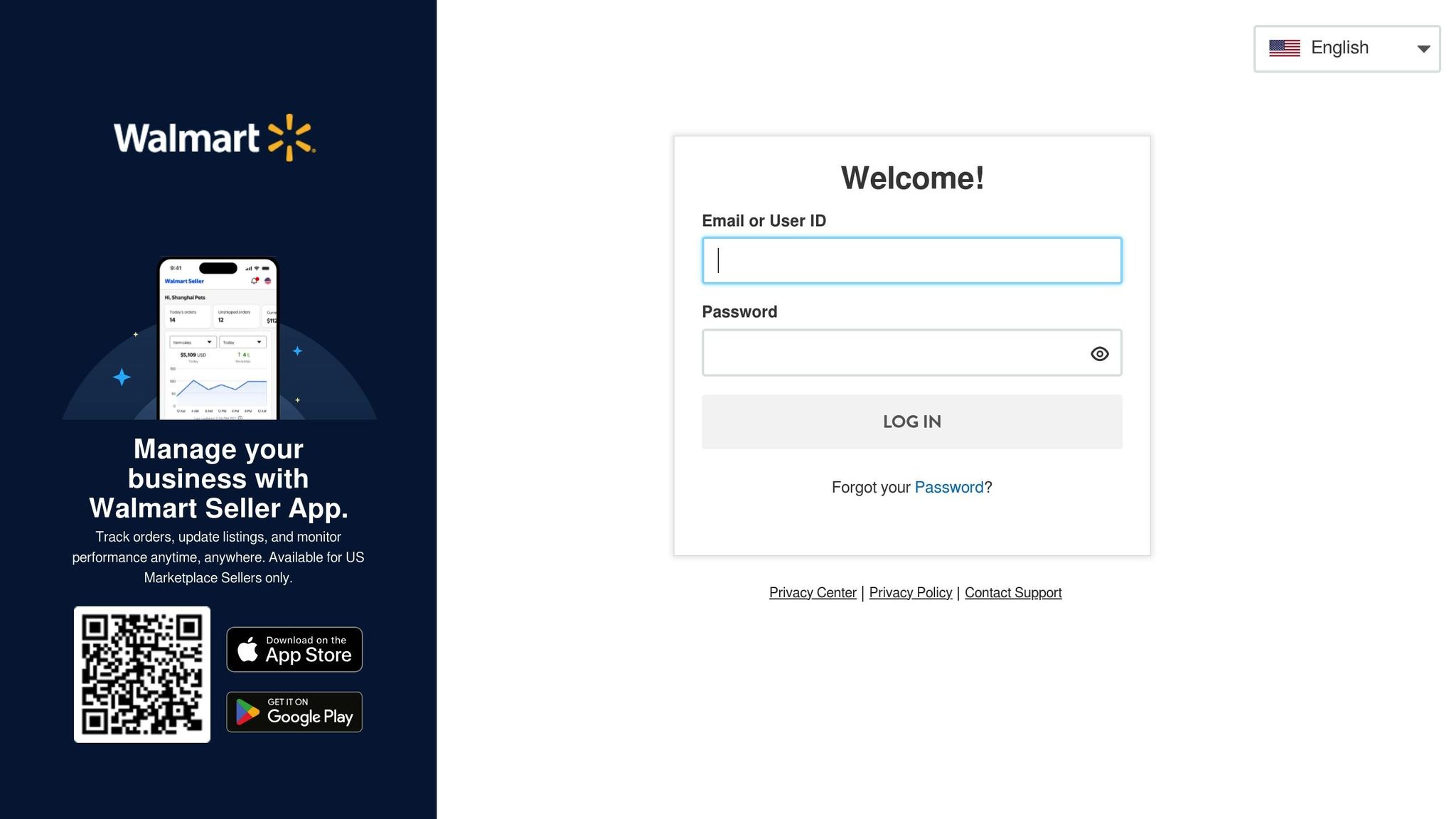
The connection between inventory software and Walmart Seller Center is powered by Walmart's Marketplace Inventory API. This API allows software to pull current stock levels and update quantities by SKU and warehouse location [22]. Most modern platforms handle the authentication process automatically, making integration seamless.
Once connected, the software imports your product catalog, sales history, and fulfillment data to create demand forecasts. These forecasts incorporate Walmart's own metrics, such as the "Suggested Units" algorithm, which predicts demand for the next 1–8 weeks [8]. By cross-referencing this data with your actual sales velocity, the software generates reordering recommendations that align with your cash flow needs during payout delays.
For sellers managing multiple channels, these systems sync master inventory counts across platforms like Walmart, Amazon, and Shopify, preventing overselling [18][19]. If you sell bundles or kits, the software calculates availability based on individual component counts and updates Walmart in real time [18]. This prevents displaying items as in-stock when a key component is missing, avoiding cancellations and negative reviews. Additionally, the system checks inventory availability in your regular warehouses before submitting shipment plans to WFS, reducing "Unknown SKU" errors that can delay restocking [24].
Conclusion
Navigating Walmart's extended payout cycles requires a thoughtful approach that combines smart cash flow planning, precise forecasting, and strategic financing. With a 14-day payment schedule - or a 90-day rolling delay for new sellers - there’s a significant gap between when you invest in inventory and when revenue starts flowing. Without proper planning, this delay can tie up capital, lead to stockouts, or slow down your growth.
To tackle this, start with strong cash flow management and use historical sales data to fine-tune your inventory decisions. Automated forecasting tools and techniques like Just-in-Time (JIT) inventory management or ABC analysis can help you focus on high-demand items while keeping storage costs in check. This is especially useful if you’re using Walmart Fulfillment Services, where efficient inventory management directly impacts your bottom line.
For bridging cash flow gaps, Onramp Funds offers a practical solution by advancing capital and aligning repayments with your sales. As Eric Youngstrom, Founder of Onramp Funds, explains:
"Our mission is to ensure sellers have the capital they need to keep product in stock and their customers happy. We're here to make that happen" [2].
Automation tools further simplify inventory management by syncing with Walmart Seller Center to track stock levels in real time. They provide accurate restocking recommendations based on sales velocity, helping you avoid overstocking or running out of stock. These tools also reduce the risk of overselling across multiple channels and save you from unexpected fees tied to aging inventory.
FAQs
How can I estimate my cash gap from Walmart payouts?
To figure out your cash gap from Walmart payouts, you'll need to monitor both your incoming and outgoing cash. This includes keeping an eye on delayed payouts, inventory expenses, and any seasonal fluctuations. Tools or templates for cash flow forecasting can be incredibly useful here - they let you predict future cash movements. With this insight, you can spot potential gaps and plan ahead to keep your operations running smoothly.
What’s the simplest way to set reorder points and safety stock?
To determine reorder points and safety stock, start by reviewing sales trends and demand forecasts. Reorder points are calculated based on lead time and average demand, while safety stock acts as a cushion against unexpected changes. Leveraging inventory management software can simplify this process by automating calculations, ensuring you keep stock levels balanced and avoid issues like running out of stock or overstocking.
How can Onramp Funds help me restock before payouts hit?
Onramp Funds offers a convenient solution for businesses needing financial support during delayed payout periods. They provide on-demand, revenue-based financing that allows you to restock inventory without hassle. With fast approval, funds available within 24 hours, and repayment terms that adjust based on your sales, you can keep your inventory steady and ensure smooth operations without interruptions.
Related Blog Posts
Onramp Funds
Funding built around your sales
Connect your store and see what you qualify for. Repay as a percentage of sales, with no personal credit check.
Funding in as little as 24 hours.
