

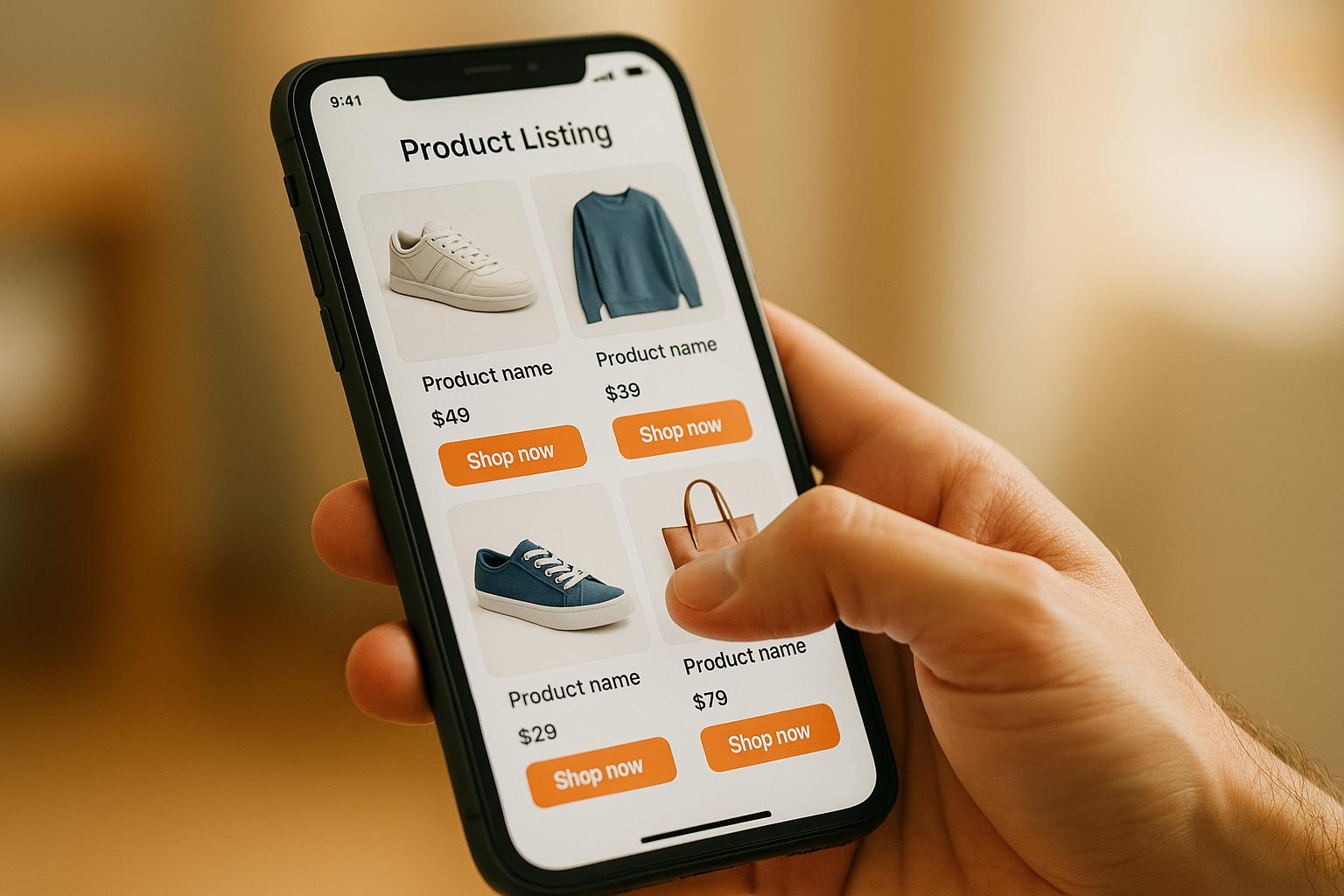
Struggling to make your product listings mobile-friendly? Here's what you need to know: Over 70% of U.S. online shoppers use mobile devices, and optimizing your listings for these users can boost sales by up to 30%. Mobile commerce is growing fast, making it critical to create listings that are easy to navigate, quick to load, and visually appealing on smaller screens.
Key Takeaways:
- Titles: Keep them under 70 characters and include essential details upfront.
- Images: Use high-resolution photos that load fast and highlight key product features.
- Videos: Add short, clear product videos (under 30 seconds) to engage users.
- Bullet Points: Limit to 3–5 concise, impactful items for quick readability.
- Descriptions: Write short, scannable text with key details at the top.
- Navigation: Simplify layouts with touch-friendly buttons and clear hierarchies.
- Enhanced Content: Use tools like Amazon A+ Content for better visuals and comparisons.
- Testing: Regularly check your listings on various devices for usability and speed.
- Load Speed: Ensure pages load in under 3 seconds to reduce bounce rates.
- Critical Info Placement: Highlight price, shipping, and benefits above the fold.
Why It Matters:
Mobile shoppers demand speed and simplicity. Slow load times or cluttered layouts can drive users to competitors. Follow these tips to improve conversions, reduce bounce rates, and stay competitive in the growing mobile commerce market.
Optimize Your Amazon Listings for Mobile Shoppers | Increase CTR and Sales!
1. Write Product Titles That Work on Small Screens
When it comes to mobile shoppers, your product title needs to pack a punch in fewer than 70 characters. Unlike desktop users, who can view up to 200 characters, mobile users typically see only the first 70 before the title gets cut off[1]. This makes every word matter, and adjusting your approach for mobile screens is essential.
Mobile Readability and Usability
To make your titles mobile-friendly, prioritize the most important details. Start with the brand name, then the product type, and follow with key features like size or color. For example, a title like "Nike Men's Running Shoes Size 10 Black" delivers all the essentials in a quick glance.
Keep titles short and to the point. Instead of wordy descriptions, stick to something like "Sony WH-1000XM4 Wireless Headphones – Noise Cancelling" for clarity. Simple, straightforward language helps shoppers make decisions faster.
This approach not only improves readability but also enhances the overall user experience by presenting key information upfront.
Impact on User Experience
Well-crafted titles reduce decision fatigue by giving shoppers the details they need right away. Imagine someone searching for "wireless earbuds" on their phone - they want to know immediately if a product fits their needs without having to dig for information[6].
Tailoring titles based on product type is another important step. For electronics, highlight the brand and model, such as "Samsung Galaxy S21 128GB Smartphone – Unlocked." For clothing, focus on size and fit, like "Levi's Men's 501 Original Fit Jeans – Size 32." And for home goods, emphasize features or capacity, such as "Instant Pot Duo 7-in-1 Electric Pressure Cooker – 6 Qt."
By making these adjustments, you make it easier for shoppers to find what they’re looking for, which can lead to more sales.
Effectiveness in Improving Conversions
Optimizing product titles for mobile devices can have a big impact on your conversion rates. Including high-volume keywords at the start of your title increases the chances of ranking higher in mobile search results[6].
The difference between a well-optimized title and one that gets cut off is huge. A title that’s too long might hide critical details like size or compatibility, frustrating potential buyers and causing them to leave. On the other hand, a concise title like "iPhone 14 Pro Max 256GB – Unlocked" provides all the necessary details at a glance, making it easier for shoppers to decide.
Always test your titles on mobile devices to ensure they display properly. What looks fine on a desktop might get truncated on a smartphone, potentially costing you sales. By refining your titles, you can make a stronger impression on mobile shoppers and boost your overall performance.
2. Use High-Quality Images That Load Fast on Mobile
When it comes to mobile shopping, visuals make or break decisions - often in just a few seconds. On smaller screens, crisp, high-quality images are a must for showcasing your product effectively.
Mobile Readability and Usability
To give shoppers a detailed look, use high-resolution images (at least 1,000 x 1,000 pixels) that allow zooming. Since mobile screens typically display only seven images, make sure to lead with your best shots. A clean, white background for your main image is a smart choice - it minimizes distractions and helps your product pop. [1]
Impact on User Experience
Great visuals directly influence purchasing decisions by highlighting your product’s quality and features. Pair your main image with close-ups and lifestyle shots that show the product in action. These additional images give shoppers a clearer understanding of how the product fits into their lives. [1]
Optimization for Mobile Device Performance
Speed is everything on mobile. If your page takes over three seconds to load, 53% of users will leave. To avoid this, balance image quality with file size. Use compression tools like TinyPNG or ImageOptim to reduce file sizes without sacrificing clarity. Testing your images on different devices and network speeds can help ensure they load quickly. You might also want to explore formats like WebP, which offer better compression while maintaining image quality. These tweaks can turn your visuals into powerful tools for driving conversions. [2]
Effectiveness in Improving Conversions
Optimized, high-quality images can increase conversion rates by as much as 30% on mobile pages. This is especially important since mobile commerce accounts for 60% of U.S. eCommerce sales in 2023. Your primary image plays a dual role - it’s not only the centerpiece of your product page but also a key factor in mobile search results. By curating a sequence of up to seven images, each with a clear purpose, you can tell a compelling visual story that grabs attention and converts mobile shoppers into buyers. [1]
3. Add Short Product Videos
Short product videos are a game-changer for mobile listings, adding a dynamic edge to the static images and concise titles you already use. While pictures show what your product looks like, videos go a step further - they demonstrate how it works, making your product more appealing and boosting sales.
Mobile Readability and Usability
For mobile shoppers, short videos are perfect. They quickly highlight key features without requiring users to scroll endlessly or read lengthy descriptions. Keep your videos under 30 seconds, with clear visuals and easy-to-read text, so they’re simple to understand on small screens. Using vertical or square aspect ratios ensures the video fits seamlessly on mobile devices, making the experience smooth and effective.
Impact on User Experience
Videos grab attention in ways static images can’t. They showcase your product in action, answer common questions, and highlight its value - all in a matter of seconds. A 15-second video can simplify complex details into bite-sized, engaging content, giving shoppers the confidence they need to hit "Buy Now."
Optimization for Mobile Device Performance
To deliver a smooth experience, your videos need to be mobile-friendly. Compress files to reduce size without losing clarity - MP4 at 720p works great. Host videos on reliable platforms and set them to autoplay muted with subtitles, as many users browse with sound off. Keep videos short and use lazy loading (where videos load only when visible) to minimize buffering and save data. These steps ensure your videos load quickly and look great, keeping users engaged.
Effectiveness in Improving Conversions
Short product videos can significantly impact your bottom line. They’ve been shown to increase conversion rates by up to 80%, with 60% of mobile shoppers more likely to buy after watching a quick demo. Major eCommerce platforms consistently report higher engagement and sales when listings feature short, benefit-focused videos. A well-crafted 15-second clip can clearly demonstrate your product’s real-world application, building trust and driving more add-to-cart actions.
If you’re ready to invest in professional video production and mobile optimization, Onramp Funds offers financing solutions tailored to eCommerce businesses. Their fast, equity-free financing options can help you enhance your mobile listings without putting a strain on your cash flow, aligning repayments with your sales performance.
4. Format Bullet Points for Easy Mobile Reading
Bullet points play a crucial role in grabbing the attention of mobile shoppers. With over 70% of Amazon customers shopping on mobile devices and 53% of the platform's traffic coming from mobile users[8], crafting concise and impactful bullet points can significantly influence your sales. Mobile screens offer limited space, so every word needs to count.
Mobile Readability and Usability
Since mobile screens display only a few bullet points at a time, it’s essential to keep each one under 100 characters and focus on the most important details. On Amazon mobile listings, for example, only the first three bullet points are visible without scrolling[1]. This makes it critical to prioritize key information in those initial lines.
Here’s what to keep in mind for mobile-friendly bullet points:
- Keep them short - under 100 characters.
- Use simple, straightforward language.
- Ensure a legible font size (12–16px) with high contrast for readability.
- Avoid unnecessary details that might overwhelm shoppers.
Impact on User Experience
Well-structured bullet points help reduce cognitive load, making it easier for shoppers to quickly process information. This simplicity can lead to faster decision-making and lower the chances of frustration or abandonment.
Examples of effective mobile bullet points:
- Fits iPhone 15 and earlier models
- Fast wireless charging - up to 15W
- Includes 2-year limited warranty
Example of an ineffective mobile bullet point:
- This product is compatible with multiple iPhone models, offers fast wireless charging up to 15W, and includes a warranty
Notice the difference? The effective examples are concise and easy to scan, while the ineffective one is too dense for mobile users.
Optimization for Mobile Device Performance
To ensure optimal performance on mobile devices, limit bullet points to 3–5 items. Use fonts that are easy to read and maintain high contrast for visibility. Avoid fixed-width elements and test your formatting on various devices. Start each bullet with a key benefit or feature, and avoid embedding images that could disrupt the layout.
Effectiveness in Improving Conversions
Mobile-optimized product pages can boost conversion rates by up to 30% compared to non-optimized ones[9]. Clear and concise bullet points enhance engagement, build trust, and encourage purchases.
To measure how well your bullet points are performing, track metrics like mobile bounce rate, average time on page, click-through rate, and conversion rate using tools like Google Analytics.
If you’re considering professional help to optimize your mobile listings, Onramp Funds offers tailored funding solutions for eCommerce businesses. Their revenue-based financing model provides flexible repayment options based on your sales performance, making it easier to enhance your mobile listings without straining your budget.
Next, focus on refining product descriptions to further engage mobile shoppers.
5. Write Product Descriptions for Mobile Users
When crafting product descriptions for mobile users, your approach needs to cater to their fast-paced browsing habits. Mobile shoppers often skim content and make decisions within seconds. That means your descriptions must deliver key details quickly, while being easy to read on smaller screens.
Mobile Readability and Usability
To make your descriptions mobile-friendly, every word counts. Stick to descriptions under 200 words, broken into short, digestible sections. Use simple language and avoid complex terms that might slow readers down.
Font size and contrast are critical for readability. Choose fonts that are easy to read and pair them with high-contrast color combinations, like black text on a white background. This ensures your content is legible across different devices and lighting conditions.
Structure your descriptions with clear headings and bullet points to highlight important details. Place the most crucial information - such as price, shipping details, and unique selling points - at the top so it’s visible "above the fold" on mobile screens. This layout not only grabs attention but also improves the overall user experience.
Impact on User Experience
Well-structured mobile descriptions make it easier for shoppers to absorb information, reducing frustration and keeping them engaged. When users can quickly find what they need, they’re less likely to abandon your product page.
Did you know? Mobile users are 5 times more likely to leave a site if it isn’t mobile-friendly[2]. This stat alone highlights the importance of optimizing your descriptions for mobile devices.
Additionally, consider using conversational language and optimizing for voice search. As more shoppers rely on voice assistants to find products, incorporating everyday phrases can help your descriptions stand out and improve visibility[1][7].
Optimization for Mobile Device Performance
Heavy formatting and large media files can slow down your page, frustrating mobile users. Keep your descriptions lightweight by minimizing large images and avoiding unnecessary embedded media. Steer clear of complex HTML or JavaScript elements that could slow mobile performance[10].
Regularly test your pages on different devices to spot formatting issues before they affect your sales[3]. Compress any images you include to reduce load times, and use responsive design elements that adapt seamlessly to various screen sizes. A streamlined design ensures faster load speeds and a smoother mobile experience[2].
Effectiveness in Improving Conversions
A well-optimized mobile description doesn’t just engage users - it drives results. Mobile-friendly descriptions can double click-through rates and significantly boost conversions compared to unoptimized listings[4]. With mobile commerce making up over 72.9% of total eCommerce sales in the U.S.[2], it’s clear that focusing on mobile users directly impacts your revenue.
Concise, clear descriptions help build trust and reduce hesitation during the buying process. When shoppers can quickly grasp your product’s benefits and features, they’re more likely to make a purchase. This reduces abandoned carts and increases conversion rates, complementing your broader mobile optimization efforts.
To stay ahead, monitor key analytics like bounce rates, time spent on the page, and conversion rates. These metrics provide valuable insights to refine your descriptions and better connect with your audience[2].
If you’re ready to take your mobile content to the next level, Onramp Funds offers flexible financing solutions tailored for eCommerce businesses. Their revenue-based repayment plans make it easier to invest in mobile optimization tools, with support for platforms like Amazon, Shopify, and Walmart Marketplace.
6. Design Simple Navigation and Layout
When it comes to mobile users, speed and simplicity are everything. A cluttered layout or confusing navigation can quickly turn potential customers away. For mobile product listings, keeping things straightforward is key.
Mobile Readability and Usability
A clean mobile layout makes it easier for users to find what they need without overloading their brains. Use large, touch-friendly buttons and keep primary actions - like the "Add to Cart" button - front and center. Secondary options can be tucked away in a hamburger menu for easy access. Stick to a clear visual hierarchy: white backgrounds, black fonts, and concise bullet points or short paragraphs. These design choices help users absorb information quickly without endless scrolling[3]. Focus on what’s essential and make sure it’s immediately visible.
Impact on User Experience
Simple navigation helps users move smoothly from browsing to buying. Features like sticky navigation bars ensure key actions stay within reach as users scroll. Collapsible sections are another great way to include more details without cluttering the screen. Breadcrumb trails can guide users and help them backtrack easily if needed[2][3]. Did you know that 70% of consumers say mobile-friendly product pages influence their decision to buy[5]? Avoid common pitfalls like overcrowded interfaces, tiny buttons, or hover effects that don’t work on touchscreens[3]. A streamlined design not only keeps users engaged but also lays the groundwork for higher conversion rates.
Optimization for Mobile Device Performance
Your navigation setup directly impacts loading speed on mobile devices. Simplify your code and avoid design elements like horizontal scrolling or fixed-width images, which can disrupt the mobile experience. Slow-loading pages frustrate users who expect instant access[3][10]. Test your listings across multiple devices to ensure they perform consistently. Tools like Google’s Mobile-Friendly Test and device emulators can help you identify and fix usability issues before they affect sales. For example, eBay uses viewport meta tags to ensure their listings scale properly across all mobile devices[3].
Effectiveness in Improving Conversions
A well-thought-out navigation and layout can significantly boost your sales. In 2023, mobile commerce accounted for 38% of all eCommerce sales in the U.S., with that number projected to hit 44% by 2025[5]. Track metrics like mobile conversion rates, bounce rates, and cart abandonment rates to see how layout changes impact your performance. When users can easily find product details and complete their purchases without hassle, conversion rates tend to climb[2].
| Desktop vs Mobile Layout Differences | |
|---|---|
| Desktop Listing | Mobile Listing |
| Full product title (up to 200 characters) | Shortened title (<70 characters) |
| Nine images displayed | First seven images displayed |
| All bullet points visible | Only first three bullet points visible |
Make sure the most critical details - price, shipping information, and key features - are placed "above the fold", meaning they’re visible on the first screen without scrolling. This ensures users immediately see your value proposition and are less likely to leave your page[1][5].
If you’re ready to improve your mobile experience, Onramp Funds offers revenue-based financing to help you make upgrades without upfront costs. Their flexible repayment model, tied to your sales, makes it easier to enhance navigation across platforms like Amazon, Shopify, and Walmart Marketplace.
sbb-itb-d7b5115
7. Use Platform Content Features (A+ Content)
Features like A+ Content on Amazon allow you to present your products in a way that goes beyond the basics. With options like comparison charts, lifestyle images, and formatted text, you can reshape how mobile shoppers interact with your listings. Considering that mobile commerce now makes up over 40% of all eCommerce sales in the U.S. as of 2023, optimizing your content for mobile screens is no longer just a nice-to-have - it’s essential[5].
Mobile Readability and Usability
A+ Content uses modular layouts that adapt seamlessly to mobile devices, making your product information easier to digest. To ensure maximum readability, focus on large fonts, clear headings, and visuals that are optimized for smartphones and tablets[1][3].
The goal is to make it effortless for mobile users to scan your content. Use short bullet points and concise paragraphs instead of overwhelming them with dense text. For instance, a backpack listing could include a striking lifestyle image of someone hiking, followed by three quick bullet points highlighting features like durability, capacity, and comfort[1].
Keep in mind that on mobile, only the first three bullet points and seven images are visible[1]. This means you need to prioritize the most important details upfront. Adding comparison charts and icons can also help communicate key benefits at a glance - an essential tactic when users are scrolling through numerous options on their phones.
Impact on User Experience
Enhanced content does more than just look good - it helps shoppers make confident decisions. By using lifestyle images and short videos to show products in action, you can answer common questions before they’re even asked. This increases the time users spend on your listings and builds trust in your product[1][7].
Short videos are particularly effective on mobile. A quick demonstration of a kitchen gadget or a video showing how to assemble a product can convey value much faster than text alone[1].
Interactive content also helps reduce bounce rates. Instead of leaving your product page to search for more details elsewhere, shoppers can find everything they need right there. This is especially important for mobile users, who expect quick and convenient answers.
Optimization for Mobile Device Performance
To ensure your content performs well on mobile, use compressed, high-resolution images (at least 1,000 x 1,000 pixels) to support zoom functionality without slowing down load times[1].
Videos should be short - ideally under 30 seconds - and formatted for mobile viewing with a minimum resolution of 720p. Avoid lengthy text blocks and stick to responsive design principles that adapt to different screen sizes. While Amazon’s A+ Content and Brand Stores are already mobile-responsive, it’s still important to test how your content appears across various devices[1].
Regularly test your enhanced content on multiple smartphones and tablets. What looks great on a desktop might feel cramped on a smaller screen. Check how images scale, whether text remains readable, and if interactive features work smoothly with touch navigation.
These optimizations directly impact your conversion rates, making the effort well worth it.
Effectiveness in Improving Conversions
Listings with A+ Content have been shown to boost conversion rates by 3% to 10%, according to Amazon data[1]. This improvement is even more noticeable on mobile, where concise, visually engaging content helps overcome the hesitation many shoppers feel about purchasing on smaller screens.
Enhanced content addresses two major hurdles for mobile shoppers: the lack of detailed information and the difficulty of imagining how a product fits into their lives. By offering clear comparisons, lifestyle imagery, and easy-to-scan benefits, you make the buying process smoother. Mobile users who might otherwise abandon their carts are more likely to complete their purchases when their questions are answered quickly.
| Best Practices | |
|---|---|
| Element | Mobile Optimization |
| Images | High-resolution, compressed, lifestyle-focused |
| Videos | Under 30 seconds, 720p minimum, sound-optional |
| Text | Short paragraphs, bullet points, scannable format |
| Layout | Most important info in first three sections |
Keep an eye on mobile analytics like bounce rates, time spent on the page, and conversion rates to identify which A+ Content elements are driving results. Many sellers find that comparison charts and lifestyle images have the biggest impact on mobile conversions.
For sellers looking to enhance their A+ Content further, Onramp Funds offers revenue-based financing. This can help cover costs for professional photography, video production, and mobile optimization. Their repayment model, tied to your actual sales performance, makes it easier to upgrade your listings on platforms like Amazon and Shopify without upfront financial pressure.
8. Test and Improve Your Listings Regularly
Keeping your listings mobile-friendly is an ongoing task. With 53% of mobile users leaving sites that take more than three seconds to load[2], regular testing is vital to staying competitive. Consumer habits and platform algorithms are always evolving, so you need to check and tweak your listings frequently. Start by reviewing how your listings look and function on different devices.
Mobile Readability and Usability
Viewing your listings on various smartphones and tablets can reveal problems that aren’t obvious on a desktop. For instance, a product title that fits perfectly on an iPhone screen might get cut off on an Android device with a different layout.
Tools like Google Analytics can help you dig into mobile-specific user data, such as bounce rates, session lengths, and conversion trends[2]. If you notice users leaving your page after viewing product images, it could be due to slow-loading files or images that don’t display correctly on certain devices.
Testing on real devices is key. Make sure important elements are easy to tap and clearly visible. If you’re selling on eBay, their Mobile Friendly Checker can help identify technical issues like viewport errors or fixed-width elements that disrupt the mobile experience[3].
Impact on User Experience
Frequent testing allows you to spot and fix issues before they push customers away. Problems like slow load times, unclear descriptions, or poor formatting can hurt your sales[1][4]. By analyzing user feedback and tracking metrics, you can make adjustments that improve the overall shopping experience and keep mobile users engaged.
Device-specific testing is also critical. A listing that works flawlessly on the latest iPhone might have navigation glitches on older Android models. Regular cross-device checks ensure your products are accessible to everyone, no matter what device they’re using.
Optimization for Mobile Device Performance
Once you’ve confirmed usability, shift your focus to technical performance. This includes checking load speed, image scaling, and navigation responsiveness. Compress your images to reduce load times without sacrificing quality - customers still expect high-resolution photos for zooming in on details. Test how fast your listings load on different network speeds to ensure smooth performance.
Pay close attention to mobile conversion rates. If they’re lagging, dig into potential issues like buttons that are too small to tap, text that’s hard to read on smaller screens, or checkout processes that don’t work well on mobile browsers.
Using structured data and product identifiers like UPCs and GTINs can also make your listings easier to find in search results[3]. These tweaks help mobile shoppers locate your products quickly, especially when using filters.
Effectiveness in Improving Conversions
Consistent testing doesn’t just enhance the user experience - it directly boosts sales. Sellers on platforms like Amazon and eBay have shown that regular mobile optimization can double click-through rates and significantly increase conversions[4]. Treat this as a continuous process, not a one-time task. Aim to review your listings at least once a month or whenever you notice shifts in traffic or conversion trends[1].
Track metrics like mobile bounce rates, time spent on product pages, and device-specific conversion rates to see what’s working. Even small changes, like reformatting bullet points or adding mobile-friendly payment options, can lead to noticeable improvements[1][2].
For those looking to invest in ongoing mobile upgrades, Onramp Funds provides flexible, revenue-based financing. This can help you enhance your listings on platforms like Amazon, Shopify, and Walmart Marketplace without putting a strain on your cash flow upfront.
9. Put Important Information at the Top
When it comes to mobile conversions, layout and concise details are key. But here's the thing: mobile screens show less content than desktops, so what users see first really matters. The top portion of your listing - the part visible without scrolling - needs to highlight the most critical details. This is where you grab their attention or risk losing it.
Mobile Readability and Usability
Mobile-first strategies aren't just buzzwords - they're a reality. Titles on mobile devices display fewer than 70 characters, and only the first three bullet points are visible[1]. This means you have to lead with your strongest product features right away. Don't bury the good stuff.
Your product title should get straight to the point, telling mobile users exactly what they're looking at. Why? Because mobile shoppers are often multitasking - whether they're on a quick break, commuting, or juggling other tasks. They don't have time to dig through your listing. Make your value proposition crystal clear and easy to spot.
Impact on User Experience
Mobile shoppers want answers fast: price, shipping details, and key benefits. If they can't find this information quickly, they'll leave. It's that simple. Shoppers make snap judgments about whether your product meets their needs, and if the important details are buried, they'll move on to a competitor.
Think of the mobile shopping experience as a race against time. If users have to scroll through endless text to find what they need, you're creating friction. And friction drives people away. By placing the essentials at the top, you're making their journey smoother and more intuitive.
Also, remember that listings look different across devices. What seems well-organized on a laptop can feel cluttered and overwhelming on a smartphone. Prioritizing key details at the top ensures a cleaner, more user-friendly experience, no matter the screen size.
Optimization for Mobile Device Performance
Strategically placing critical details at the top doesn't just make users happy - it can also improve your listing's technical performance. When users find what they need right away, they spend less time scrolling and searching, which can boost engagement metrics and even improve your search ranking.
Start with high-quality images as your first visual element. Follow this with price and shipping details. These are often the top three factors mobile users consider before making a purchase. If they can't immediately find this information, you've likely lost their attention.
Build a clear hierarchy: lead with an eye-catching product image, then a concise title, followed by clear pricing and your top three product benefits. Everything else - like detailed descriptions or additional features - can come later. The goal is to make the essentials impossible to miss.
Effectiveness in Improving Conversions
Listings that put important information front and center tend to perform better in terms of mobile conversions. When users can quickly determine if your product fits their needs and budget, they're more likely to click "Buy Now" instead of continuing to browse.
And here's a stat to keep in mind: 53% of mobile site visits are abandoned if a page takes longer than three seconds to load[5]. If shoppers can find what they need right away, they're less likely to leave your listing, even if the rest of the page takes a moment to load.
For businesses ready to take mobile optimization to the next level - whether that means upgrading images, adding videos, or redesigning listings - Onramp Funds offers revenue-based financing. This flexible funding can help you make necessary improvements without putting a strain on your cash flow. By prioritizing key information effectively, you can drive higher conversions and boost sales.
10. Make Sure Pages Load Quickly on Mobile
Slow-loading pages can drive customers away. When mobile users tap on your product, they expect it to appear instantly. If it doesn’t, they might leave and head straight to a competitor. In fact, 53% of mobile site visitors abandon a page that takes more than three seconds to load[4]. This isn’t just about user experience - it’s about protecting your revenue.
Impact on User Experience
Once you’ve nailed down optimized content and navigation, the next step is ensuring your pages load quickly. Mobile shoppers are often pressed for time, checking products during short breaks or commutes. A slow-loading page wastes their time and disrupts their shopping flow. It’s not just frustrating - it’s a momentum killer.
Here’s the harsh reality: a one-second delay in mobile page load time can reduce conversions by up to 20%[4]. That means one second could cost you one-fifth of your sales. Amazon has even reported that a 100-millisecond delay can result in a 1% drop in sales[4]. Multiply that by thousands of visitors, and the losses add up fast.
Fast-loading pages build trust. When users click and immediately see your product, it reassures them that your site is reliable. On the flip side, a slow page makes them question whether your site is functional or if their purchase will be processed smoothly.
Optimization for Mobile Device Performance
Mobile devices often operate on slower internet connections, have less processing power, and limited memory. This means your approach to mobile optimization needs to be more aggressive than what you’d do for desktop users.
Here are some strategies to speed things up:
- Minify your code and remove unnecessary scripts.
- Use a Content Delivery Network (CDN) to serve images and files from servers closer to your users.
- Be selective with plugins, tracking codes, and widgets - each one adds load time.
- Enable browser caching so returning visitors don’t have to reload everything from scratch.
A CDN, in particular, can make a noticeable difference by reducing the time it takes for your content to reach users. These small changes can significantly improve load times.
Mobile Readability and Usability
Speed isn’t just about how fast a page loads - it’s about making the experience smooth and seamless. When pages load quickly, users can dive right into reading product details, browsing images, and making decisions. Slow pages, on the other hand, disrupt this flow and make the experience feel clunky.
Prioritize loading key details first. Ensure that images, titles, and prices appear immediately, even if other elements are still loading in the background. This helps users engage with your content right away.
Mobile users scan pages differently than desktop users. They’re looking for quick, easy-to-digest information. Slow-loading pages make this process frustrating, while fast pages allow them to swipe through images, read bullet points, and scroll descriptions effortlessly.
Effectiveness in Improving Conversions
Speeding up your pages doesn’t just improve the user experience - it directly impacts your bottom line. The connection between page speed and sales is undeniable. Walmart discovered that for every one-second improvement in page load time, conversions increased by up to 2%[4]. That’s a direct link between technical performance and revenue.
In July 2022, Amazon sellers who optimized their product images for mobile - using compressed, high-resolution files and lazy loading - saw a 15% increase in mobile conversion rates and a 20% drop in bounce rates over just 90 days[1]. They also conducted regular speed tests and prioritized loading key content first, proving that a systematic approach pays off.
Fast-loading pages don’t just help with conversions - they also improve your search rankings. Google factors page speed into mobile search results, which means faster pages can lead to better visibility, more traffic, and ultimately, more sales.
To identify and fix slowdowns, tools like Google PageSpeed Insights, Lighthouse, and mobile analytics platforms are invaluable. Metrics like First Contentful Paint (FCP) and Largest Contentful Paint (LCP)[2] reveal exactly where your pages are lagging and what needs attention.
For businesses looking to make these improvements without straining their finances, Onramp Funds offers flexible, revenue-based financing to help you implement changes quickly and efficiently. Fast-loading pages are the final piece of your mobile optimization strategy, helping you deliver a better experience and drive sales growth.
Fund Your Mobile Optimization with Flexible Financing
Improving your mobile presence often requires an upfront investment in areas like image quality, site speed, and navigation tools. For many eCommerce sellers, finding the capital to stay competitive can be a challenge. Traditional loans can take weeks - or even months - to process and may involve giving up equity in your business. That’s why performance-based funding offers a timely and practical alternative.
With revenue-based financing, your repayments adjust according to your sales. This means you’ll have more breathing room during slower months and can make the most of busier periods. This type of funding is particularly helpful for eCommerce businesses that deal with seasonal sales fluctuations or need time to see a return on their investments.
Onramp Funds provides quick, equity-free financing for eCommerce sellers on major platforms, with funds available in less than 24 hours. With this fast access to capital, you can start optimizing your mobile presence without delay.
Once you’ve identified the mobile improvements you need, securing the funds to implement them becomes the next step. Whether it’s upgrading mobile images, increasing site speed, refining layouts, expanding inventory, or launching targeted marketing campaigns, these changes can significantly boost mobile conversions.
"Applied, got our offer, and had cash in our bank account within 24 hours. Their Austin, TX based team was very professional and helped me deploy the cash to effectively grow our business." - Nick James, CEO of Rockless Table
The process is simple. After securely linking your store, you’ll receive tailored funding offers based on your business performance data - no personal credit checks required. Onramp Funds has already supported over 3,000 eCommerce businesses[11] and holds an A+ rating with the Better Business Bureau.
For sellers worried about managing cash flow, Onramp’s automated repayment system makes things easier. Torrie V., Founder and Owner of Torrie's Natural, shares her experience:
"Onramp has simplified cash flow by automating everything: easy to request, set it and forget it payments - quick and fast!" - Torrie V., Founder and Owner of Torrie's Natural
A big advantage of this financing model is that you retain full ownership of your business. With mobile commerce driving significant sales, optimizing your listings is more important than ever - it can increase your conversion rates by up to 30% compared to non-optimized listings[4].
To qualify for funding, your business must generate at least $10,000 in average monthly sales and be a legal entity in the United States. Onramp Funds offers a transparent fee structure, ranging from 2–8%, with no hidden costs. Repayments are predictable and align with your sales performance.
Whether you need to upgrade mobile images, boost site speed, or invest in a complete mobile optimization strategy, Onramp Funds provides the flexibility and speed to help you make these changes efficiently.
Conclusion
Optimizing for mobile isn't just a nice-to-have in today’s eCommerce world - it’s a must. With over 60% of eCommerce traffic coming from mobile devices and mobile commerce expected to hit $710 billion by 2025 [4], ignoring mobile-friendly practices could mean missing out on a huge chunk of potential revenue.
Every tip shared - from writing concise product titles to ensuring fast page load times - works together to create a seamless mobile shopping experience. For instance, a slow-loading site can prompt more than half of your mobile visitors to leave before they even see your products. That’s a lot of missed opportunities.
But it doesn’t stop there. The mobile landscape is constantly evolving, and staying ahead requires regular testing and adjustments. Consumer habits shift quickly, and what works this year might not work the next. Use mobile analytics tools to keep an eye on key metrics like bounce rates and conversion rates, and let that data guide your updates.
Even small improvements can make a big difference. Start with impactful changes like improving image quality, speeding up your site, and simplifying your content. Test, measure, and refine as you go. Tackle one or two areas at a time, assess the results, and then move on to the next improvement. It’s all about steady progress and adapting to what your customers need.
FAQs
What are the best ways to optimize product listings for mobile devices?
To make your product listings more mobile-friendly, pay attention to these essentials:
- Use high-quality, fast-loading images that look great on smaller screens without slowing down the user experience.
- Choose readable fonts and sizes to ensure your text is easy to scan on mobile devices.
- Streamline navigation so users can quickly browse and locate products without hassle.
If you're an eCommerce seller looking to expand your business, Onramp Funds could be a valuable resource. They provide fast, equity-free financing based on your sales performance, giving you the flexibility to invest in inventory, marketing, or other areas essential for scaling your online store.
How can I improve mobile page load speed for my product listings?
Improving page load speed on mobile devices is a game-changer when it comes to delivering a seamless shopping experience. Here are some practical ways to make it happen:
- Optimize images: Compress images to reduce their file size, but keep the quality intact. Also, use responsive image sizes that adapt to different screen resolutions.
- Streamline your code: Get rid of any unnecessary CSS, JavaScript, or plugins that might be slowing your site down.
- Enable caching: This helps cut down server response times and speeds up loading for repeat visitors.
- Leverage a Content Delivery Network (CDN): A CDN ensures your content is distributed efficiently across various locations, reducing load times.
For eCommerce sellers, fast mobile loading speeds aren’t just a nice-to-have - they can directly influence sales and customer satisfaction. If you're ready to grow your business, Onramp Funds provides financing options designed to help you invest in essentials like inventory, marketing, and technology improvements.
How do high-quality images and short videos improve mobile conversion rates for eCommerce listings?
High-quality images and short videos are game-changers when it comes to improving mobile conversion rates for eCommerce listings. Sharp, visually appealing photos help customers quickly grasp what the product is all about, while short, engaging videos can highlight features or demonstrate the product in action. This not only grabs attention but also builds trust and confidence, making shoppers more likely to hit that "Buy" button.
Mobile users tend to make decisions quickly, so having optimized visuals is key to ensuring your products stand out and meet their expectations. Investing in professional imagery and video production can lead to higher engagement and sales, especially when combined with a smooth, user-friendly mobile shopping experience. For sellers aiming to grow, finding the right funding solutions can make it easier to invest in these critical assets and take your listings to the next level.
Related Blog Posts
Onramp Funds
Funding built around your sales
Connect your store and see what you qualify for. Repay as a percentage of sales, with no personal credit check.
Funding in as little as 24 hours.
