

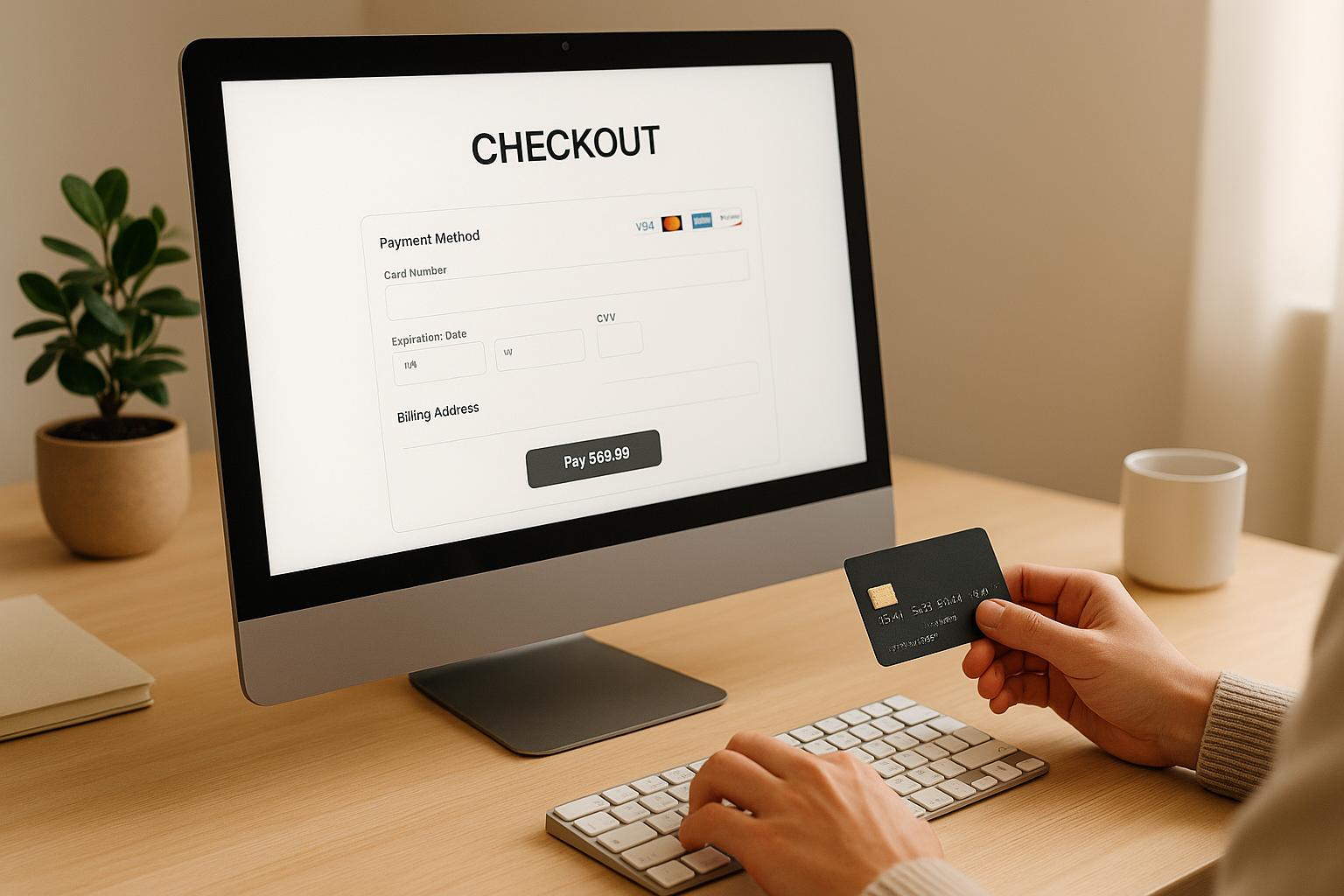
Your payment gateway can make or break your sales. A slow, confusing, or limited checkout process is one of the top reasons shoppers abandon their carts. To improve conversions, your checkout needs to be fast, secure, and easy to use. Here’s how you can achieve that:
- Offer multiple payment methods: Include credit cards, digital wallets (e.g., Apple Pay, Google Pay, PayPal), and BNPL services like Klarna or Affirm to cater to diverse preferences.
- Simplify the checkout process: Enable guest checkout, reduce unnecessary form fields, and support one-click payments to eliminate friction.
- Optimize for mobile: Ensure your payment gateway is mobile-friendly with fast load times, easy navigation, and tools like autofill and biometric payments.
- Improve security and transparency: Use SSL encryption, PCI compliance, and clear pricing to build trust and reduce cart abandonment.
- Leverage data and customer feedback: Monitor transaction metrics, analyze cart abandonment trends, and gather customer input to refine your checkout experience.
These strategies reduce lost sales, improve customer satisfaction, and increase revenue. While upgrades require investment, tools like Onramp Funds can help you fund these improvements without upfront strain.
Payment page optimisation tips for eCommerce | emerchantpay

1. Offer Multiple Payment Methods
U.S. shoppers have diverse payment preferences, and limiting their options can hurt your bottom line. If customers don’t see their preferred payment method at checkout, many will simply leave without completing their purchase.
Younger buyers often lean toward digital wallets and Buy Now, Pay Later (BNPL) services, while older shoppers typically stick with credit cards. Business buyers may need options like invoicing, and those on a budget appreciate flexible payment plans. To cater to these differences, offering a variety of payment methods is key.
Include Popular Payment Options
At a minimum, make sure you accept credit and debit cards. But to truly optimize conversions, add digital wallets and BNPL services into the mix.
Digital wallets like Apple Pay, Google Pay, and PayPal have become standard expectations for online shopping. These options not only appeal to security-conscious customers but also speed up the checkout process, especially for mobile users.
BNPL services such as Klarna, Afterpay, and Affirm are changing how Americans shop online. These options are particularly effective for higher-priced items, often increasing average order values. BNPL gives customers the ability to spread payments over time, making larger purchases more manageable.
For customers who prefer direct bank connections, consider offering ACH payments or similar bank transfer options. While not as common for everyday purchases, these methods can be useful for high-ticket items or for those with card spending limits.
To fully capture U.S. consumer behavior, align your payment options with these core trends and preferences.
Focus on Local Preferences
Understanding the regional and demographic nuances of the U.S. market can help you prioritize which payment methods to offer. Credit cards still dominate online transactions, but the payment landscape is evolving rapidly.
For instance, urban shoppers are more likely to use mobile payments like digital wallets, while rural consumers may prefer traditional methods due to security concerns or familiarity. Age also plays a big role: Gen Z and Millennials are quick to adopt BNPL and digital wallets, while older generations often stick with credit cards, especially for larger purchases.
Displaying prices in U.S. dollars is another crucial step. Even if your business operates internationally, showing prices in dollars eliminates confusion and builds trust. Unexpected fees or currency conversion issues can disrupt the customer experience and lead to abandoned carts.
Lastly, consider how payment options align with your product offerings. For instance, retailers in electronics and fashion often see strong BNPL adoption, while sellers of everyday essentials may benefit more from fast and convenient options like digital wallets. If you offer high-ticket items, providing multiple financing options can give customers the flexibility they need to complete their purchase.
2. Simplify the Checkout Process
When it comes to checkout, simplicity is everything. A complicated process at this stage is one of the quickest ways to lose customers. If shoppers encounter too many steps or hurdles, they'll often abandon their carts and take their business elsewhere. The goal? Remove every unnecessary step between your customer’s decision to buy and their completed purchase.
In fact, 18% of users abandon checkout because it’s too complex, which translates to losing nearly one in five potential sales. The upside? Simplifying your checkout process can have an immediate and positive effect on your conversions.
Enable Guest Checkout
Forcing customers to create an account before buying is a surefire way to increase cart abandonment. 26% of shoppers leave their carts behind because they don’t want to create an account. This extra step delays the purchase and frustrates buyers, especially first-time customers who aren’t yet ready to commit to your brand.
Guest checkout solves this problem by letting customers complete their purchase without the hassle of account creation. It caters to the modern shopper’s need for speed and convenience. For first-time buyers, this approach is particularly effective, as it removes barriers and keeps the focus on completing the transaction.
Here’s a smart tip: delay account creation until after the purchase is complete. Offer it as an optional step on the confirmation page, when customers are already happy with their experience. Unfortunately, 84% of websites fail to do this, missing out on both immediate sales and the chance to turn satisfied buyers into loyal customers.
Reduce Form Fields
Every extra form field in your checkout process is like a speed bump for your customers. The more fields they have to fill out, the higher the chances they’ll abandon their purchase. On average, checkout flows in 2024 include 11.3 form fields, but most businesses only need around 8 fields to complete the process.
It’s not just the number of fields that matters - it’s how they’re presented. For example, 42% of users accidentally typed their full name into the "First Name" field when separate first and last name fields were used. Why? Because customers naturally think of their name as a single piece of information. Similarly, address fields can be confusing. 30% of users paused when encountering "Address Line 2", yet 75% of sites don’t hide this behind a link, forcing everyone to stop and consider whether it’s relevant.
Here’s how to make forms less frustrating:
- Use a single "Full Name" field instead of separate first and last name boxes to reduce confusion.
- Hide optional fields like "Address Line 2" behind a link labeled “Add apartment, suite, etc.” This keeps the form cleaner while still accommodating those who need it.
- Assume most customers use the same billing and shipping address. Only offer the option to add a different billing address if necessary. Currently, 24% of sites default to assuming different addresses are required, which can slow down the process.
- Be strategic with promotional code fields. While 70% of sites include these fields, showing them by default can backfire. 35% of sites display them upfront, which can make customers feel like they’re missing out on a discount they don’t have. Only show these fields when applicable.
By streamlining your forms, you keep customers focused and engaged, making it easier for them to complete their purchase.
Support One-Click Payments
One-click payments can transform the checkout process into a seamless experience. By securely storing customer payment information, this feature allows shoppers to complete transactions with just a single click or tap. It’s especially effective for mobile users, where typing and filling out forms can feel tedious.
This convenience is a game-changer for impulse buys or repeat purchases. When customers can finalize their order instantly, they’re far more likely to follow through. Plus, it’s a great way to encourage repeat business, as satisfied customers will appreciate how easy it is to buy from you again.
To make this work, customers need to trust that their data is secure. Be transparent about your security measures and give them easy options to update or remove stored payment methods. For added impact, consider implementing one-click payments for your most popular products or for returning customers who’ve already made multiple purchases.
Don’t forget to enable features like address autofill, which can boost conversions by 30% by saving customers time and effort. A faster, smoother checkout process makes all the difference.
3. Optimize for Mobile Devices
Mobile commerce is reshaping how people shop online. With a growing portion of eCommerce traffic coming from smartphones and tablets, ensuring your payment gateway is fully tailored for mobile use is critical. Many businesses miss the mark here, overlooking the chance to improve user experience and increase conversions. Fine-tuning the mobile checkout process can make all the difference.
Fast Load Times and Mobile-Friendly Design
A fast, responsive checkout page is essential to keep shoppers engaged. Even slight delays can drive customers away. When building your payment gateway, prioritize a mobile-first approach. Design every element with smaller screens and touch-based interactions in mind. For example, buttons should be large enough to tap easily and spaced out to prevent accidental clicks. Form fields should be simple to fill out, and the entire process should allow for smooth, one-handed navigation.
Think about how your payment forms adapt to mobile layouts. Designs that work on desktops - like side-by-side fields - can feel cramped on smaller screens. A single-column layout enhances readability and reduces errors. Features like auto-formatting for card numbers or dropdown menus for expiration dates can further simplify the process.
Pay attention to how mobile browsers behave. Many automatically zoom in on form fields, which can disrupt the user experience. Properly sizing input fields and using clear, legible fonts can prevent this and keep the process seamless.
Another game-changer is integrating tools like Apple Pay and Google Pay. These options use biometric authentication and stored payment details, letting users complete transactions in seconds. Adding these capabilities can significantly improve conversion rates on mobile devices. Optimizing for mobile isn’t just a good idea - it’s key to minimizing cart abandonment and boosting sales.
Test Across Popular Devices
Real-world testing is essential to deliver a smooth mobile experience. While responsive design tools are helpful, there’s no substitute for testing your payment gateway on the devices your customers actually use. Focus on the most common devices in your target market, as they represent the bulk of mobile shoppers.
Different devices and browsers can handle payment processing in unique ways. Test your gateway on a variety of popular models and browsers to ensure consistent performance. Features like autofill and error handling should work flawlessly across the board. Testing under different network conditions - from high-speed connections to slower ones - is equally important to guarantee users enjoy a consistent experience regardless of their internet speed.
Run through various scenarios, such as successful payments, declined cards, timeouts, and interruptions. Providing clear feedback and recovery options for errors can help prevent customers from abandoning their carts. Additionally, make sure your mobile payment forms are accessible to everyone by supporting tools like screen readers and voice controls.
Consistent testing and updates will ensure your mobile payment process remains smooth, even as devices, operating systems, and browsers evolve. A reliable and user-friendly mobile checkout experience directly supports your goal of increasing conversions.
sbb-itb-d7b5115
4. Improve Security and Transparency
A secure and transparent checkout process not only protects customer data but also reassures shoppers about the clarity of costs, reducing cart abandonment and building trust. These steps help create a smoother and more reliable checkout experience.
Implement PCI Compliance and SSL Encryption
If your business handles credit card transactions, PCI DSS compliance is a must. These standards set strict rules to safeguard cardholder data throughout every stage of the payment process. Ignoring these guidelines can lead to hefty fines, depending on the volume of transactions and the severity of any security breaches.
To start, ensure your payment gateway provider holds Level 1 PCI DSS certification. This certification requires annual on-site security assessments and adherence to rigorous security measures. Providers like Stripe, PayPal, and Square typically meet these standards, but it’s always wise to confirm their compliance status.
SSL encryption is another critical layer of security, ensuring that data transfers between your customer’s browser and your server are protected. Modern browsers flag non-secure pages, which can erode customer trust. For added reassurance, consider using Extended Validation (EV) certificates. These display your company name directly in the browser’s address bar, signaling to customers that your website is legitimate and secure.
Tokenization is another effective tool for protecting sensitive data. By replacing payment details with secure tokens, you reduce the risk of data breaches and make PCI compliance easier to manage. When customers save their payment information, these tokens help ensure their data stays safe.
Finally, display verified security badges on your checkout page. Use only badges you’ve earned - misleading or unverified badges can harm your reputation or even lead to legal trouble. Combined with the streamlined checkout practices discussed earlier, these measures bolster customer confidence.
Be Transparent About Fees
Hidden fees are one of the fastest ways to lose a sale. Customers value clear, upfront pricing.
Make sure to list all charges early in the checkout process. This includes shipping fees, taxes, handling charges, and any additional costs tied to payment methods. If shipping fees vary by location, use a shipping calculator or provide estimated costs upfront to eliminate surprises.
For taxes, show calculations as soon as you collect the customer’s location. In the U.S., where tax rates differ by state and locality, automated tax calculation tools can help ensure accuracy and prevent confusion.
For international shoppers, be clear about any extra charges like customs duties, currency conversion fees, or other applicable costs. Being upfront about these details helps prevent last-minute surprises that could lead to cart abandonment.
If specific payment methods come with additional fees, make sure those costs are displayed as soon as the option is selected. Break down the subtotal, shipping, taxes, and fees so customers can see exactly what they’re paying for. This level of transparency supports the user-friendly checkout experience discussed earlier.
You might also consider offering free shipping thresholds. Letting customers know they can qualify for free shipping by spending a little more can encourage larger purchases. Not only does this boost your average order size, but it also keeps your pricing structure clear and straightforward.
5. Use Data Analytics and Performance Monitoring
Fine-tuning your payment gateway isn’t a one-and-done task - it’s an ongoing process that relies on tracking key metrics and listening to customer feedback. By keeping a close eye on performance and acting on what the data tells you, you can reduce checkout friction and improve conversion rates.
Monitor Transaction Metrics
Start by tracking transaction speed. Even minor delays can lead to cart abandonment, especially during peak shopping hours. If you notice slower speeds at busy times, it could point to server or processor issues that need attention.
Keep an eye on failed transactions, declined payments, and timeouts. A sudden spike in these issues might signal technical problems. It’s also worth analyzing which payment methods have the highest failure rates - this insight can help you decide whether to continue offering those options or focus on alternatives.
Cart abandonment data is another goldmine for understanding customer behavior. Look at when and why customers drop off during checkout. For example, you might find that digital wallet users complete purchases more often than those using traditional credit cards, giving you a clear direction on where to prioritize.
Geographic trends are equally important, especially if you operate internationally. Monitor transaction success rates by country or region, as certain payment methods may perform better in specific areas. Currency conversion challenges can also impact sales, so it’s worth keeping an eye on that data too.
Set up automated alerts for unusual activity. If transaction success rates suddenly drop or processing times spike, you’ll need to act fast. Many payment processors offer built-in tools for monitoring, but third-party analytics platforms can provide deeper insights.
Regularly review your data to spot trends over time. For instance, check whether a recent change improved your conversion rates or if customer behavior shifts on specific days of the week. These patterns can help you refine your payment process further.
Utilize Customer Feedback
While metrics give you the numbers, customer feedback reveals the “why” behind them. Exit surveys, for example, can uncover hidden pain points by asking customers why they didn’t complete their purchase. Keep these surveys short - one or two targeted questions will do the trick.
Post-purchase surveys are another valuable tool. Ask customers about their payment experience: Was their preferred payment method easy to find? Did they feel secure during the process? Were there any confusing steps? These insights can highlight areas for improvement.
Customer support inquiries are also worth tracking. If the same issues keep popping up, it’s a clear sign that something needs fixing. Look for patterns in complaints to create a roadmap for resolving recurring problems.
Don’t overlook feedback from social media and online reviews. While less structured, these sources often reveal genuine frustrations or suggestions that you might not have considered.
For deeper insights, consider running user testing sessions. Watching customers navigate your checkout process can help you identify and eliminate friction points. This qualitative feedback complements the quantitative data you’re already tracking.
Finally, establish strong communication between your customer service and development teams. Support reps are often the first to hear about payment issues, so make sure they have a system to report recurring problems or customer suggestions. Quick feedback tools, like rating systems at key checkout points, can also help you gather insights without overwhelming your customers.
Most importantly, act on the feedback you receive. Customers notice when businesses listen and make changes based on their input. If you resolve a common issue, follow up with affected customers to let them know - it shows you value their experience and builds loyalty.
Conclusion: Key Takeaways for Payment Gateway Optimization
Fine-tuning your payment gateway eliminates obstacles between your customers and their completed purchases. The five strategies discussed work hand-in-hand to create a smooth checkout process that can directly boost your revenue.
By offering multiple payment methods, you reduce the chances of losing sales simply because a customer's preferred option isn’t available. Mobile optimization is a must, given the growing dominance of mobile commerce in online transactions. Building trust through strong security measures and clear communication about fees makes customers feel confident sharing their payment details. And by consistently monitoring your system and gathering customer feedback, you can proactively address potential issues before they hurt your conversion rates.
Yes, implementing these changes requires an investment, but the payoff - better customer experiences and fewer abandoned carts - makes it worthwhile. The returns often outweigh the upfront costs.
For businesses looking to enhance their payment systems without straining their cash flow, revenue-based financing can be a smart solution. Onramp Funds offers equity-free funding tailored for online sellers, with flexible repayments tied to your sales performance. This approach allows you to invest in critical upgrades, even during slower sales periods, without the burden of fixed monthly payments.
FAQs
Why does offering multiple payment options boost eCommerce conversions?
Providing a variety of payment options can play a big role in improving eCommerce conversion rates. Why? It makes the checkout process easier and more accessible for a wide range of shoppers. When customers spot their preferred payment method, they tend to feel more confident about your store, which often leads to completing their purchase.
On top of that, offering multiple payment methods can cut down on cart abandonment. Many shoppers leave their carts behind simply because they don’t see a payment option they’re comfortable using. By including choices like credit cards, digital wallets, or buy-now-pay-later services, you create a hassle-free, enjoyable shopping experience. This approach not only boosts sales but also helps build long-term customer loyalty.
What are the best security practices for ensuring a safe and reliable payment gateway?
To ensure your payment gateway remains secure, it's essential to adopt strong protective measures. Start with encryption protocols like SSL and TLS to keep data safe during transmission. Additionally, maintaining PCI DSS compliance ensures that payment information is handled securely. Implement tokenization to replace sensitive data with secure tokens, and strengthen user verification by enabling multi-factor authentication (such as 2FA).
Other critical steps include using real-time transaction monitoring to spot fraudulent activities, setting up firewalls to block unauthorized access, and incorporating 3D Secure authentication for an added layer of security during online transactions. These strategies not only safeguard your business against breaches but also help establish trust with your customers.
Why is it important to make the checkout process mobile-friendly?
Optimizing the checkout process for mobile devices is crucial since mobile shopping now accounts for over 60% of eCommerce traffic. A smooth mobile experience allows customers to complete purchases quickly and without hassle, helping to lower cart abandonment rates and improve conversions.
A thoughtfully designed mobile checkout doesn’t just enhance user satisfaction - it also encourages repeat purchases and drives revenue growth. For eCommerce businesses, creating an intuitive and efficient mobile checkout process is essential to remain competitive and meet the demands of today’s mobile-first shoppers.
Related Blog Posts
Onramp Funds
Funding built around your sales
Connect your store and see what you qualify for. Repay as a percentage of sales, with no personal credit check.
Funding in as little as 24 hours.
