


Expanding your inventory on Walmart Marketplace can boost sales, but it requires careful planning to avoid common pitfalls. Overstocking ties up cash in unsold products, while stockouts harm your performance metrics and sales. Walmart offers tools like the Assortment Growth Dashboard and Success Hub to help sellers manage inventory effectively. These tools provide data-driven recommendations, sales forecasts, and restocking alerts to maintain the right balance.
Walmart Fulfillment Services (WFS) simplifies logistics, improves search rankings, and enhances delivery speed. Sellers using WFS often see higher sales due to features like "2-day shipping" badges. For funding, Onramp Funds offers flexible, sales-based repayment options, ensuring you can restock inventory without financial strain. This combination of tools and financing can help you grow your business without overextending.
How To Use Walmart Seller Inventory Manager (WFS) - Walmart Seller Tools
sbb-itb-d7b5115
The Risks of Expanding Inventory Too Quickly
Expanding your inventory too quickly might seem like a smart move to capture more sales, but it comes with serious risks. One of the biggest challenges is the assumption that sales will grow as fast as your product range. When that doesn't happen, you're left with capital tied up in unsold inventory sitting in warehouses. Walmart's metrics - Aged (inventory over 365 days old) and Surplus (stock exceeding 180 days of forecasted supply) - highlight this issue[2]. Both indicate that your money is stuck in products that aren't moving.
The situation gets worse if you're relying on financing with strict repayment terms. If sales slow down, you'll still face automatic withdrawals from your bank account[1]. On top of that, storage fees can pile up. For example, Walmart charges an extra $1.50 per unit for items stored over 30 days during the peak holiday season (October 1–December 31)[8]. What initially seemed like a growth opportunity can quickly drain your resources.
How Overstocking Limits Cash Flow
Overstocking isn't just about extra storage fees - it directly impacts your cash flow. Every dollar spent on excess inventory is a dollar that could have been used for marketing, product development, or unexpected expenses. Walmart uses the sell-through rate to measure this inefficiency. This metric, calculated as units sold in 90 days divided by the average number of units stored, flags issues when it falls below 0.75. A "Below Average" sell-through rate means you're holding onto more inventory than you're selling[2].
Long-term storage fees further complicate matters. Items that sit unsold for over a year incur additional charges[2][5]. For sellers managing many SKUs, these costs can add up quickly, leaving you with less cash to experiment with new products or adapt to market changes.
Stockouts and Their Impact on Performance Metrics
On the flip side, running out of stock can be just as damaging. When your inventory hits zero, your product listing becomes inactive and disappears from search results[6]. Even worse, Walmart's algorithm penalizes items that frequently go out of stock by temporarily lowering their visibility[9]. Stockouts also lead to canceled orders and reduced Valid Tracking Rate and On-Time Delivery scores, both of which are critical for maintaining Buy Box eligibility[6][9]. Walmart also tracks the Daily in-stock sales rate, which measures how many potential sales are lost when products aren't available. A 0% in-stock sales rate for out-of-stock items means you're missing out on every possible sale.
Colleen Quattlebaum from Aura sums it up well:
"Failing to manage inventory effectively can lead to stockouts, overselling, and negative impacts on your seller performance metrics." [6]
During peak times (October 1–December 31), processing inventory can take up to 10 business days[5]. Without careful planning, you risk stockouts during critical sales periods, which can be devastating for your bottom line.
Recognizing these risks is the first step toward using Walmart's planning tools to manage your inventory more effectively.
Using Walmart Tools for Inventory Planning
Walmart's built-in tools provide real-time insights into customer demand, sales trends, and category performance. These tools are designed to help sellers make smarter inventory decisions, reducing the risks of overstocking or running out of stock. They’re an essential starting point for expanding your inventory effectively.
The Assortment Growth Dashboard
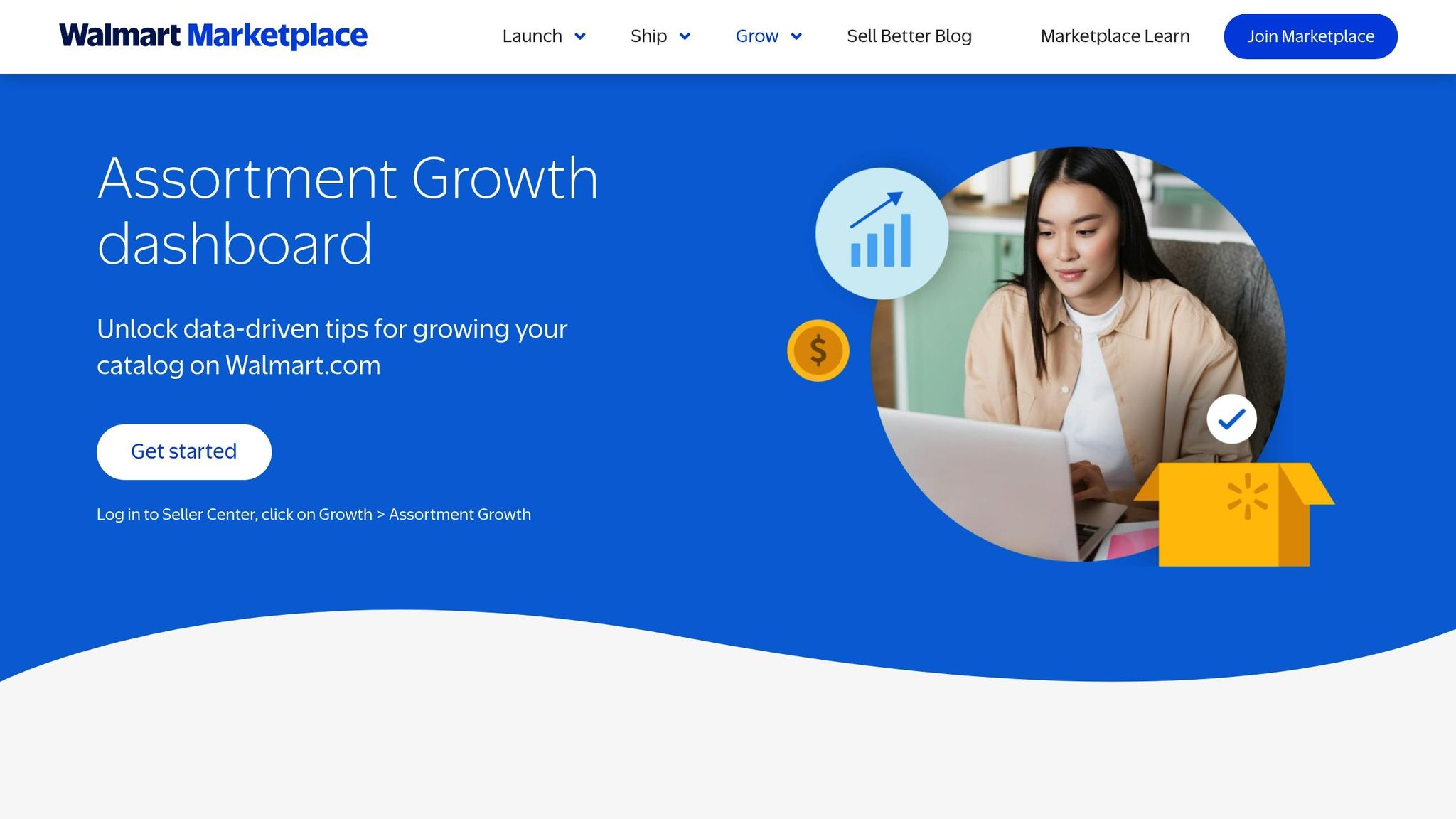
You can find the Assortment Growth Dashboard in your Seller Center under Growth > Assortment Growth. This tool uses customer search patterns and sales data to recommend products with strong potential. It’s divided into three key sections to guide your inventory expansion:
-
Assortment Recommendations
This feature highlights top-selling and highly searched products within the categories you already sell. Following these recommendations can often double your sales pace [11]. -
Assortment Explorer
This tool identifies high-demand products in categories you haven’t ventured into yet. It provides useful insights, such as potential sales rankings, customer search terms, and data on pricing trends and seasonality [10]. -
Workspace Tab
This section helps you organize and save products you’re considering for future listing. It centralizes your options, making long-term catalog planning more efficient [10] [12].
The dashboard updates every two weeks, so checking it regularly can uncover new opportunities. For products not yet listed on Walmart.com, the setup feature allows you to be the first seller to offer them [10] [11]. Walmart also provides an incentive: 100% off referral fees for up to 180 days when you list "Customer Favorite" items with competitive pricing and TwoDay shipping. This offer was valid from April 2025 through January 31, 2026 [12].
Walmart Success Hub for Inventory Insights
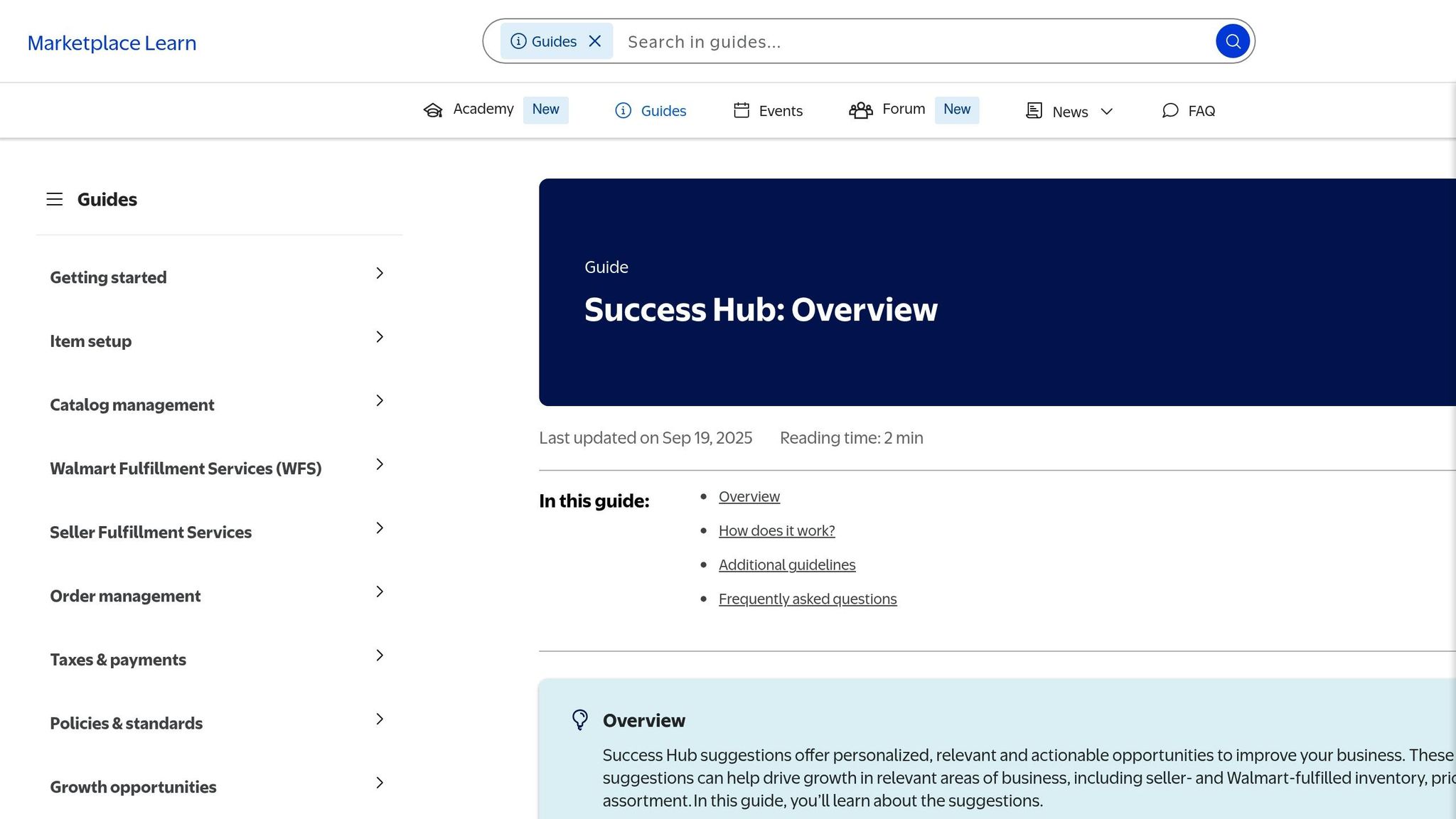
While the Assortment Growth Dashboard helps you discover new opportunities, the Walmart Success Hub focuses on keeping your current inventory in good shape. Found under the Growth tab in Seller Center, this tool provides daily personalized inventory suggestions [14] [15]. It flags items that are either out of stock or projected to sell out within the next eight weeks [14], giving you time to reorder without straining your cash flow.
The platform categorizes inventory into three statuses:
- In stock: More than 28 days of supply
- At risk: Less than 28 days of supply
- Out of stock
For each item, the tool calculates a "Suggested Units" figure, factoring in historical sales, seasonality, listing quality, and pricing [2]. You can use the Send inventory button to create a shipping plan for Walmart Fulfillment Services (WFS) items [3], or download the suggestions for offline analysis [14]. Additionally, for high-performing seller-fulfilled products, the Success Hub may recommend switching to WFS to maximize their sales potential [13] [15].
Expanding with Walmart Fulfillment Services (WFS)

Walmart Fulfillment Services (WFS) is designed to simplify your logistics by handling everything from storage to returns, letting you focus on growing your business.
Why WFS Is a Smart Move for Sellers
With WFS, Walmart takes care of all logistics tasks - storage, picking, packing, shipping, customer service, and returns. This means you can dedicate your time to sourcing new products and expanding your catalog instead of worrying about warehouse management [5]. Plus, there are no strict inventory limits, so you can adjust your stock levels as your business evolves [5].
One of the biggest perks of WFS is the enhanced visibility it provides. Products in the program get "Fulfilled by Walmart" and "2-day shipping" badges, which boost search rankings and improve Buy Box placement [5]. Sellers using WFS often see significant growth - on average, a 50% increase in GMV for items with these tags [5]. Since only 38% of Walmart Marketplace sellers currently use WFS, getting on board now could give you an edge [5]. For example, Miko, a wellness products company, saw a massive 1,573% increase in GMV for items that previously lacked 2-day shipping after joining WFS. Today, 82% of their GMV comes from WFS-fulfilled products [7].
The cost structure is simple and competitive. WFS doesn’t charge subscription fees; instead, costs include weight-based fulfillment fees, monthly storage fees (calculated by cubic footage), and referral fees ranging from 6% to 15% [5]. On average, WFS rates are about 15% lower than those of major competitors, and Walmart only applies long-term storage fees after 12 months, unlike the six-month standard in the industry [5]. Additionally, customers can return items at over 4,500 Walmart locations, creating a convenient omnichannel experience that strengthens customer trust [5].
How to Start and Ship Inventory to WFS
Getting started with WFS is straightforward. In Seller Center, you’ll need to provide a WFS contact, a U.S. return address, and a verified U.S. bank account. The verification process typically takes 2–3 business days [16]. Once verified, switch eligible listings to "Walmart Fulfilled" by entering required details such as the country of origin and hazardous materials compliance [16].
To ship inventory, you’ll need to create a shipping plan. This involves six steps:
- Adding items and quantities
- Choosing a distribution method (self-distribution or Inventory Transfer Service)
- Selecting a carrier
- Providing contact details
- Reviewing and submitting the plan [17][18]
If you opt for the Inventory Transfer Service (ITS), you can send all sortable inventory (items under 30 lbs and within 25" x 20" x 14") to a single transfer station. Walmart then redistributes it across the country to ensure faster delivery times. ITS fees start at $0.25 per unit for items weighing 1 lb or less [19]. Walmart Preferred Carriers offer discounted rates and automatic tracking in Seller Center [17][18]. Once delivered, inventory is typically available within two business days, though it may take up to 10 business days during peak seasons like October through December [16].
This streamlined process helps you scale your inventory while maintaining healthy cash flow.
Inventory Forecasting and Management Strategies
Walmart's planning tools, paired with precise forecasting and smart management, help you maintain the right inventory balance. This means having enough stock to meet customer demand without tying up too much cash. Walmart's built-in tools can predict when you'll run out of stock and how much you should reorder, keeping your operations smooth and efficient.
Updating Inventory Through Seller Center
Keeping your stock levels accurate is crucial to avoid overselling and to reflect real-time availability. Walmart offers four ways to update inventory:
- Single Item Upload: Make quick updates to individual SKUs.
- Bulk Update: Use an Excel template to adjust multiple items at once.
- API Integration: Automate updates for large catalogs.
- Third-Party Solution Providers: Outsource inventory management if needed [21].
Stock updates on Walmart.com usually appear within 15 minutes to four hours [20][21]. To prevent items from showing as "out of stock" prematurely, keep your "on hand" quantity at least 20 units higher than your "reserved" quantity (items purchased but not yet shipped) [20][21]. You can verify updates using the Activity Feed.
If you're managing a large catalog, API integration ensures real-time accuracy by automating updates [21]. For quick adjustments, the Walmart Seller App allows you to update "on hand" counts on the go (note: WFS updates require desktop access) [22][4].
Once your inventory updates are accurate, the next focus is aligning your reorder strategy with demand forecasts.
Replenishment Plans for High-Demand Products
Walmart's algorithm simplifies replenishment by calculating "Suggested units" based on factors like past sales, seasonality, listing quality, and pricing [2]. The "Days of Supply" metric indicates how long your current stock (including inbound inventory) will last against forecasted demand [4][2]. Items with more than 28 days of supply are marked as "In stock", while those with fewer than 28 days are flagged as "At risk" [4][2].
Pay attention to your sell-through rate, which is the number of units shipped in the last 90 days divided by the average units stored. A rate of 1.5 or higher is considered "Excellent," while anything below 0.75 could indicate a problem [2]. Be wary of "Surplus units" (stock exceeding 180 days of supply) and "Aged units" (inventory stored for over 365 days), as these can tie up capital and lead to long-term storage fees [2].
The Success Hub, found in the Growth tab of Seller Center, offers tailored restocking recommendations and alerts for items at risk [13][3]. Additionally, the Inventory Health report provides 1–4 and 5–8 week sales forecasts, helping you plan shipments and avoid running out of stock [2].
Financing Inventory Growth with Onramp Funds

Onramp Funds Pricing Plans Comparison for Walmart Sellers
Onramp Funds provides a flexible financing option tailored to support inventory growth. Instead of fixed monthly payments, repayments are based on a small percentage of your daily or weekly sales. This model helps maintain cash flow during slower sales periods, unlike traditional bank loans that can create financial strain.
How Onramp Funds Works for Walmart Sellers
The application process is quick and straightforward. By linking your Walmart Seller Center account, Onramp evaluates your business using real-time sales data instead of relying on personal credit scores. Once approved, funding is typically available within 24 hours, enabling you to restock popular items without delay [23].
What makes Onramp stand out is its sales-synced repayment system. Rather than fixed monthly payments, you pay back a small percentage of your daily or weekly Walmart payouts - usually around 1% of sales [1]. During slower sales periods, repayments decrease automatically, keeping your cash flow steady. This approach works seamlessly with inventory planning tools like Success Hub, allowing you to focus on high-demand SKUs and secure funding to match.
"Our mission is to ensure sellers have the capital they need to keep product in stock and their customers happy. We're here to make that happen."
- Eric Youngstrom, Founder, Onramp Funds [23]
To qualify, your business must be based in the U.S. (e.g., LLC, C-Corp) with at least $3,000 in sales over the past 30 days [23]. Onramp customers report an average revenue increase of 73% within 180 days of funding, with 75% opting for repeat financing [24]. From here, you can explore pricing plans customized for various growth strategies.
Onramp Funds Pricing Plans
Onramp offers three financing options designed for different growth needs. With fees ranging from 0.5% to 4% of sales, there’s no compounding interest - just clear, flat fees [23]. Estimated APRs fall between 11.9% and 19.9%, and most advances are repaid within 90 days [23].
Pricing Comparison Table
| Plan | Funding Range | Fee Structure | Repayment Model | Best For | Key Limitation |
|---|---|---|---|---|---|
| Custom Funding Offers | Up to $500,000 | Variable (based on data) | Percentage of sales | High-volume sellers expanding inventory | Case-by-case approval required |
| Fixed Fee Structure | $5,000–$250,000 | 2–8% flat fee | Predictable payments (6–12 months) | Steady sellers using Success Hub for restocking | Less flexible during seasonal changes |
| Revenue-Based Financing | Based on trailing 3-month revenue | 0.5–4% of sales | Adjusts with sales performance (typically 1% per cycle [1]) | WFS users replenishing high-demand products | Requires sales history and platform integration |
You can also link other sales channels, such as Amazon or Shopify, to improve your funding offer. Onramp evaluates your overall business performance across platforms, not just Walmart sales [1].
Conclusion
Expanding your inventory on Walmart can drive sales growth without overextending your resources. By combining smart tools with strategic financial solutions, you can streamline the process and make smarter decisions. For example, Walmart's planning tools can help you identify the best restocking opportunities - like when a sell-through rate hits 1.5 or higher, signaling strong demand[2].
Walmart Fulfillment Services (WFS) simplifies operations by handling storage and shipping. It also helps you avoid unnecessary fees by flagging aged or at-risk inventory[2]. These efficiencies allow you to focus on managing your finances more effectively.
On the financial side, Onramp Funds provides the flexibility to restock inventory as revenue comes in. With repayment plans tied to your sales - typically around 1% per cycle - and fees ranging from 0.5% to 4%, this service ensures you have access to funding when you need it. Plus, with funds available within 24 hours, you can act quickly to seize opportunities[23].
FAQs
How do I decide which new SKUs to add on Walmart?
To make smarter product decisions, leverage data-driven tools like the Assortment Growth dashboard. This tool is designed to help you spot best-selling items by analyzing customer demand and category trends. Whether you're looking to identify trending products or fill gaps in your current offerings, the dashboard provides actionable insights.
With features like filters and tailored recommendations, it guides you toward selecting items that match shopper preferences and have strong potential for success.
What’s the safest reorder point to avoid stockouts?
The safest reorder point depends on understanding two key factors: sales velocity (how quickly your products sell) and lead time (how long it takes to restock). By applying the "weeks of supply" formula, you can determine the right amount of inventory to keep on hand. This method helps ensure you're prepared to meet demand forecasts while reducing the chances of stockouts. It's all about finding the right balance between maintaining stock and avoiding excess.
How can I fund restocks without hurting cash flow?
If you need to restock but want to avoid cash flow issues, inventory financing could be the solution. This type of funding lets you use your inventory as collateral to quickly access the capital you need, ensuring shelves stay stocked and operations run smoothly.
You can also explore repayment plans aligned with your sales cycles, like revenue-based financing, which adjusts payments based on your income. This approach can reduce financial pressure, especially during busy seasons when growth opportunities are at their peak.
By pairing financing with thoughtful inventory planning, you can restock efficiently without overcommitting your resources.
