

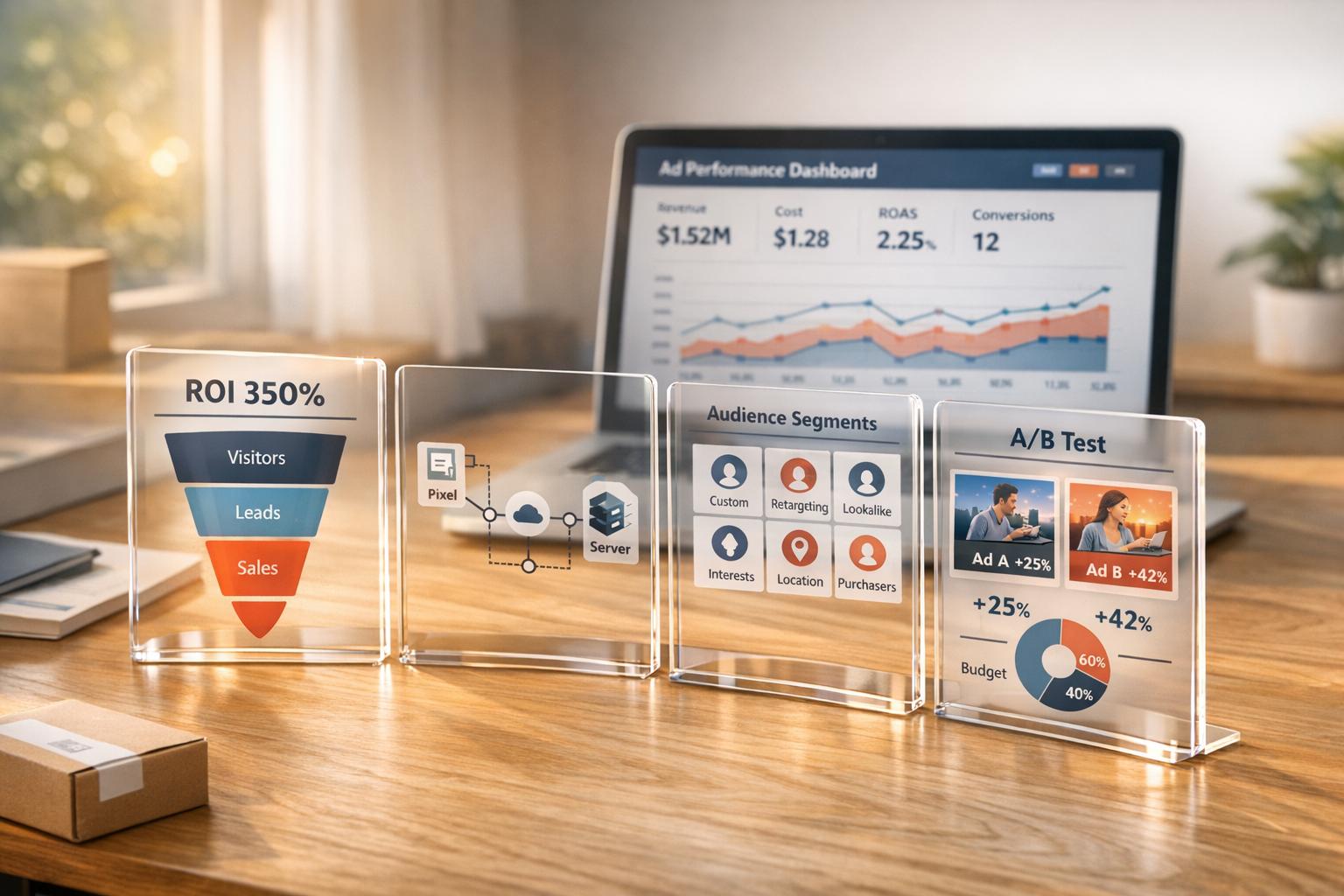
Want to stop wasting money on Meta ads? Here's the key: focus on ROI (Return on Investment). Many eCommerce sellers blindly spend on Facebook and Instagram ads without understanding their profitability. This guide breaks down how to measure, track, and improve your Meta ad campaigns for better results.
Key Takeaways:
- ROI vs. ROAS: ROI accounts for all expenses, while ROAS only measures revenue vs. ad spend. Both are crucial, but ROI gives a full picture of profitability.
- Break-Even Point: Know your profit margin. For example, with a 67% margin, you need a ROAS of 1.49:1 to break even.
- Metrics to Track: Focus on ROAS (3:1 target), CPA (below CLV), CTR (above 1%), and conversion rate (above 2%).
- Audience Segmentation: Target cold, warm, and hot audiences effectively using Meta's tools like lookalike and custom audiences.
- Ad Optimization: Use Meta's AI tools for better visuals, test multiple ad formats, and refresh creatives every 2–4 weeks to avoid fatigue.
- Budget and Scaling: Gradually increase budgets (10–20% at a time) and use Campaign Budget Optimization (CBO) for efficient spending.
By implementing proper tracking, audience targeting, and creative strategies, you can turn Meta ads into a predictable growth engine. Ready to scale? Tools like Onramp Funds can help keep your campaigns running without cash flow interruptions.
How to 10X Your Facebook Ads ROAS With 4 Simple Campaigns
Meta Ad ROI and Key Metrics


What Is Meta Ad ROI?
ROI (Return on Investment) measures the net profit after accounting for all advertising expenses. Unlike ROAS (Return on Ad Spend), which focuses solely on revenue versus ad spend, ROI provides a broader financial picture. The formula is simple: Revenue ÷ (Ad Spend + Expenses) = Return on Investment[5].
For example, you might achieve a 4:1 ROAS - $4 in revenue for every $1 spent - but if costs like software subscriptions, salaries, or product expenses eat into your margins, your actual ROI might end up negative. Absolute ROI includes every expense, giving you a clearer view of true profitability[5].
"ROAS is the crown jewel of the bunch – it's the most accurate way to measure your campaign's ROI."
- Chase Montani, Ridge Marketing[5]
While ROAS is great for quickly assessing campaign performance, ROI answers the bigger question: is your business actually making money? Many eCommerce businesses aim for a ROAS of 3:1 (300%) or higher, but this only works if your profit margins can sustain it[2].
Let’s explore the metrics that shape these calculations.
Metrics for ROI Calculation
Tracking the right metrics turns guesswork into actionable insights. Purchase Conversion Value (Meta’s term for total revenue tracked via the Pixel) shows how much revenue your ads generate[5]. Cost Per Acquisition (CPA) helps you understand what you're spending to gain each customer, while Click-Through Rate (CTR) measures how well your ad creative connects with your audience - a CTR above 1% is considered strong[2].
Profitability hinges on the balance between CPA and Customer Lifetime Value (CLV). For instance, if your average CLV is $150, keeping your CPA around $50 leaves room for healthy margins and growth[2]. A conversion rate below 2% often signals a mismatch between your ad and landing page experience[2].
Here’s a quick summary of key metrics and their benchmarks:
| Metric | What It Measures | Target Benchmark |
|---|---|---|
| ROAS | Revenue per dollar spent on ads | 3:1 or higher for eCommerce[2] |
| CPA | Cost to acquire one customer | Well below CLV (e.g., $50 vs. $150 CLV)[2] |
| CTR | Ad creative effectiveness | Above 1%; below 0.5% needs adjustment[2] |
| Conversion Rate | Landing page performance | Above 2%; lower indicates optimization needed[2] |
To ensure accuracy, cross-check Meta’s Purchase Conversion Value with data from Google Analytics or platforms like Shopify. Meta often uses sampling or modeling to estimate metrics, which can sometimes lead to discrepancies[5].
Setting Up Tracking Infrastructure
Getting accurate ROI data starts with setting up proper tracking systems. The Meta Pixel should be installed on every page of your website to capture user actions[7]. Configure standard events like Purchase, AddToCart, and InitiateCheckout to send data back to Meta. This not only powers Meta’s optimization algorithms but also automates ROAS calculations.
The Purchase event is essential for ROI tracking. On the order confirmation page, your code should look like this:fbq('track', 'Purchase', {value: 0.00, currency: 'USD'})[7]. This ensures Meta captures the exact revenue generated by your ads.
However, privacy restrictions can limit what the Pixel can track. To fill in these gaps, pair it with the Conversions API (CAPI). This tool sends conversion data directly from your server to Meta, bypassing browser limitations and improving accuracy[6]. Together, the Pixel and CAPI provide a more complete view of campaign performance.
For additional tracking flexibility, use custom conversions. These allow you to track specific actions based on URL patterns, such as visits to a "/thank-you" page, without needing extra code[7]. Each ad account can create up to 100 custom conversions. Just be sure to monitor the is_unavailable field in Events Manager. If a conversion is flagged for policy violations, duplicate the campaign and switch to a non-affected conversion to maintain performance[7].
Building Effective Audience Segments
Cold, Warm, and Hot Audiences
Cold audiences are individuals who have never interacted with your brand before. They sit at the top of your funnel and can be reached through methods like lookalike audiences based on your best customers, broad targeting using Meta's algorithm, or detailed targeting that considers interests and demographics. Be sure to exclude previous purchasers to keep this audience truly "cold" [12, 13].
Warm audiences consist of people who have shown interest in your brand but haven't yet made a purchase. These could be users who visited your website, watched a significant portion of your video ads (like 50% or 75%), or interacted with your social media posts. By creating Custom Audiences from Pixel data or engagement metrics, you can guide these prospects further down the funnel [8].
Hot audiences are high-intent users who are close to converting. This group includes cart abandoners, those who repeatedly view specific products, or even past customers ready to buy again. Dynamic retargeting through Catalog Custom Audiences is a powerful way to target these users with the exact products they viewed or added to their cart. For best results, focus on those who "viewed or added to cart" while excluding anyone who has already purchased [9].
"Targeting could be the difference between your ads succeeding and failing."
- Jon Loomer [8]
Meta's Advantage+ Audience tool offers a fresh approach to segmentation. Targeting inputs - whether based on interests, demographics, or custom audiences - are now treated as suggestions. The algorithm optimizes performance by leveraging conversion data and pixel history [8].
Refining your strategy further with lookalike audiences can help you uncover new, high-potential prospects.
Lookalike Audiences from High-Value Customers
Lookalike audiences are a great way to find cold prospects who share traits with your best customers. Meta creates these audiences by analyzing a seed audience - such as a Custom Audience of your existing customers - and identifying people with similar demographics, behaviors, and interests [15, 17]. The most effective seed data comes from value-based sources, such as customer lists with purchase amounts or Meta Pixel data that tracks purchase events and transaction details [15, 16].
For the best results, start with a 1% lookalike audience, which offers high precision and lower acquisition costs [15, 17]. As you scale, you can expand to 2%–5% for a balance of reach and similarity, or even 6%–10% for broader awareness. Keep in mind that larger percentages reduce audience similarity, which may impact conversion rates.
For optimal performance, use a seed audience of 1,000–5,000 people from a single country. You can further refine your targeting by segmenting your data - such as creating lookalikes based on your "Top 25% of Spenders" or "Repeat Customers" [11]. Lookalike audiences also refresh every 3 to 7 days when actively used in an ad set, ensuring they stay aligned with your most recent customer data [15, 16].
"Our approach has always been to really define who our audience is going to be, and then go after them."
- Shane Vitaly Foran, Founder, Vitaly [11]
Using Custom Audiences
Custom Audiences take segmentation to the next level by enabling precise targeting based on direct customer interactions. You can upload customer email lists or use website data to create Custom Audiences for loyalty campaigns, exclusive VIP offers, or to exclude current buyers from acquisition campaigns [12].
Website Custom Audiences built with Meta Pixel data are particularly useful for retargeting. For example, you can target visitors of specific pages, such as your checkout or product category pages [9]. Engagement Custom Audiences allow you to focus on users who have interacted with your content, like video viewers, page messages, or post engagements. Setting appropriate retention windows - 30 to 60 days for checkout visitors or up to 90 days for general social engagers - helps keep your audience pool responsive [12].
For product-specific campaigns, Catalog Custom Audiences let you create segments like "Viewed Product X but didn’t add to cart" or "Added Product Y to cart but didn’t purchase." This type of targeting can significantly boost conversions [9]. However, it's important to monitor for audience overlap in Ads Manager. Overlapping segments can compete in ad auctions, driving up costs [4].
If any audience is flagged with integrity restrictions - such as those involving sensitive health or financial information - pause the affected campaigns and select a different seed audience [10]. For more on maintaining data integrity, consult the tracking setup section.
Optimizing Ad Creative for Better Performance
Using Meta's AI Tools for Creative Optimization
Once your target audience is set, the next step is refining your ad messaging with polished creative assets. Meta's Advantage+ Creative tools can help by automatically improving visuals - adjusting brightness, contrast, and even adding 3D animation effects to grab attention [14][15]. These tools can generate up to 10 image variations at once, placing your products in diverse settings without requiring additional photoshoots [20]. They also offer text tools for creating multiple headlines and descriptions, as well as background replacements to keep your creative fresh [15][21].
To ensure consistency with your brand identity, upload up to five logos, choose three brand colors, and specify your preferred fonts in the Branding section of Ads Manager. This ensures that any AI-generated enhancements align with your brand [15]. Using these tools could even cut ad costs by as much as 44% [22].
"Meta officially announced that by the end of 2026, every ad on Meta's platforms, including Facebook and Instagram, will be fully generated and optimized by artificial intelligence."
- Amber Macho, Creative AdBundance [16]
A smart strategy involves running two campaigns: allocate 10–20% of your budget for testing new AI-generated hooks and formats, and move the best-performing creatives into a scaling campaign [16]. Launch 5–10 new creative variations weekly to feed the algorithm fresh signals and minimize ad fatigue [16]. Before publishing, always use the "Advanced Preview" tool to check how AI enhancements - like auto-cropping or 3D animation - will appear across different placements [15].
Best Practices for Ad Formats
The format of your ad plays a key role in its success. Campaigns that combine static images with video content tend to see a 17% higher conversion lift compared to those using static images alone [13]. For mobile feeds, use 1:1 or 4:5 aspect ratios to maximize visibility, while Stories and Reels work best with 9:16 vertical videos [13][15].
Keep video ads short - ideally 5–10 seconds - with your brand, benefit, or a key animation appearing within the first 3 seconds [13]. User-Generated Content (UGC) has become a major driver of ROI because it feels more authentic and relatable [16]. Meta considers an ad "optimized" when it includes at least three variations of primary text and three headlines, giving the algorithm options to test across different audience segments [15].
For eCommerce brands, enabling the "Show Products" feature can automatically display relevant items from your catalog beneath the main ad creative [15]. You can also add manual site links with thumbnails, labels, and URLs to provide additional conversion paths, such as links to return policies or related product categories [15].
Once your formats are set, keep testing variations to maintain strong performance.
A/B Testing to Prevent Ad Fatigue
To stay ahead of ad fatigue, test one variable at a time - such as the image, headline, or call-to-action [17]. Start with a clear hypothesis, like "Cost per result will be lower when optimizing for landing page views compared to link clicks" [17].
Run your tests for 7–30 days to capture the full conversion cycle [17]. Use large, distinct audience segments that don’t overlap with other campaigns to avoid delivery interference [17][18]. Once you identify a winning audience, test different creative types, such as comparing multiple video variations if video outperforms static images [19].
"A single ad is now composed of many variations... This is more about giving the algorithm options, instead of relying entirely on one set of text for a single ad. It can also help with creative fatigue."
- Jon Loomer, Meta Advertising Expert [15]
Watch for signs of creative fatigue, such as high frequency paired with rising CPMs [16]. A strong Click-Through Rate (CTR) is typically above 1%, while anything below 0.5% may indicate the need for adjustments [2]. Similarly, conversion rates under 2% often point to a mismatch between your ad and its landing page [2]. Use Meta's Experiments tool or Ads Manager to conduct formal testing [18].
sbb-itb-d7b5115
Budget Allocation and Bid Strategies
Budgeting Across the Funnel
Start by figuring out your ad spend using this simple formula: divide your revenue goal by your expected ROAS. For instance, if you’re aiming for $150,000 in monthly revenue and expect a 3.0 ROAS, your ad spend would need to be $50,000 [1].
Knowing your break-even ROAS is just as important. Use this formula: 1 ÷ Profit Margin. For example, with a 67% profit margin, your break-even ROAS would be 1.49:1 [1]. Cold awareness campaigns typically fall between 1.2:1 and 1.8:1 ROAS, while retargeting campaigns often perform much better, ranging from 6:1 to 12:1 [1]. This means you should allocate more of your budget to retargeting high-intent users while still keeping your funnel full of fresh prospects.
If you’re new to advertising, stick with a $100-per-day budget for at least 30 days. This helps train the Meta pixel and establish a performance baseline [1]. Avoid pausing campaigns too early, as this disrupts the algorithm’s learning process. For Campaign Budget Optimization (CBO), set budgets at the campaign level so Meta can automatically allocate funds to the best-performing ad sets [1]. Use daily budgets for ongoing campaigns with predictable spending and lifetime budgets for short-term promotions, allowing Meta to prioritize high-performing days [23].
As you scale up, keep in mind that ROAS may dip slightly. This happens because the most eager-to-buy audiences are targeted first, requiring you to broaden your reach [1]. To grow sustainably, increase your budget gradually - around 8–10% per month - to avoid overwhelming the algorithm [1]. Beyond ROAS, consider tracking Profit on Ad Spend (POAS), which accounts for costs like COGS and shipping. It’s calculated as gross profit divided by ad spend [1].
Once your budget is set, the next step is choosing a bid strategy that aligns with your revenue and profit goals.
Choosing the Right Bid Strategy
To make every dollar count, pick a bid strategy that matches your ROI targets. Start with Highest Volume to gather data, then switch to Cost Per Result Goal to maintain a steady CPA [23] [25]. If your focus is revenue, Highest Value works best by prioritizing high-value purchases - just ensure your pixel is set up to track purchase values [24]. For specific profitability targets, the ROAS Goal strategy aims to hit your desired return, though delivery may stop if Meta can’t meet your threshold [25]. Advanced advertisers can use Bid Cap to set maximum bids in auctions, but this requires a solid understanding of conversion rates and frequent manual adjustments [24].
| Bid Strategy | Best For | Key Benefit |
|---|---|---|
| Highest Volume | Spending full budget | Maximizes delivery and results without strict CPA limits. |
| Highest Value | Maximizing revenue | Focuses on high-value purchases (requires pixel value tracking). |
| Cost Per Result Goal | Maintaining stable CPA | Keeps costs around a specific target regardless of market conditions. |
| ROAS Goal | Profitability targets | Aims for a specific return on spend; may stop delivery if the goal is unmet. |
| Bid Cap | Advanced manual control | Sets a maximum bid in auctions; requires deep knowledge of conversion rates. |
"The more control you maintain over costs, the more constraints you place on our platform to find lower cost opportunities for your desired outcomes." - Meta Business Help Center [25]
When using cost per result goals, set your bid as high as you can tolerate. Lowering it too much restricts opportunities and may cause you to miss out on high-performing audiences [24]. Also, remember that changes to your budget or bid over 20% can reset the learning phase [24].
Maximizing Value with Automatic Placements
Meta’s Advantage+ Placements (formerly Automatic Placements) use machine learning to spread your budget across Facebook, Instagram, Messenger, and the Audience Network [27]. Avoid manual placements and let the algorithm optimize for cost-effective conversions [27].
By relying on automatic placements, you free up time to focus on creating high-quality ads and attractive offers. Advertisers who optimize placements, targeting, and bidding strategies often see campaign improvements ranging from 35% to 80% [26].
Avoid splitting ad sets by placement (like separate ones for Reels and Feed), as this limits Meta’s ability to optimize effectively and can drive up costs [27]. Stick with Advantage+ Placements to handle delivery across platforms, and reassess these tools every six months to take advantage of updates in Meta’s machine learning algorithms [27].
Scaling and Monitoring Campaign Performance
Identifying Top-Performing Campaigns
Before scaling a campaign, it's important to validate its performance using specific benchmarks. Start by ensuring the ad achieves at least one conversion at less than 3x your target CPA. Then, confirm it delivers multiple conversions at under 1.25x your target CPA. Finally, the campaign should sustain this performance for at least a week [28]. These metrics help identify campaigns with genuine momentum, ensuring you're scaling efforts that will maintain a strong ROI.
Use the Breakdown feature in Ads Manager to analyze performance by factors like age, gender, location, and device [4]. Pay close attention to your first-time impression ratio - keeping it above 67% indicates your ad is still reaching new audiences and hasn't become overexposed [29].
Before committing additional budget, cross-check performance data across platforms [29]. Once you've pinpointed your top-performing campaigns, you can begin scaling budgets in a controlled way.
Scaling Budgets Gradually
When scaling a winning campaign, sudden budget increases can disrupt Meta's algorithm and reset the learning phase. Instead, increase your budget incrementally - by 10–20% at a time. This approach helps maintain the campaign's optimization and avoids performance fluctuations [26]. For campaigns that have exited the learning phase (usually after 50 conversions within seven days), you can expect more consistent results [28].
Continue scaling until incremental sales show a clear ROI improvement. Consider using tools like Campaign Budget Optimization (CBO) or Advantage+ Shopping Campaigns. These tools allow Meta's AI to allocate funds dynamically to your best-performing creatives in real time [26][28]. However, gradual scaling must always go hand in hand with diligent monitoring to protect your gains.
Monitoring Performance Regularly
Regular monitoring is essential to keep campaigns on track. Use automated alerts in Ads Manager to catch critical issues like ad rejections or payment failures that could disrupt profitable campaigns [4]. Schedule weekly performance reports to identify trends and address performance dips quickly [4][30].
Refreshing your creatives every 2–4 weeks can combat audience fatigue, potentially boosting performance by 15–30% [26]. If you notice a drop in click-through rates or a rise in cost per click, it may be time to update your creative or check for audience overlap between ad sets. Additionally, if your conversion rate dips below 2%, focus on optimizing your landing page for speed and mobile-friendliness [26].
Take advantage of the Opportunity Score in your Account Overview. This tool provides automated suggestions to enhance campaign health and delivery, helping you address potential issues before they escalate [4]. Advertisers who refine audience targeting and experiment with creative formats often see 35–80% better results compared to those who simply increase spending [26].
How Onramp Funds Can Support Your Meta Ad Strategy
When it comes to scaling Meta ad campaigns, having reliable financing can make all the difference. It ensures you can keep up with momentum and avoid interruptions due to cash flow challenges.
Fast Financing for Ad Budgets
Scaling Meta ads requires consistent cash flow, but sellers often encounter delays in payouts. Onramp Funds offers fast, equity-free financing tailored for eCommerce businesses, with approvals and funding available in under 24 hours [31]. This quick access to capital is crucial when you spot a high-performing campaign that needs an immediate budget boost to maximize results.
Onramp Funds integrates with major eCommerce platforms like Amazon, Shopify, BigCommerce, WooCommerce, Squarespace, Walmart Marketplace, and TikTok Shop. With their financing, you can allocate funds directly to Meta ad budgets without worrying about personal guarantees or high-interest loans. For instance, if you're running retargeting campaigns aimed at cart abandoners - an approach that can increase conversions by up to 70% [33] - you won’t need to halt campaigns while waiting for payouts. This immediate funding ensures you can scale effectively without missing opportunities.
Dedicated Support for Scaling eCommerce Businesses
Onramp Funds also offers personalized guidance through a team based in Austin, Texas. Their support helps you align funding with your business objectives, ensuring you make informed decisions about ad budget allocation across your campaigns. With a flat-fee pricing model ranging from 2–8% and no compounding interest [31], it’s easier to predict and calculate the ROI of your Meta campaigns. Unlike traditional financing, eligibility is determined by your sales performance - requiring at least $10,000 in monthly sales - rather than your personal credit score.
Flexible Repayment Aligned with Revenue
Repayments through Onramp Funds are based on a fixed percentage of daily sales, automatically adjusting to match your performance [31][32]. This means you’ll pay less during slower periods and more when sales pick up, protecting your cash flow when testing new campaigns.
This repayment structure also solves the common challenge of payout delays across platforms [32]. For example, if Amazon payouts are delayed but your Meta ads are driving sales, revenue-based financing ensures you can keep campaigns running without draining your cash reserves. You can gradually scale campaigns by increasing budgets 10–20% at a time, with repayments naturally aligning with your revenue growth. This eliminates the stress of fixed monthly payments and gives you the flexibility to grow at your own pace.
Conclusion
Boosting the return on investment (ROI) for Meta ads starts with a strong foundation: precise tracking, targeted audience segmentation, compelling creative, and smart budget management. It all begins with implementing tools like the Meta Pixel and Conversions API, which allow you to track and refine your campaigns effectively.
"The brands that win aren't the ones that spend the most - they're the ones that optimize the best." – Carlos Rodriguez, Content Marketer, GoDataFeed [26]
These strategies are the backbone of a results-driven Meta ad plan. Advertisers who fine-tune their targeting, creative, and bidding strategies can achieve campaign improvements ranging from 35% to 80%. Regularly refreshing ad creatives - every 2 to 4 weeks - can boost performance by 15% to 30%, while well-structured campaigns can cut Cost Per Action by about 18% on average [26].
Testing and scaling are equally important. Gradually scale high-performing campaigns (with a Return on Ad Spend, or ROAS, above 3x) by increasing budgets in 10% to 20% increments. Simultaneously, allocate 15% to 20% of your budget to testing new ideas, which helps combat ad fatigue and keeps your campaigns fresh [26][3].
To ensure you can scale profitable campaigns without cash flow constraints, consider flexible financing solutions like those from Onramp Funds. Their repayment model, which adjusts based on daily sales, supports growth during peak periods, ensuring your most effective campaigns continue to run uninterrupted. By integrating these practices, you can sustain growth and drive consistent ROI.
FAQs
How do I measure the ROI of my Meta ad campaigns effectively?
To gauge the success of your Meta ad campaigns, start by calculating your return on investment (ROI) with this formula: ((Total Revenue – Total Investment) / Total Investment) × 100. This gives you a clear picture of how profitable your campaigns are.
Leverage tools like Facebook Pixel and Meta Ads Manager to monitor essential metrics, including:
- Purchase conversion value
- ROAS (Return on Ad Spend)
- CPA (Cost Per Acquisition)
- CTR (Click-Through Rate)
- Conversion rate
These metrics provide valuable insights into your campaign's performance and guide you in making smarter adjustments to improve results.
Don’t forget to include all associated costs - such as ad spend, creative production, and any extra marketing expenses - to ensure your ROI calculation is accurate.
How can I improve my ad creative and avoid audience fatigue?
To avoid audience fatigue and keep your ads interesting, focus on producing dynamic, high-quality content that truly connects with your audience. Think about using creator-led content and trying out different visuals, styles, and messages to find what clicks.
Switch up your ad assets regularly to keep things fresh and prevent overexposure. Focus your spending on channels and products that are already showing strong performance and healthy profit margins. If managing cash flow is a challenge, you might explore flexible funding options, such as revenue-based financing. These solutions can provide the financial flexibility to scale your campaigns without unnecessary pressure.
For bidding, you have two main options: manual bidding or automated bidding. Manual bidding gives you precise control over your ad spend, while automated strategies, like ROAS goal bidding, use Meta’s AI to optimize for better returns. Automated bidding can be highly effective, but it’s essential to set it up correctly and track its performance regularly. To stay ahead of the curve, continuously test and refine your bids based on performance data. This approach ensures your campaigns remain edicated and profitable as conditions evolve.
Related Blog Posts
Onramp Funds
Funding built around your sales
Connect your store and see what you qualify for. Repay as a percentage of sales, with no personal credit check.
Funding in as little as 24 hours.
