

Want to boost sales with Google Shopping discounts? Here's what you need to know:
- Discounts drive visibility and clicks: Products with discounts often rank higher in Google Shopping results, especially when price drops exceed 20%, earning "price drop" tags.
- Three main discount methods: Use Merchant Promotions for clickable offers, sale price attributes for visible price comparisons, and automated discounts for personalized deals at checkout.
- Timing is key: Launch discounts during peak shopping periods like Black Friday or back-to-school season to maximize impact.
- Plan ahead: Google requires approval for promotions, so submit them at least 24–48 hours before launch.
- Avoid common mistakes: Ensure pricing in your ads matches your website, keep offers clear, and don’t wait until the last minute to set up campaigns.
Discounts can help clear inventory, attract deal-seeking shoppers, and increase conversions. But overusing them can hurt margins, so use them strategically and monitor performance closely. For small businesses, tools like revenue-based funding can provide the financial flexibility to scale campaigns effectively.
How To Run Promotions in Google Merchant Center Next

Main Types of Google Shopping Discounts
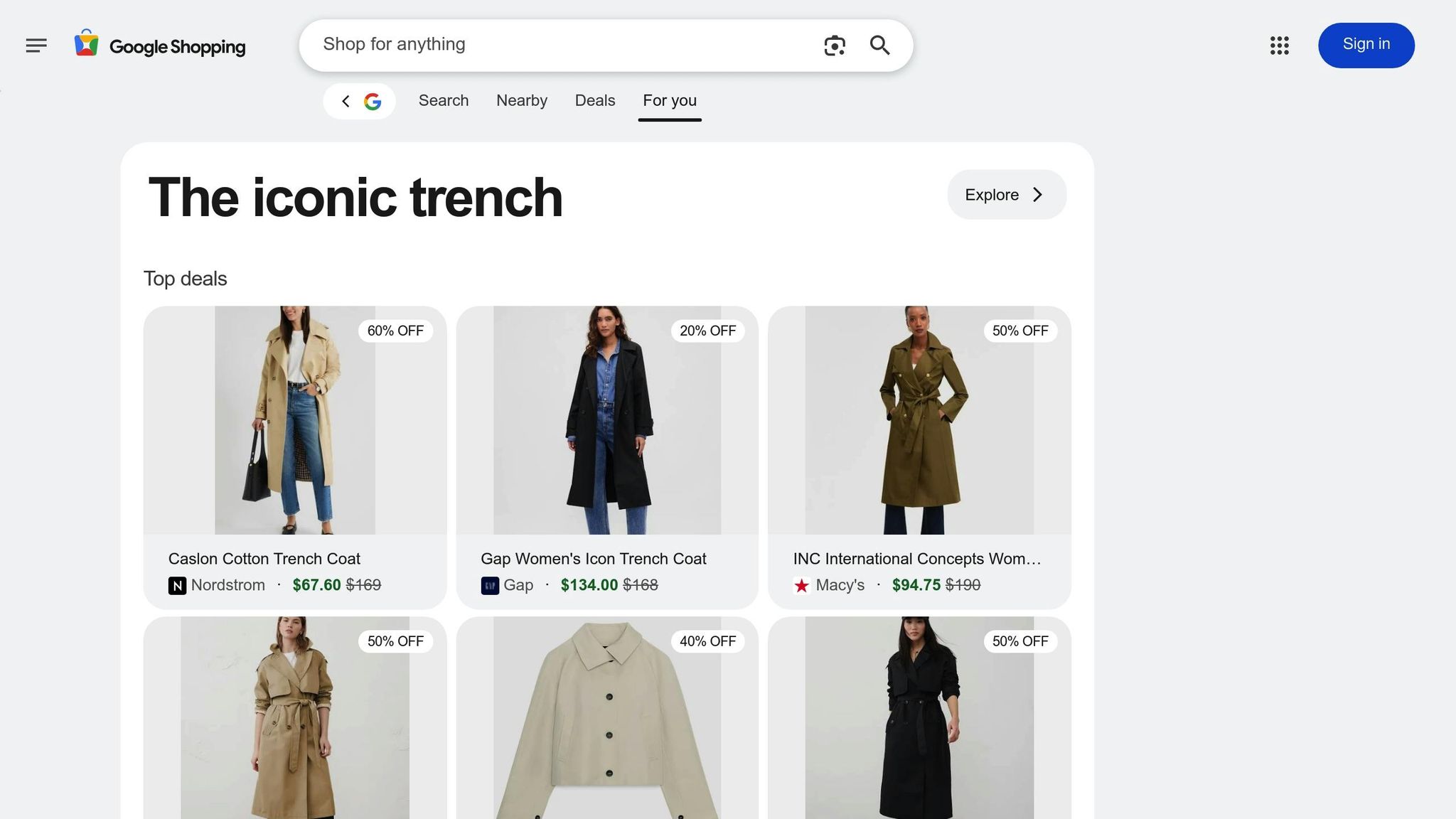
Google Shopping offers three primary discount methods, each tailored to specific goals and product strategies. Here's a breakdown of how they work and when to use them.
Merchant Promotions
Merchant Promotions are special deals that appear as clickable "Special Offer" links in your Shopping Ads. When shoppers click on these links, a pop-up reveals the promotion details, including any necessary promo codes.
You can create various types of promotions through Google Merchant Center. For example:
- Percentage discounts like "20% off" are great for higher-priced items, where the savings feel more impactful.
- Dollar-off deals such as "$15 off orders over $100" encourage larger purchases.
- Free shipping removes a common obstacle for buyers.
- Free gifts add extra value without significantly affecting your profit margins.
Keep in mind that these promotions require approval from Google Merchant Center. You'll need to provide clear titles, set rules (like minimum purchase amounts), and schedule them in advance. Because of the approval process, it's important to plan ahead.
Merchant Promotions are especially effective in boosting click-through rates during competitive periods. They’re ideal for clearing out surplus inventory or highlighting seasonal products where a visible deal can quickly grab attention.
Sale Price Attributes
The sale_price attribute allows you to show both the original price and the discounted price directly in your product feed. Both prices appear in your Shopping Ads, making the discount immediately visible without requiring shoppers to click for more details.
To use this feature, you’ll need to include both the original and sale price in your product feed, formatted correctly (e.g., $79.99 as the original price and $59.99 as the sale price). Google requires a discount of at least 5% but no more than 90% off the original price. This ensures discounts are meaningful but not so extreme that they seem unreliable.
If your sale price meets Google’s criteria, your listings may benefit from "sale" tags or "price drop" indicators, which can significantly increase click-through rates. For instance, a study found that these tags can boost clicks by up to 677%. Google may also automatically add a "price drop" tag if your price decreases by at least 20% compared to its 60-day average, though this isn’t guaranteed.
This method works best for popular or seasonal products where a visible discount creates urgency. It’s particularly useful when you want the price reduction to be the first thing shoppers notice.
Automated Discounts
Automated Discounts take a different approach by using artificial intelligence to apply personalized discounts at checkout - no promo codes needed. Google’s algorithms analyze real-time data to determine the ideal discount for each shopper, balancing conversion potential with your profit margins.
These discounts are applied automatically during checkout, creating a smooth shopping experience without the need for manual input from customers. The AI-driven system means that discounts can vary between customers based on their shopping behavior and likelihood to complete a purchase.
To enable automated discounts, your website must support Google’s real-time pricing updates, which requires technical integration and program enrollment. This setup often involves collaboration with your development team or eCommerce platform.
Automated discounts are particularly effective for personalizing offers and boosting conversion rates while safeguarding your margins. They’re versatile enough to work across a wide range of products, as Google’s AI determines which items to discount based on shopper demand and behavior patterns.
| Discount Type | Best Use Cases | Key Benefits | Setup Requirements |
|---|---|---|---|
| Merchant Promotions | Peak sales periods, inventory clearance | High visibility, drives urgency | Merchant Center approval, advance planning |
| Sale Price Attributes | Popular/seasonal items, visible savings | Price comparison, potential tags | Product feed updates, 5%-90% discount range |
| Automated Discounts | Broad product ranges, personalization | Seamless experience, AI optimization | Technical integration, program enrollment |
Each of these discount types serves distinct purposes, and many merchants find success by combining them based on their products, timing, and business objectives. Together, they provide a solid foundation for scaling your campaigns effectively.
How to Set Up Google Shopping Discounts
Setting up Google Shopping discounts involves enabling Merchant Promotions, choosing the right products, and ensuring compliance with Google's guidelines. Here's a step-by-step guide to get you started.
Using Merchant Center for Promotions
To launch discount campaigns, you’ll first need to enable Merchant Promotions in your Google Merchant Center account. Log in, head to the "Merchant Center programs" section, and complete the brief application process. Once approved, you can begin creating your promotions.
When setting up a promotion, you’ll need to select the participating country and the type of offer you want to run. Options include percentage discounts, dollar-off deals, free shipping, or free gifts. Each type serves a different purpose, so pick one that aligns with your inventory goals and profit strategy. You can also define specific rules, such as minimum purchase amounts, applicable product categories, or quantity requirements.
To keep track of your campaigns, assign a unique promo ID (e.g., HOLIDAY2025_20OFF). Make sure to submit promotions at least 24–48 hours before they go live to allow time for Google's review process.
Choosing Products for Discounts
Selecting the right products is key to running a successful discount campaign. Focus on high-demand items that already attract significant traffic, as these are more likely to convert when discounted. Seasonal products also present great opportunities - for instance, offering discounts on winter coats in November or swimwear in early summer aligns with shopper needs.
If you’re dealing with overstocked inventory, consider using limited-time discounts to free up cash flow and clear storage space. Organize your discounted items with custom labels in your product feed, such as discount_campaign_nov2025 or clearance_winter, to simplify tracking and performance analysis.
However, avoid discounting low-margin items unless your goal is to clear excess stock. And always make sure your campaigns meet Google’s standards, which are outlined below.
Meeting Google's Requirements
To run valid promotions, you must stick to Google’s rules. Price accuracy is critical - your ad prices must exactly match the prices on your website. Additionally, your site must be transaction-ready, offering a secure and seamless checkout experience without broken links or out-of-stock issues. Use clear and specific promotion descriptions, like “20% off all winter jackets” or “Free shipping on orders over $75”.
| Requirement Type | Specific Rules | Common Mistakes to Avoid |
|---|---|---|
| Discount Amounts | Minimum of 5% or $5 off; Maximum of 90% off | Discounts below 5% or exceeding 90% |
| Price Display | Exact match between ad and website pricing | Mismatched pricing on landing pages |
| Site Functionality | Smooth, secure, and transaction-ready | Broken links or errors during checkout |
| Promotion Clarity | Use clear, straightforward descriptions | Vague or overly complex promotion terms |
Keep your product feed updated whenever prices, stock levels, or promotions change. This helps you avoid disapprovals and ensures a smooth experience for your customers.
How to Improve Discount Performance
Once your Google Shopping discounts are set up, the next step is to fine-tune them for better results. Success often hinges on smart timing, dynamic pricing, and constant monitoring. These strategies can transform an average campaign into a standout performer.
Timing Discounts for Peak Sales Periods
When it comes to discount campaigns, timing is everything. Retailers who align their Google Shopping promotions with major shopping events - like Black Friday, Cyber Monday, and the holiday season - often see the best results. But don’t stop there. Other high-traffic times, such as back-to-school season or Memorial Day, can also generate significant sales.
Launching your promotions a few days before these events can help attract early shoppers looking to snag deals before the rush. Extending discounts a bit beyond the main event can also capture last-minute buyers or those who need extra time to decide. These simple tweaks can boost sales without much extra effort.
Your own sales data is a goldmine for identifying the best times to offer discounts. For example, if you specialize in outdoor gear, spring might be your peak season. On the other hand, late July and early August are critical for back-to-school supplies. With 40% of shoppers using Google to hunt for deals, being visible during these high-demand periods is essential.
Dynamic Pricing and Real-Time Adjustments
In today’s competitive eCommerce world, sticking to static prices can be a missed opportunity. Dynamic pricing tools, powered by AI, let you adapt to market changes in real time, helping you maximize both sales and profit margins.
These tools analyze a range of data - like inventory levels, competitor pricing, demand trends, and past performance - to adjust discounts effectively. For instance, if demand for a product spikes or your inventory dips, the system can tweak prices to maintain profitability.
Google's Automated Discounts feature takes this a step further by tailoring discounts to individual shoppers. Using advanced algorithms, it personalizes offers based on each customer’s likelihood to purchase. This approach boosts conversion rates while keeping margins intact.
Keeping an eye on competitor pricing is equally important. If a rival drops their price on a similar product, your dynamic pricing tool can respond within hours, not days. This speed is crucial because Google Shopping favors lower-priced products and highlights discounted items with tags like "sale" or "price drop".
Monitoring and Adjusting Campaigns
To get the most out of your discounts, you need to monitor your campaigns closely and adjust as needed. Focus on key metrics like click-through rate (CTR), conversion rate, return on ad spend (ROAS), average order value (AOV), and inventory turnover. These numbers reveal what’s working - and what’s not.
For example, if your CTR is high but conversions are low, your discount might not be appealing enough, or your landing page could need improvement. On the flip side, if conversions are solid but your ROAS is weak, you might need to reduce the discount percentage or shift focus to higher-margin products.
Custom labels in your product feed can make tracking easier. Labels like holiday_discount_2025 or clearance_winter allow you to analyze the performance of specific promotions and use those insights to plan future campaigns.
Here’s a quick guide to interpreting performance metrics and making adjustments:
| Performance Indicator | What It Reveals | Adjustment Strategy |
|---|---|---|
| High CTR, Low Conversions | Discount might not be compelling | Increase discount or simplify the offer |
| Low CTR, High Conversions | Poor search visibility | Improve product titles or adjust bids |
| Strong Sales, Poor ROAS | Margins are shrinking | Reduce discount or focus on higher-margin items |
| High Inventory Turnover | Clearance campaign is working well | Extend similar offers |
With 62% of consumers actively searching for and using discount codes when shopping online, your promotions need to stand out. Regular monitoring ensures you can make timely adjustments to keep your campaigns competitive.
However, avoid over-discounting or making frequent price changes. These practices can hurt your product rankings on Google Shopping and might make shoppers question the quality of your items. Instead, focus on deliberate, well-planned adjustments that balance your inventory goals with profit margins.
sbb-itb-d7b5115
Using Funding to Scale Discount Campaigns
Scaling discount campaigns to their full potential often hinges on having the right financial resources. Successful Google Shopping campaigns demand more than just great offers - they require increased inventory, larger promotional budgets, and the cash flow to sustain these efforts during high-demand periods. But for many sellers, finding the capital to take full advantage of major shopping events can be a challenge.
This is where external funding steps in, providing the financial boost needed to expand campaigns without overburdening cash flow. With 40% of shoppers actively seeking special deals, having the financial flexibility to run competitive promotions can be the key to turning a good campaign into a great one.
Funding Promotions with Onramp Funds
For eCommerce businesses looking to grow, Onramp Funds offers a tailored solution: revenue-based financing. Unlike traditional loans with fixed payments, Onramp’s model ties repayments directly to your sales, meaning you pay back a percentage of revenue only as you earn it.
This approach is particularly helpful for discount campaigns. It minimizes financial strain during slower periods while giving you the freedom to invest more during peak sales events. Onramp integrates with major eCommerce platforms like Amazon, Shopify, BigCommerce, WooCommerce, Squarespace, Walmart Marketplace, and TikTok Shop, allowing sellers to access funding based on real-time sales data.
Speed is another advantage. Onramp provides funding offers within 24 hours, and approved funds are often available immediately. This quick turnaround is crucial for sellers who need to act fast to capitalize on seasonal trends or respond to competitive promotions.
Sellers can use Onramp funding for various growth activities, such as buying additional inventory, increasing marketing spend, or running deeper discounts. For Google Shopping campaigns, this means you can stock up ahead of big sales events, allocate more budget to Google Ads, and offer attractive discounts without worrying about cash flow constraints.
To qualify, businesses must meet a few requirements: they need to generate at least $10,000 in average monthly sales and operate as a legal US entity. Fees range from 2-8%, with transparent pricing and no hidden costs, making it easy to plan ahead. This seamless access to capital supports the strategies needed to maximize discount campaign performance.
Scaling Discounts with vs. Without Funding
Having sufficient financial backing can be the difference between a successful campaign and a missed opportunity. Here’s a side-by-side look at how running discount campaigns with and without funding compares:
| Aspect | With Funding | Without Funding |
|---|---|---|
| Inventory Management | Buy in bulk and avoid stockouts during promotions | Limited inventory due to cash constraints, higher risk of running out |
| Discount Depth | Offer competitive discounts (20%+ off) | More conservative discounts to preserve cash flow |
| Campaign Duration | Extend promotions through peak periods | Shorten campaigns to manage costs |
| Marketing Budget | Increase spend on Google Ads and Shopping campaigns | Restricted budget limits visibility |
| Cash Flow | Flexible repayments tied to sales performance | Strained cash flow during heavy promotions |
| Risk Management | Lower risk with sales-based repayments | Higher risk of cash flow issues |
| Growth Potential | Fully leverage major events like Black Friday or Cyber Monday | Miss out on peak sales opportunities |
The advantages of funding become especially clear during major shopping events. With access to capital, sellers can secure bulk inventory at lower costs, run longer promotions, and react quickly to unexpected demand spikes or competitor actions - all without straining their finances.
Without funding, campaigns are often limited by available cash. This can lead to shorter promotions, less aggressive discounts, and reduced visibility on platforms like Google Shopping. These constraints not only impact immediate sales but also limit opportunities to build customer relationships during key shopping periods.
Revenue-based financing offers a flexible solution by aligning repayment with sales performance. If your campaign does well, you pay back more as your revenue grows. If sales fall short, repayment obligations decrease, helping you maintain stability and plan for the next opportunity.
Common Google Shopping Discount Mistakes to Avoid
Even the most well-planned campaigns can falter due to simple execution errors. Many sellers unintentionally make mistakes that confuse potential buyers, violate Google’s policies, or fail to capitalize on critical shopping periods. Recognizing and avoiding these common missteps can be the key to running campaigns that drive results instead of wasting your budget.
Unclear or Complex Offers
Confusing or overly complicated promotions can quickly turn shoppers away. If your offer isn’t easy to understand at a glance, customers are likely to skip over it in favor of a competitor with clearer messaging. This becomes even more problematic during busy shopping seasons when buyers are rapidly comparing deals.
For example, vague promotion titles like "Special savings" or "20% off select items" leave customers guessing about which products are included and the actual discount. Similarly, overcomplicated deals - such as "Buy 2, get 10% off select items, plus free shipping on orders over $75" - can overwhelm shoppers, leading them to abandon their carts.
The fix? Be specific and straightforward. Instead of a generic "20% off select items", say "20% off baby sneakers." Clear, simple offers like "$10 off orders over $50" or "Free shipping on all orders" perform better because they immediately communicate value and make decision-making easier.
Wrong Pricing in Product Feeds
Accurate pricing is non-negotiable for both maintaining customer trust and complying with Google’s policies. A mismatch between the price in your product feed and the price on your website can lead to ad disapprovals or, worse, suspension of your Merchant Center account. Additionally, customers who encounter unexpected pricing at checkout are likely to abandon their purchase altogether.
This issue often stems from outdated product feeds that don’t reflect recent price changes or promotions. To avoid this, regularly audit your feeds to ensure they match your website’s current pricing. Pay special attention to sale price attributes - Google requires that your base price has been active for at least 30 consecutive days within the past 180 days, and discounts must range between 5% and 90% off the original price.
Last-Minute Setup and Submission
Leaving campaign setup and submission to the last minute can seriously impact your promotional success. Google’s review and approval process takes time, and rushing submissions close to major shopping events - like Black Friday or Cyber Monday - can mean your promotions won’t go live when demand is at its peak.
Planning ahead is crucial. Early submissions not only ensure your campaigns are ready on time but also give you the flexibility to make adjustments if Google requests changes or if errors are identified. Waiting until the last moment leaves no room for corrections, potentially forcing you to launch with subpar settings - or miss the opportunity entirely.
Even with a solid budget, poor execution can undermine your efforts. Competitive promotions won’t yield results if they’re unclear, incorrectly priced, or launched too late to capture peak traffic. Addressing these common mistakes can significantly improve the performance of your discount campaigns and help you make the most of high-demand shopping periods.
Getting the Most from Google Shopping Discounts
Making the most of Google Shopping discounts calls for careful planning, strict adherence to guidelines, and dependable funding. When these elements align, they can significantly boost visibility, drive conversions, and support long-term growth.
Planning is the cornerstone of success. Merchants who achieve the best results start preparing their promotions well ahead of peak shopping seasons. This approach positions them to attract deal-hunting shoppers. Promotion titles should be clear and specific to instantly convey value. For instance, instead of vague offers, use phrases like "20% off baby sneakers" to grab attention and set expectations. While a solid plan lays the groundwork, following Google's rules is just as critical.
Compliance safeguards your efforts. Sticking to Google's pricing and stability standards is essential to maintaining trust with shoppers and avoiding penalties. Any mismatch between your ad pricing and landing page can hurt conversions and even risk account suspension. Properly managed discounts can also earn your products a "price drop" tag from Google, provided the discount is at least 20% within a 90-day window. Once your planning and compliance are in place, the next step is ensuring you have the financial flexibility to execute your campaigns effectively.
Reliable funding is the backbone of scaling your campaigns. Discount campaigns can strain cash flow, as they require ample inventory, reduced margins, and extra marketing spend. This is where solutions like Onramp Funds come in. They offer fast, equity-free financing tailored for eCommerce businesses, enabling you to seize market opportunities or handle seasonal peaks without depleting your working capital.
"Applied, got our offer, and had cash in our bank account within 24 hours. Their Austin, TX-based team was very professional and helped me deploy the cash to effectively grow our business", shares Nick James, CEO of Rockless Table.
With funding available in under 24 hours, Onramp Funds ensures merchants can act quickly. Their revenue-based repayment model adjusts with your sales, so you repay a percentage of your earnings, aligning perfectly with the ups and downs of promotional campaigns.
Optimization is the final key to success. The best-performing merchants actively monitor campaign performance, using tools like custom labels to track inventory and customer engagement. They experiment with different discount strategies - percentage off, dollar savings, free gifts, or free shipping - to find what resonates most . Google's Automated Discounts feature can further refine your efforts by using AI to personalize pricing for individual shoppers in real time, all while protecting your profit margins.
With 62% of consumers actively looking for discount codes, and discounted products consistently outperforming non-discounted ones in impressions and clicks, integrating discounts into a well-rounded strategy is crucial. Success comes from balancing smart planning, compliance, adequate funding, and continuous optimization based on real-world data.
When each piece - planning, compliance, funding, and optimization - works in harmony, your discount campaigns can do more than just drive immediate sales. They can create a sustainable edge that fuels both short-term wins and long-term growth.
FAQs
How can I make sure my Google Shopping discounts are approved by Google Merchant Center before busy shopping seasons?
To get your Google Shopping discounts approved in time for those peak shopping seasons, make sure you're sticking to the policies and guidelines outlined by Google Merchant Center for promotions. Pay close attention to details like start and end dates, ensuring they align with your campaign setup and meet the required formatting standards. Submitting your promotions early is also a smart move - it gives Google enough time to review and approve them before your campaign kicks off.
If you're an eCommerce seller gearing up for a busy season but need extra resources to stock up on inventory or boost your marketing efforts, funding options like those from Onramp Funds could be worth exploring. They offer financing solutions tailored to help businesses grow while keeping cash flow under control.
How can I use Google Shopping discounts effectively without hurting my profit margins?
To make the most of Google Shopping discounts while keeping your profit margins intact, focus on targeted discounting strategies. Start by reviewing your product performance data. Apply discounts selectively - prioritize items with strong sales potential or those you need to move quickly, like overstocked inventory. Avoid applying discounts across your entire catalog, as this can eat into your profitability.
Set specific objectives for your discount campaigns. Are you trying to boost product visibility, drive more traffic, or increase sales for particular items? Define your goals upfront. Use tools like Google Ads performance tracking to measure how well your discounts are working and make adjustments as necessary. You might also want to experiment with time-sensitive promotions to create urgency and motivate faster purchases.
If you're planning to expand your eCommerce business or fund marketing efforts like discount campaigns, having the right financial support is key. Onramp Funds offers financing solutions tailored for eCommerce sellers, helping you manage your cash flow and grow your business without unnecessary strain.
What makes AI-powered discounts different from traditional discount strategies, and how can they benefit my eCommerce business?
AI-driven discounts stand apart from traditional approaches by relying on advanced algorithms to evaluate customer behavior, market trends, and sales data in real time. This enables businesses to implement personalized and flexible pricing strategies that adjust to shifting conditions, making discounts more impactful and profitable.
For eCommerce businesses, these automated techniques can enhance visibility, draw in more customers, and drive higher sales - all while reducing the chances of over-discounting. Using tools like these helps you stay competitive and make more informed choices for your promotional efforts.
Related Blog Posts
Onramp Funds
Funding built around your sales
Connect your store and see what you qualify for. Repay as a percentage of sales, with no personal credit check.
Funding in as little as 24 hours.
