

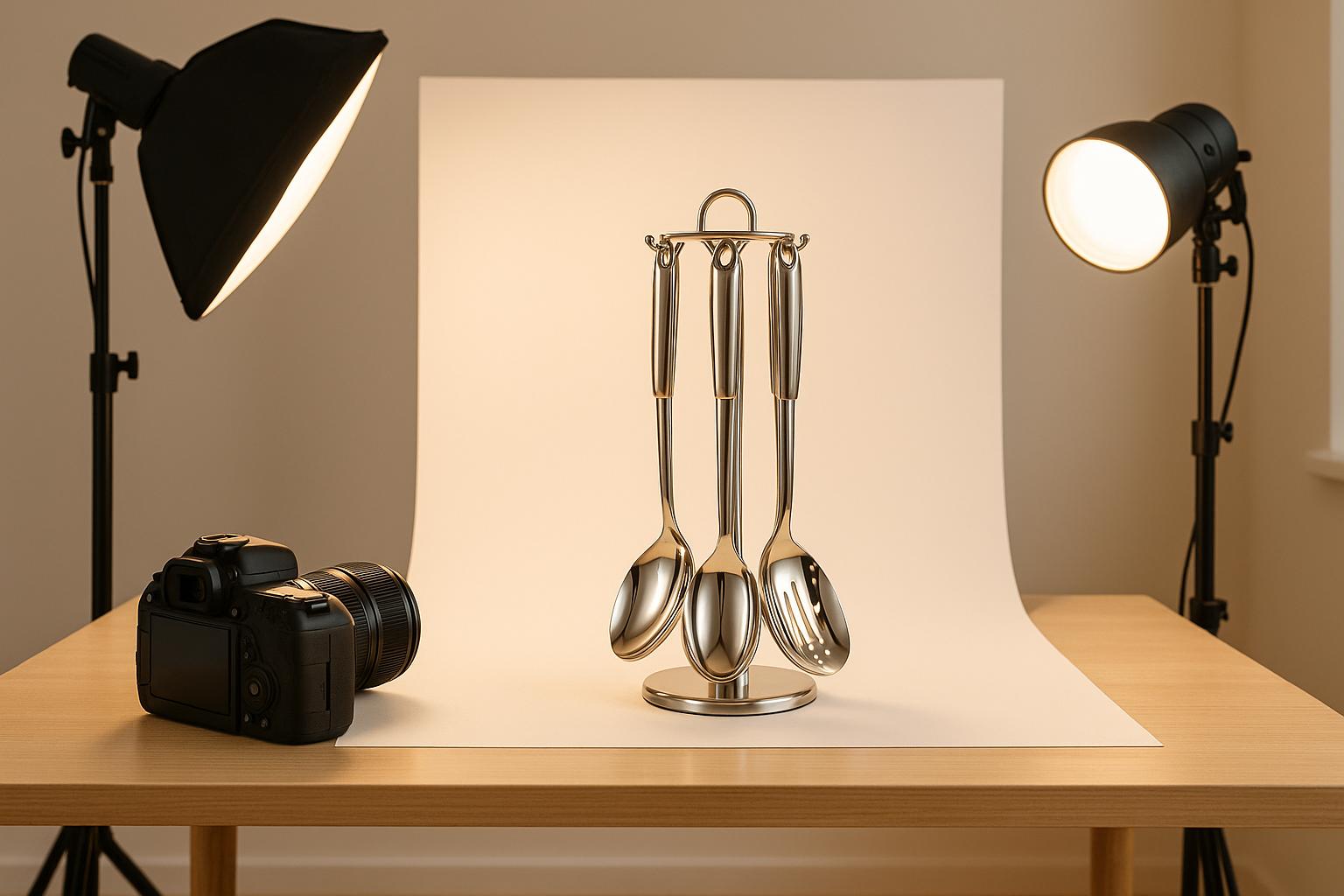
Your product photos on eBay can make or break a sale. Listings with high-quality images are 4.5% more likely to sell and can attract 40% more views. Poor visuals, on the other hand, can reduce click-through rates by up to 60%. Clear, bright, and detailed photos not only grab attention but also build trust, reduce buyer uncertainty, and even lower return rates.
Key takeaways for better eBay images:
- Use high-resolution photos (1,600 x 1,600 pixels recommended).
- Avoid watermarks and poor lighting.
- Show multiple angles, close-ups, and size references.
- Stick to plain, white backgrounds for a professional look.
- eBay tools like the Background Removal Tool can simplify editing.
Investing in quality photography - whether through equipment, tools, or professional services - can significantly impact your sales. If upfront costs are a hurdle, options like Onramp Funds offer financing solutions tied to your sales. Great images aren’t just about aesthetics - they’re about selling more and building buyer confidence.
How to Take Great eBay Photos | Tips to Make More Sales!

eBay Image Requirements and Compliance
When it comes to selling on eBay, getting your product images right is crucial. Following eBay's image standards not only improves your listing's visibility but also boosts its overall appeal. Here's a breakdown of their guidelines, common missteps, and tips for maintaining high-quality visuals.
eBay's Image Guidelines
eBay has specific technical requirements for product images to ensure they display well across the platform. Here's what you need to know:
- Images should be at least 500 pixels on the longest side, though 800–1,600 pixels is ideal for better presentation.
- Each image file can be up to 7 MB, and every listing must include at least one photo.
Here’s a quick summary of the key image requirements:
For most listings, JPEG is recommended due to its excellent balance of compression and quality. Images with aspect ratios of 1:1 or 16:9 tend to look best on eBay, and using dimensions like 1,600 x 1,600 pixels can create a strong visual impact.
Common Compliance Mistakes
Even with clear guidelines, sellers often fall into some common traps that can hurt their listings. Here are a few to watch out for:
- Watermarks: eBay prohibits them, as they can distract buyers.
- Poor lighting: Dim or uneven lighting makes products appear less appealing.
- Insufficient viewpoints: Failing to show multiple angles can leave buyers hesitant.
- Improper use of stock photos: Only use stock images for new, unused items, and ensure you have the rights to use them.
Maintaining Image Quality on eBay
eBay compresses uploaded images, which can reduce their quality. To counter this, start with high-resolution photos and follow these tips:
- Use a camera set to capture large files, with 1:1 framing and auto white balance.
- Opt for a plain background with diffused lighting, and consider using a tripod for stability.
- Upload images from a desktop rather than a mobile app to avoid additional quality loss.
If you encounter issues like blurry uploads, clearing the app's cache or reinstalling it might help.
Pro Tip: eBay only stores images for 90 days, so always keep your own high-quality backups.
Consistency is another key factor. Using the same setup - camera, lighting, and background - for all your photos ensures your listings look professional and cohesive. Investing in tools like a photo lightbox can make this process easier and help maintain a polished, uniform appearance. By sticking to these practices, you not only meet eBay's standards but also elevate the overall quality of your brand.
How to Take High-Quality Product Images
Creating professional-looking product photos doesn’t require a hefty budget or years of expertise. With the right setup and a few key techniques, you can produce images that make your products shine and help drive sales. In fact, 93% of consumers say visual appearance is a major factor in their purchase decisions.
Lighting and Background Setup
Lighting is the backbone of excellent product photography. Aim for bright, soft, and evenly diffused lighting to avoid harsh shadows or reflections that can make your images look amateurish. Stay away from using flash - it often creates glare and uneven lighting.
One of the best ways to diffuse light is by using simple tools like white screens, sheets, or even bouncing light off a wall. If you’re looking for a more structured setup, consider a lightbox, which provides consistent, even lighting. Daylight LED bulbs are also a great choice, as they mimic natural light and offer steady illumination.
When it comes to backgrounds, stick with plain white or neutral tones to keep the focus on your product. White backdrops create a clean, professional look, while darker backgrounds can work well for reflective items like jewelry.
For equipment, lightboxes are a great option for smaller items, offering evenly lit photos with a seamless background. If you’re photographing larger products, lighting umbrellas allow more flexibility and can be adjusted to suit different item sizes.
To ensure sharp, clear images, use a tripod and set your camera’s Auto White Balance (AWB) to "auto." Once your setup is ready, capture multiple angles to showcase your product from every perspective.
Key Angles and Details to Photograph
Once your lighting is perfect, focus on capturing a variety of angles. Buyers want to see every detail of a product, just as they would in a physical store. Listings with high-quality images can boost conversion rates by up to 33%, so it’s worth the effort to provide a thorough visual presentation.
Start with a front-angle shot to highlight the main features of your product. Follow it with a profile shot to showcase details or branding on the sides. A 45-degree angle combines the front and side views, offering a more dynamic perspective. Don’t forget a back-angle shot to reveal important details like care labels or additional features.
For items sold as sets or bundles, a top-down shot works well to display all components neatly. If your product has intricate textures, patterns, or logos, include close-up macro shots to highlight these finer details. To help buyers understand the product’s size, add a sense of scale by including a familiar object like a coin or ruler in the frame.
Consistency Across Listings
Consistency is key when it comes to building trust and creating a polished storefront. A cohesive image style across your listings not only reinforces your brand identity but also makes your store look professional and reliable.
Stick to the same background style and lighting setup for all your photos. Whether you choose white, gray, or another neutral color, keep it consistent to maintain a uniform tone and brightness. Use the same cropping, padding, and aspect ratios for every image to create a seamless browsing experience for your customers.
To make this process easier, consider using tools like VistaCreate or Canva. These platforms offer templates that can help you maintain a consistent look across your product images. Developing a photography workflow - one that includes the same background, lighting, and framing - will save time and ensure your listings have a cohesive appearance.
Consistent, professional-looking photos not only make your store visually appealing but also help establish trust with buyers. When your images are polished and uniform, customers are more likely to see you as a credible seller they can rely on.
Editing and Improving Your Images
Once you've captured clear, compliant photos, the next step is refining them through editing. Even great photos can benefit from a little polish. Thoughtful adjustments can transform good images into professional, attention-grabbing visuals that help drive sales. The goal is to enhance the photo’s natural appeal without overdoing it or misrepresenting your product.
Basic Editing Techniques
Start with simple adjustments that make the biggest difference. Cropping and straightening can eliminate unnecessary space and ensure everything is properly aligned, creating a clean, professional look. Tweak exposure, brightness, and color to make your product stand out, but avoid edits that make the image look overly processed. A touch of sharpness can fix slight blurriness, though too much can create an unnatural appearance. Remove any distractions in the background - like dust, shadows, or reflections - so the focus stays on your product.
Also, resizing your images is crucial. eBay requires a minimum resolution of 500x500 pixels, but for the best zoom functionality, aim for 1,600x1,600 pixels. Once the basics are covered, you can explore tools that make these edits easier and more efficient.
Recommended Editing Tools
eBay’s built-in editor is a solid starting point. It lets you crop, rotate, sharpen, adjust brightness and contrast, and even remove backgrounds - all without leaving your listing. For more advanced needs, there are plenty of tools to consider.
- SnapEdit: Great for enhancing image quality with minimal effort.
- Remove-bg.ai: Perfect for quick and unlimited background removal.
- Canva: A user-friendly platform with tools for consistent branding.
- Adobe Photoshop: Ideal for advanced editing with extensive features.
- GIMP: A free alternative to Photoshop, offering powerful editing capabilities.
- Snapseed and Photoroom: Mobile apps designed for quick, on-the-go adjustments.
For the best results, consider combining tools. Use eBay’s editor for basic tweaks, then switch to specialized software for more complex edits. Once your images are ready, it’s time to update them in your active listings.
Updating Images in Active Listings
Updating your product images doesn’t have to disrupt your sales. eBay allows sellers to revise active listings and add or change photos without extra fees unless specific features are added. The process depends on the type of listing:
- Auction-style listings: If there are no bids and more than 12 hours remain, you can freely update photos. If bids are present, you can only add new images but can’t replace existing ones.
- Fixed-price listings: These offer more flexibility, letting you update photos at any time, even if the item has a sales history.
To make changes, go to Seller Hub and navigate to "Manage active listings." Check the box next to your listing, select "Edit" from the dropdown menu, and upload your updated photos. Alternatively, in My eBay, go to the "Active" section under Selling, find your listing, and click "Revise" under "More actions".
When replacing photos, make sure they meet eBay’s technical requirements. If you're replacing an image linked from a web address, use a new URL for the updated photo. eBay stores copies of listing photos for up to 90 days, which can be helpful if you need to relist items. Additionally, eBay’s background enhancement tool can replace photo backgrounds with solid white or AI-approved backdrops, ensuring your product stands out. Always ensure your updated images accurately reflect your product, including any flaws, to maintain buyer trust.
sbb-itb-d7b5115
Advanced Image Optimization Strategies
Once you've nailed the basics of image editing and compliance, it's time to step up your game. These advanced tactics tap into eBay's built-in tools and professional resources to elevate your listings even further.
Using eBay's Built-in Features
eBay offers some powerful tools that often go unnoticed but can make a big difference in your listing performance. For starters, uploading images at 1,600x1,600 pixels unlocks the zoom feature, letting buyers inspect products up close. This is especially handy since over 60% of eBay purchases are made on mobile devices. Plus, the gallery view neatly arranges your images, giving your product a polished presentation.
Another standout tool is eBay's Background Removal Tool, introduced in 2020. This AI-powered feature automatically creates clean white backgrounds, removing distractions and giving your products a professional look - all without the need for external editing software. It integrates seamlessly with eBay's gallery system, ensuring your images look sharp and appear in the desired order.
High-quality images do more than just look good - they help with search visibility. eBay's algorithm prioritizes listings with professional-looking photos, boosting your chances of appearing in eBay searches and even on platforms like Google Shopping. This added exposure can lead to more views and, ultimately, more sales. To take full advantage, consider using multiple images to create a rich, detailed presentation.
Using Multiple Images Effectively
eBay allows sellers to upload up to 24 images per listing, and using this feature wisely can increase your chances of selling an item by 70%. While the first photo is critical - it’s what buyers see in search results - the additional images help tell the full story of your product.
For example, if you're selling collectibles, include at least six photos that cover every angle, along with close-ups of labels or brand names. For clothing, show the item on a model or mannequin, and add detailed shots of the fabric, tags, and unique features. Each image should add value, whether it's showing the front, back, sides, or interior details like pockets or lining. Don’t forget to include photos of any original packaging, documentation, or certificates of authenticity.
Since most buyers shop on their phones, it's crucial to optimize your images for mobile screens. Test your listings on a mobile device to ensure each photo is clear and follows a logical sequence. This way, your images create a smooth and engaging visual journey for potential buyers.
"More is more when it comes to photos. Add up to 24 to each listing." - eBay Seller Center
By addressing every possible question a buyer might have through your images, you reduce uncertainty and increase the likelihood of a sale. This approach also minimizes the chances of returns due to unmet expectations, setting the stage for professional enhancements as your business scales.
Scaling with Professional Resources
As your eBay business expands, professional-quality images become a key factor in staying competitive. Professional photography not only enhances quality and consistency but also helps establish a strong brand identity, which can build trust and justify higher prices. Of course, this level of quality often comes with a higher price tag, especially if you're managing a large inventory or venturing into new product categories.
To make this investment more manageable, consider financing options tailored to eCommerce businesses. Onramp Funds, for instance, provides equity-free financing that lets you invest in professional photography equipment, bulk editing services, or even hire photographers without straining your cash flow. Their repayment model, based on a percentage of sales, ensures you only pay back as your improved listings start driving revenue.
Think of it this way: if professional photos boost your sell-through rate by even 10–15%, the increase in cash flow can quickly offset the initial expense. You could invest in high-end cameras, lighting setups, or editing software. Alternatively, you might use the funding to outsource bulk photography services, ensuring your entire inventory has a consistent, polished look.
For a more cost-effective option, tools like Speed eCam use AI-driven features to deliver professional results without the high costs of traditional photography services. With the right funding, you can implement these tools across your product range, maintaining quality while keeping costs under control.
Treat image optimization as an investment in your business's growth. With access to flexible financing, you can make impactful upgrades - whether it’s better equipment, professional services, or advanced technology - that translate directly into higher sales. Additionally, scaling your efforts to include proper file naming and descriptive alt text across your listings can improve search visibility and reinforce your brand's credibility on eBay. These changes create a ripple effect, boosting traffic and driving more consistent sales over time.
Conclusion
Optimizing your images isn’t just a nice-to-have - it’s a game-changer for your eBay sales. With over 1.2 billion listings on the platform, standing out often comes down to the quality of your photos. The stats back this up: listings with higher-quality images are 4.5% more likely to sell, and a whopping 76.5% of online shoppers say image quality is a key factor in their buying decisions.
Clear, high-resolution photos aren’t just about aesthetics - they build trust. When buyers can see every detail of your product, they feel more confident making a purchase. This transparency also helps reduce returns, especially the 22% caused by mismatches between product descriptions and reality. Accurate images lead to happier customers, more sales, and better reviews.
By applying the techniques discussed earlier - like using proper lighting and refining your photos with advanced editing tools - you give your listings an edge. High-quality visuals not only grab attention in search results but also keep potential buyers engaged, increasing the likelihood of a sale. Plus, aligning with eBay’s image guidelines ensures your products are more visible in search, boosting your chances of success.
For sellers aiming to grow, investing in professional-grade photography becomes even more important. While upgrading your equipment or hiring professional services might feel expensive, the payoff is clear. If upfront costs are a concern, consider revenue-based financing options like those from Onramp Funds. Their flexible repayment model, tied to your sales, makes it easier to invest in better photography tools without straining your budget.
Ultimately, success on eBay often starts with a single, well-optimized image. Whether you’re just beginning to refine your photos or scaling your efforts across hundreds of listings, every improvement adds up. In a marketplace as competitive as eBay, standout visuals are your ticket to attracting buyers and building a thriving, profitable business.
FAQs
How can I make sure my eBay product images meet technical requirements and still look professional?
To make sure your eBay product images meet technical standards and look sharp, start with photos that are at least 500 pixels on the longest side. For the best clarity, aim for high-resolution images - ideally 1600 pixels or more - to avoid any pixelation. Stick to supported file formats like JPEG or PNG, and ensure the file size stays under 12 MB.
For a professional touch, focus on good lighting, a clean background, and clear angles that showcase your product's details. These steps not only align with eBay's requirements but also make your listings more visually appealing, helping to catch buyers' attention and drive sales.
How can I make my eBay product photos look professional without spending a lot of money?
To make your eBay product photos stand out without breaking the bank, start by using natural light and a clean, uncluttered background. Position your item near a window during the day to take advantage of bright, even lighting. Skip the flash - it often leads to harsh shadows or unwanted glare.
Keep your photos clear and high-quality by stabilizing your camera or phone with a tripod or by placing it on a steady surface. Always set your device to its highest resolution, and give the lens a quick clean to avoid any smudges. For a professional touch, consider a flat lay style or experiment with angles that showcase your item's best details.
With these simple steps, you can achieve polished, eye-catching images without spending a fortune on fancy gear.
How do high-quality images on eBay boost sales and buyer trust, and what can I do to improve my product photos?
Why High-Quality Images Matter on eBay
When it comes to selling on eBay, high-quality images can make all the difference. Clear and detailed photos help potential buyers see exactly what they're getting, easing doubts and showcasing the best features of your product. This builds trust and can ultimately lead to more sales.
Here’s how to make your product photos stand out:
- Use bright, even lighting: Good lighting ensures your item is clearly visible and looks appealing.
- Take high-resolution photos from multiple angles: Show every side of the product to give buyers a complete view.
- Add lifestyle images when possible: If it fits, include photos of the product in use to help buyers imagine it in their lives.
- Stick to eBay’s image rules: Use plain backgrounds and avoid adding watermarks to keep your listings professional.
By putting effort into your photos, you’re not just showing off your product - you’re building buyer confidence, which can lead to more clicks, more trust, and ultimately, more sales.
Related posts
Onramp Funds
Funding built around your sales
Connect your store and see what you qualify for. Repay as a percentage of sales, with no personal credit check.
Funding in as little as 24 hours.
