

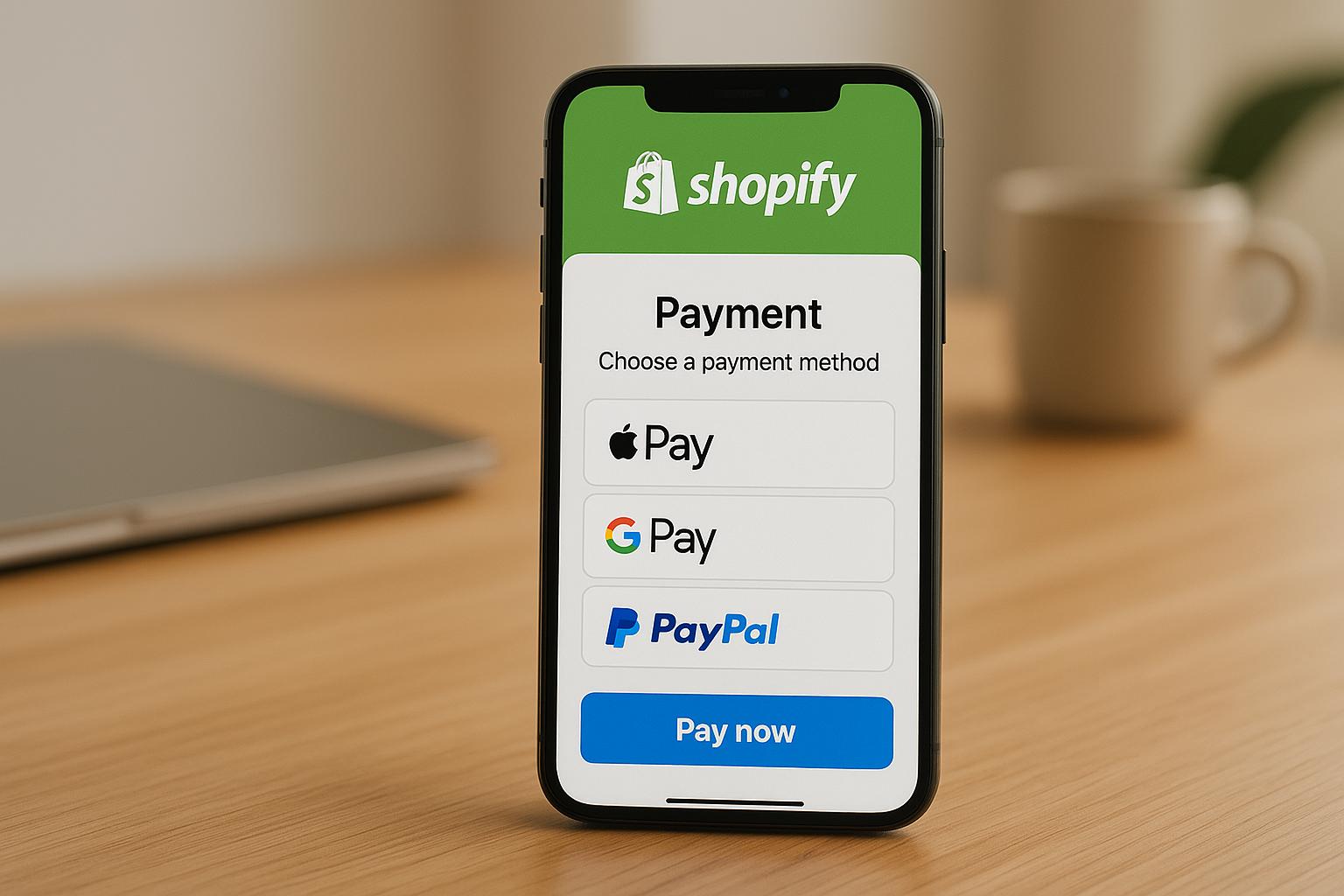
Want to boost sales on your Shopify store? A smooth mobile payment system can make all the difference.
Mobile shoppers expect fast, secure, and hassle-free checkouts. The right payment system not only speeds up transactions but also supports popular options like Apple Pay and Google Pay, reduces abandoned carts, and keeps your costs in check. Here's a quick breakdown of the top mobile payment systems for Shopify:
- Shopify Payments: No extra fees, built-in integration, and supports multiple currencies and wallets.
- Stripe: Transparent pricing with developer-friendly tools for customization.
- PayPal: Trusted globally but may incur additional fees.
- Square: Great for businesses with both online and in-person sales.
- Klarna: Offers buy-now-pay-later options to increase cart values.
Quick Comparison
Key Takeaway
Choose a system that aligns with your sales volume, customer preferences, and checkout simplicity. Start with one or two options, track performance, and adjust based on your store's growth.
I Tried All Payment Gateways for Shopify- This Is The Best in 2025

What to Look for in a Mobile Payment System
Picking the right mobile payment system for your Shopify store isn't just about accepting payments - it’s about finding a solution that fits your business model, keeps costs under control, and makes checkout easy for customers. A poor choice can chip away at your profits or frustrate shoppers, while the right one can simplify operations and increase sales.
Here’s what you should consider before committing to a payment system.
Shopify Integration
A payment system that integrates directly with Shopify ensures everything runs smoothly. When a system is built to work seamlessly with Shopify, you avoid the headaches of managing third-party gateways, configuring APIs, or troubleshooting compatibility issues [7].
With native integration, your payment processing, inventory tracking, and order management all sync effortlessly within a single dashboard. This setup not only saves time but also reduces errors that can happen when data moves between disconnected systems.
Another benefit? A fast and responsive checkout process on mobile devices. Integrated systems often allow for customization, so your payment interface can match your store's branding - providing a consistent shopping experience from start to finish [4].
Additionally, integrated systems often come with tools like real-time transaction tracking and fraud detection, giving you instant insights into payments and potential security risks. Shopify itself supports over 100 payment providers beyond its native options, offering flexibility to find the system that works best for your store [8].
These integration capabilities directly affect costs and customer experience, which brings us to the next point.
Transaction Fees and Pricing
Understanding transaction fees is crucial because even small differences can add up over time. Payment systems vary widely in their pricing, and what seems like a minor fee could cost you thousands of dollars a year.
For example, Stripe charges 2.9% + $0.30 per online transaction and 2.7% + $0.05 for in-person payments, without monthly or annual fees [3]. This straightforward pricing makes it easy to estimate costs based on your sales volume.
Shopify Payments, Shopify’s native gateway, offers transparent rates with no extra transaction fees, plus faster payouts - usually within 2–3 business days [2]. There are no setup fees, monthly fees, or third-party transaction charges when using Shopify Payments [5]. However, it’s worth noting that payouts can sometimes take up to three business days to reach your account [3].
On the other hand, third-party gateways like PayPal often charge additional fees on top of Shopify’s standard rates, which can increase your overall costs [6]. Some providers, such as Opayo, offer flat-fee pricing that may suit certain businesses, while others like WorldPay use quote-based pricing, which can be less transparent and potentially lead to hidden fees [6].
To make an informed decision, calculate your monthly transaction volume and compare the total costs across providers. For instance, if your store processes $10,000 in monthly sales, even a 0.2% difference in fees could mean an extra $240 annually - money that could be better spent on growing your business.
Transparent pricing and offering a variety of payment options are key to building a strong payment strategy.
Mobile Wallet Support
Mobile wallets like Apple Pay and Google Pay are becoming essential for fast, hassle-free checkouts [5]. These payment methods let customers complete purchases with a single tap or biometric authentication, eliminating the need to manually enter card details.
Shopify Payments supports a wide range of payment options, including credit cards, digital wallets like Apple Pay and Google Pay, Shop Pay, buy now, pay later services, and PayPal [5]. Similarly, Stripe accommodates a global audience with its support for various payment methods [2]. When customers see their preferred payment options at checkout, they’re more likely to trust the process and finish their purchase.
Speed is also a huge factor. Traditional card entry involves typing in 16-digit numbers, expiration dates, CVV codes, and billing addresses - a tedious process on mobile devices. Mobile wallets simplify this to a quick fingerprint scan or facial recognition, which significantly reduces abandoned carts [5].
For Shopify store owners, using a payment system that natively supports popular mobile wallets leads to faster checkouts, higher conversion rates, and happier customers. Plus, offering multiple payment methods ensures you don’t lose a sale just because a customer’s preferred option isn’t available.
Lastly, ensure your chosen payment system includes essential security features like PCI DSS compliance, fraud detection, and secure data encryption to keep sensitive financial information safe across devices and networks [2][5].
Best Mobile Payment Systems for Shopify
When you're setting up a Shopify store, choosing the right payment system can make all the difference in cost, speed, and customer satisfaction. Each option offers unique perks, from seamless integration to transparent fees and mobile wallet compatibility. Below is a breakdown of the top payment systems to help you decide which one fits your business best.
Shopify Payments

Shopify Payments is Shopify’s built-in payment solution, making it incredibly easy to use since it’s already integrated into your store’s dashboard. You won’t need a third-party gateway, which simplifies setup and management. One of its biggest advantages? It waives additional transaction fees, potentially saving you money over time. Shopify Payments supports a wide range of payment methods, including credit cards, digital wallets like Shop Pay, PayPal, and even buy-now-pay-later options. It also handles international payments in customers’ local currencies. With automatic deposits - usually within 2–3 business days - and free card readers for in-person sales, this system is a straightforward and efficient choice for Shopify users.
Stripe
Stripe stands out for its flexibility and developer-friendly tools. It offers transparent pricing at 2.9% + $0.30 per online transaction and 2.7% + $0.05 for in-person payments [3]. Stripe’s robust API makes it easy to customize and integrate across various platforms, supporting credit and debit cards, Apple Pay, Google Pay, and international payment options. With a G2 rating of 4.2 out of 5 stars [5], Stripe is praised for its customization options and ease of integration. However, its setup might feel daunting for non-technical users, and its fees are on the higher side compared to some alternatives.
PayPal
PayPal is one of the most recognized payment systems worldwide, which can help build trust with new customers. It supports payments via PayPal accounts, credit/debit cards, and mobile wallets, making it a versatile option. However, keep in mind that using PayPal as a third-party gateway may result in extra fees on top of Shopify’s standard rates [6]. If your goal is to offer a familiar, trusted payment option, PayPal is a solid choice.
Square

Square is a great option for businesses that operate both online and offline. Its integration with Shopify allows for seamless management of payments, inventory, and sales across different channels. This makes it particularly useful for businesses that sell in-person at events, markets, or retail locations, as well as online. Before choosing Square, compare its transaction fees with Shopify Payments to see which option is more cost-effective for your business volume [1].
Klarna
Klarna is a buy-now-pay-later (BNPL) solution that lets customers pay in installments, which can encourage more purchases and higher cart values. Adding Klarna to your Shopify store can attract customers who prefer flexible payment plans. However, Klarna typically comes with higher transaction fees than traditional payment methods, and its integration process can be more complex [6]. Consider whether Klarna aligns with your business model and customer preferences before committing to it.
sbb-itb-d7b5115
Mobile Payment System Comparison
Compare key features side by side to find the best payment solution for your Shopify store.
Feature Comparison Table
When selecting a payment system, consider integration ease, supported payment methods, and your business type. Here's a side-by-side comparison:
Below are concise summaries of how these features can impact your store's performance.
Transaction Fees
Transaction fees directly affect your profit margins. Shopify Payments removes third-party gateway fees entirely, potentially saving you significant money, especially for high-volume stores. Stripe’s transparent pricing - 2.9% + $0.30 per online transaction - makes it straightforward to calculate costs, though these fees can add up for larger stores. Other systems, like PayPal and Square, vary depending on the service or transaction type, so it’s worth reviewing their specific terms.
Integration Complexity
Ease of integration can influence how quickly you can start accepting payments. Shopify Payments is built into the Shopify dashboard, requiring no technical setup. Stripe offers unmatched flexibility through its developer-friendly API but demands technical expertise for customization. PayPal and Square are relatively simple to set up but might require some additional configuration to work seamlessly. Klarna, while slightly more complex, appeals to stores prioritizing installment payment options.
Mobile Wallets
Mobile wallets like Apple Pay and Google Pay are a must for smooth, secure checkouts - especially for mobile shoppers. Shopify Payments and Stripe support these wallets fully, ensuring fast transactions. Klarna, however, focuses on installment payments rather than traditional wallet options, catering to customers who prefer spreading payments over time.
Currency Support
All the systems listed support multiple currencies, but the ease of handling conversions varies. Shopify Payments automatically converts currencies and displays local prices for customers, simplifying the process. External systems like Stripe or PayPal might require manual adjustments or additional tools for smooth currency conversion.
Recommended Use Cases
Each system has its strengths, making them suitable for different business needs:
- Shopify Payments: Ideal for standard Shopify stores, thanks to its seamless integration and fee-free structure.
- Stripe: Best for businesses requiring advanced customization or selling high-ticket items due to its flexible API.
- Square: A great choice for omnichannel retailers managing both online and physical locations.
- Klarna: Perfect for stores aiming to boost conversions with flexible installment payment options.
- PayPal: A solid option for businesses prioritizing customer trust and familiarity.
A Balanced Approach
While it’s tempting to offer multiple payment options, too many choices can complicate your checkout process and increase management efforts. Start with one or two systems that align with your core business needs. Over time, you can expand based on customer feedback and sales data.
For stores looking to scale quickly, Onramp Funds (https://onrampfunds.com) provides revenue-based financing integrated with Shopify. This repayment model adjusts as your revenue fluctuates, making it a practical choice for seasonal businesses or those looking to invest in expanding their product range or optimizing payment systems.
How to Choose the Right Mobile Payment System
Finding the best mobile payment system means aligning your business needs with the features each platform provides. Factors like transaction volume, customer preferences, and future growth plans all play a role in selecting the right option. Let’s break it down.
Transaction Volume and Business Size
The size of your business and how much you process monthly can heavily influence which payment system makes the most sense. For example, if your sales hit $10,000 a month, avoiding third-party fees can save you a lot compared to using external gateways.
Take Stripe, for instance. With its transparent pricing at 2.9% + $0.30 per online transaction, it's a solid choice for businesses with steady, predictable volumes[3]. To put it in perspective, if you process 100 transactions at $50 each, your Stripe fees would total about $175.
For smaller businesses or freelancers with fewer transactions, systems that charge little to no monthly fees are often the better fit. But as your business grows, it’s smart to keep an eye on how these fees scale with your transaction volume.
If international expansion is on your radar, platforms like Worldpay could be worth exploring. Operating in over 150 countries and supporting more than 120 currencies[6], it’s a strong contender for global businesses. However, its quote-based pricing can be tricky to navigate, so be sure to ask for a detailed cost breakdown before committing.
When comparing systems, don’t just focus on one fee. Look at the total cost, including setup fees, monthly charges, and hidden costs like currency conversion or chargeback fees. Some platforms may advertise low transaction rates but sneak in extra charges for premium features as your needs grow.
And beyond just numbers, understanding how your customers prefer to pay is equally crucial.
Customer Preferences
How your customers like to pay can directly affect your sales and conversion rates. Mobile shoppers, for instance, increasingly expect fast and secure checkout options like Apple Pay and Google Pay. These features can reduce abandoned carts and make the checkout process seamless[4]. If a significant portion of your audience shops on mobile, prioritize systems with strong mobile wallet support.
Buy Now, Pay Later (BNPL) options are another growing trend. Platforms like Klarna and Shopify’s Shop Pay Installments allow customers to split their payments into manageable chunks without adding risk for merchants[6]. These options are especially appealing if you sell higher-priced items or cater to shoppers who value flexible payment plans.
To better understand your customers’ preferences, analyze checkout data. A/B test different payment methods on your site to see which ones drive the most conversions. For example, if 60% of your transactions come through digital wallets but your current system doesn’t support them well, it might be time to switch.
Geography matters, too. International customers often prefer local payment methods that some gateways don’t support. PayPal Zettle, for instance, offers a variety of payment options, including direct PayPal account payments. PayPal’s reputation for security and reliability can also help build trust, which is especially valuable for newer businesses.
Finally, keep an eye on checkout abandonment rates. If customers drop off at the payment stage, it could mean they’re not finding their preferred method or the process is too complicated. Offering a few well-chosen mobile wallet options can streamline the experience, especially for mobile shoppers who favor one-click payments. Just be careful not to overwhelm your team - or your customers - with too many choices.
The best approach? Start with one or two payment systems that align with your business and customer needs. Use sales data and feedback to refine and expand your options over time, keeping things simple and effective.
Conclusion
Choosing the best mobile payment system for your Shopify store means aligning your business goals with what your customers want. The options discussed - Shopify Payments, Stripe, PayPal, Square, and Klarna - each offer benefits tailored to different types of businesses.
A smart way to introduce new payment methods is through a phased rollout. Test a new option alongside your current system for one to two weeks, and track key metrics like conversion rates, checkout abandonment, and customer feedback across various devices and payment methods [5]. This trial period gives you valuable insights without disrupting your existing operations. Plus, it helps you understand how well the new system performs on mobile and how your customers interact with it.
Streamlining the checkout process is key to reducing abandoned carts. Features like Apple Pay and Google Pay enable quick, two-second payments that minimize friction [9]. Similarly, Buy Now, Pay Later options, such as those offered by Klarna, can improve conversion rates [6]. If your data shows a high percentage of transactions through digital wallets, prioritize systems that excel in mobile wallet support. Keep a close eye on checkout abandonment rates - if customers are dropping off at the payment stage, it’s a sign that adjustments are needed.
As you refine your payment system, consider factors like setup costs, monthly fees, and scalability. Sometimes, a platform with slightly higher fees but better support can save you time and money in the long run. Your payment solution should grow with your business, whether you’re handling a few hundred transactions a month or preparing for international expansion. Features like real-time inventory syncing [9] and unified dashboards with omnichannel capabilities [10] not only streamline operations but also build trust with your customers.
Start by implementing one or two payment systems that fit your current needs and align with customer preferences. Use your sales data and customer feedback to tweak and improve over time. A smooth and reliable checkout process earns trust, reduces cart abandonment, and keeps customers returning - making your payment system choice a critical step in the success of your Shopify store.
FAQs
What should I know about transaction fees for mobile payment systems on Shopify, and how can they affect my store's expenses?
Transaction fees for mobile payment systems on Shopify depend on the provider and the features they bring to the table. These fees are usually calculated as a percentage of each sale, often combined with a small flat fee per transaction. While they might seem minor at first, they can grow into a significant expense, particularly if your store handles a high volume of sales.
To keep these costs in check, it’s important to compare providers, dig into their fee structures, and pick one that fits your business goals. On top of that, having access to flexible funding solutions - like those from Onramp Funds - can help you stay on top of your cash flow. This way, you can continue to invest in growing your business, even as transaction fees fluctuate alongside your sales.
What are the advantages of using mobile wallets like Apple Pay or Google Pay for my Shopify store, and how do they improve the checkout process for customers?
Using mobile wallets like Apple Pay or Google Pay in your Shopify store can make the checkout process smoother and more enjoyable for customers. These payment options are quick, secure, and simple to use, allowing shoppers to complete their purchases with just a few taps - whether they’re on a mobile device or a desktop.
One major advantage is the added layer of security. Mobile wallets use encryption and tokenization to safeguard sensitive payment information, which helps lower the risk of fraud. Plus, they simplify the checkout process by removing the need for customers to manually input their credit card details. This convenience can reduce cart abandonment and boost your conversion rates. By offering mobile wallets, you’re giving shoppers a modern, hassle-free payment option that fits today’s shopping habits.
What are the benefits and drawbacks of offering Buy Now, Pay Later options like Klarna for Shopify store owners?
Offering Buy Now, Pay Later (BNPL) options, such as Klarna, can be a smart way for Shopify store owners to increase sales and enhance the shopping experience. By letting customers split payments over time, BNPL makes higher-ticket items feel more affordable. The result? Higher conversion rates, bigger average order values, and even more repeat buyers.
That said, there are some trade-offs to keep in mind. BNPL providers usually charge transaction fees, which can eat into your profits. Plus, leaning too much on BNPL might attract shoppers who struggle to keep up with payments, potentially affecting your cash flow. It’s important to weigh these pros and cons carefully to decide if BNPL fits your business strategy.
Related Blog Posts
Onramp Funds
Funding built around your sales
Connect your store and see what you qualify for. Repay as a percentage of sales, with no personal credit check.
Funding in as little as 24 hours.
